Emergency alert
Premium

One message on every screen in seconds

When something happens, the screens in your building are the fastest way to reach everyone at once. Press the red Emergency alert button, choose a message and the screens, and every chosen screen shows it full screen within seconds, over whatever was playing. No playlist, no upload, no approval.

Start free, 1 screen includedSee how it works

Premium feature, included in the Pro and Business plans. Free plan, no credit card required. Paid plans from €5/month.

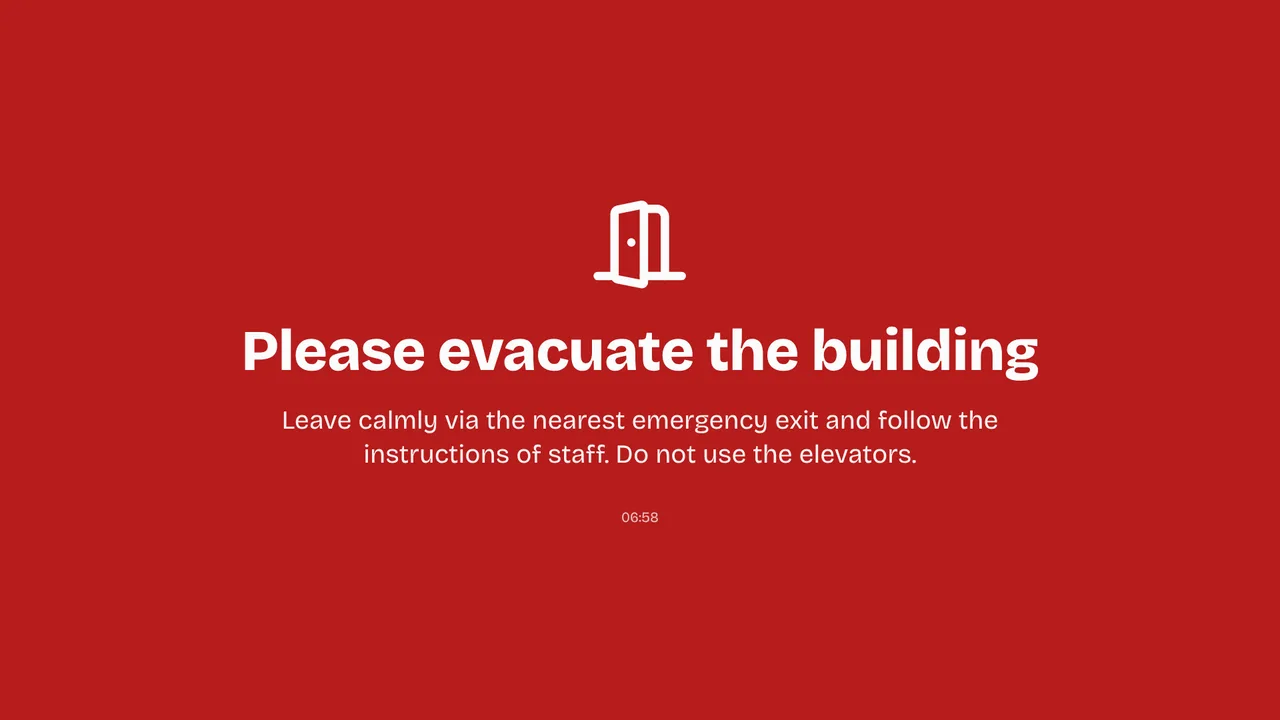
Emergency alert on a TV screen
On the screen

What the screen shows

Ready-made messages

Evacuate, Fire, Temporarily closed and Disruption, with the title and text already written in your language.

Your own message

Pick an icon and a colour, or your own colour; the text turns dark on a light colour so it stays readable.

Every screen or a few

All screens, per location, per tag or screen by screen. Team members limited to a location can only reach theirs.

Over everything

The player draws the message itself, over content, video walls and banners, so nothing can hide it.

TVs switch on

With Turn TVs on, a Raspberry Pi switches a TV in standby on to show the message.

Ends by itself

After 15 minutes, 1 hour, 4 hours or 24 hours, also on a screen that lost its internet. Extend or stop it any time.

Calm, not flashing

A slow pulse of the background draws the eye from across a room, without a strobe that could hurt people with epilepsy.

You know where it shows

A bar on every dashboard page shows on how many screens the message is visible right now; admins get an email.
Setup

How it works

01
Press Emergency alert

The red button sits at the top of the dashboard sidebar, on every page.

02
Choose message and screens

Pick a ready-made message or your own, adjust the text, choose the screens and how long it shows.

03
Show it

Every chosen screen shows the message within seconds. Stop or extend it from the red bar.

Privacy

What reaches the screen

An alert only reaches screens of your own account, and only people with editor rights or higher can start one. Team members limited to certain locations can only choose screens in those locations. Owners and admins get an email when an alert starts or stops, and every alert is listed in the team activity.

Only screens of your own account, never anyone else's
Editors and up can start it, limited to their locations
Owners and admins get an email at start and stop
Any TV

Show it on the TV you already own

TVpilot turns the hardware you have into a managed screen: an Amazon Signage Stick with the TVpilot app, a Raspberry Pi with one command, a Fire TV Stick or Android TV, or simply the browser of a smart TV. One player URL per screen, managed from the dashboard.

Amazon Signage StickRaspberry Pi signageFire TV Stick signageSmart TV, no hardware
Pricing

Included in Pro and Business

This is a Premium feature: it comes with the Pro and Business plans. Start free with your first screen and upgrade when you need it.

Free
€0forever

Perfect for trying TVpilot with one screen.

Start free
Starter
€5/month

For small teams and single locations.

Start free
Pro
€19/month

For growing businesses with multiple locations.

Start free
Business
Customon request

Enterprise-grade signage at any scale.

Contact sales

Start on the free plan and stay there as long as you like. No credit card, no trial clock.

FAQ

Frequently asked questions

How fast does the message reach the screens?

Within seconds on every screen that is online. A screen that comes back online picks up a running alert at once.

Does it need approval or a playlist?

No. The approval workflow is skipped on purpose: in an emergency there is no time for a second pair of eyes. The message is drawn by the player itself, so it needs no playlist or upload either.

What happens when the internet goes down?

A screen that already shows the alert keeps showing it and still ends it at the chosen time, also without a connection.

Who can start an alert?

Editors, admins and owners. Team members limited to certain locations can only choose screens in those locations.

Which plan do I need?

The emergency alert is a Premium feature, included in the Pro and Business plans. On other plans the button shows how it works, with a link to upgrade.

Also see:Meeting room panel · Nederlands

One message on every screen in seconds

Put an evacuation, fire, closure or own message on all your screens or a chosen few within seconds, over whatever is playing. It ends by itself, also offline.

Start free with TVpilot