Amazon Signage Stick: simple, professional signage
The Amazon Signage Stick is a powerful, reliable media player purpose-built for businesses and organizations of all sizes. With its secure, plug-and-play design and seamless integration with TVpilot, you can quickly and professionally display and manage your content on any screen, from a single display to screens across many locations.
 Also available on Amazon Business, where members enjoy discounts on every order.
TVpilot: free for 1 screen, Starter €5/month with 3 screens, Pro €29/month with 10, the same pricing on every device.
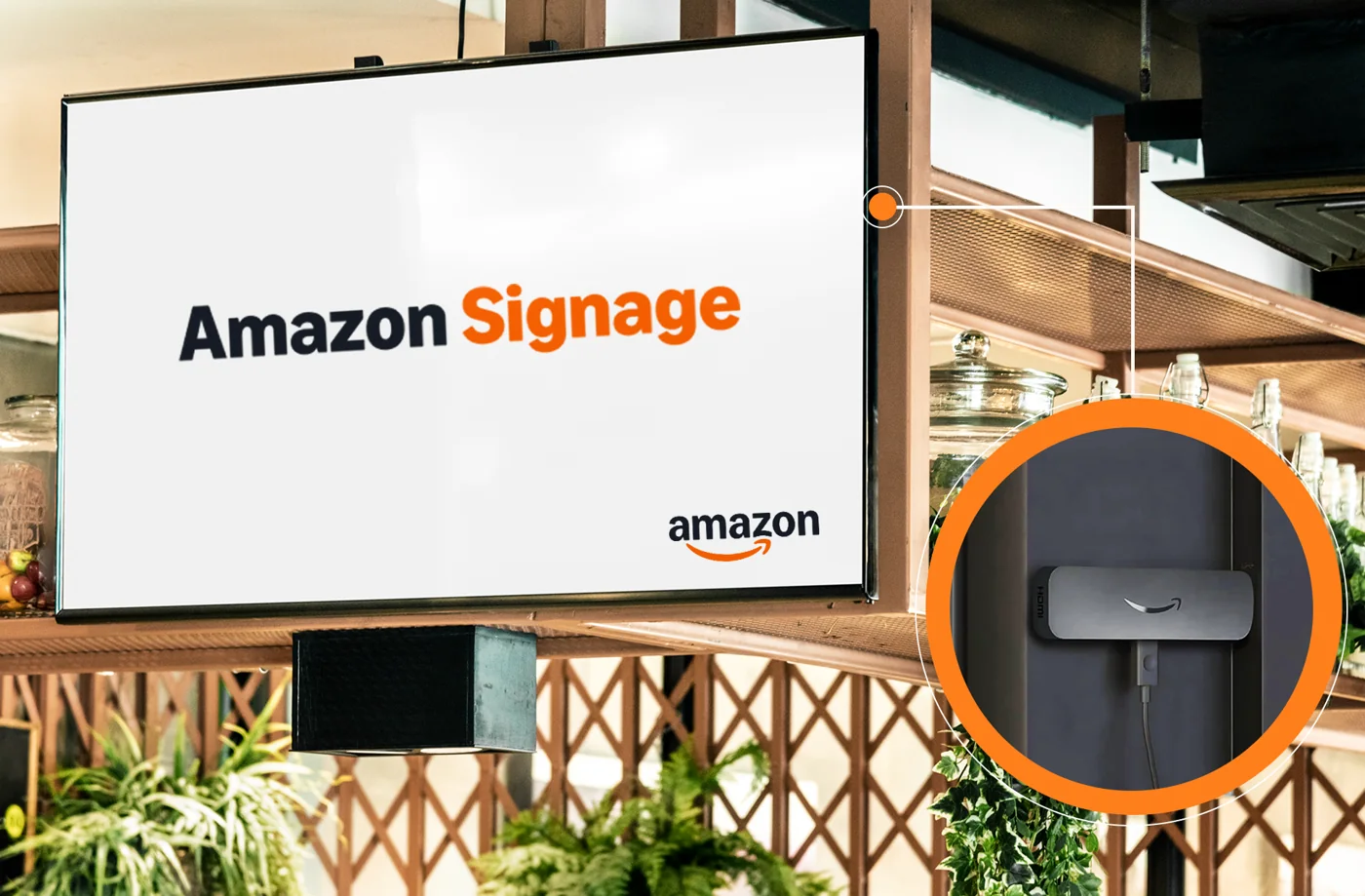
An Amazon Signage Stick, a screen and TVpilot
The Stick skips the consumer home screen entirely and runs TVpilot full screen, set up once with the free Amazon Signage mobile app. This is everything you need:
Live in three steps
Pick your Amazon marketplace below. Available in the US, Canada, Germany, Spain, France, Italy and the UK, also available through Amazon Business in these regions.
Connect the Stick to any HDMI screen and set it up in minutes with the free Amazon Signage mobile app.
Choose TVpilot as your CMS, enter the claim code from your TVpilot dashboard, and your playlist plays. From then on you manage everything remotely.
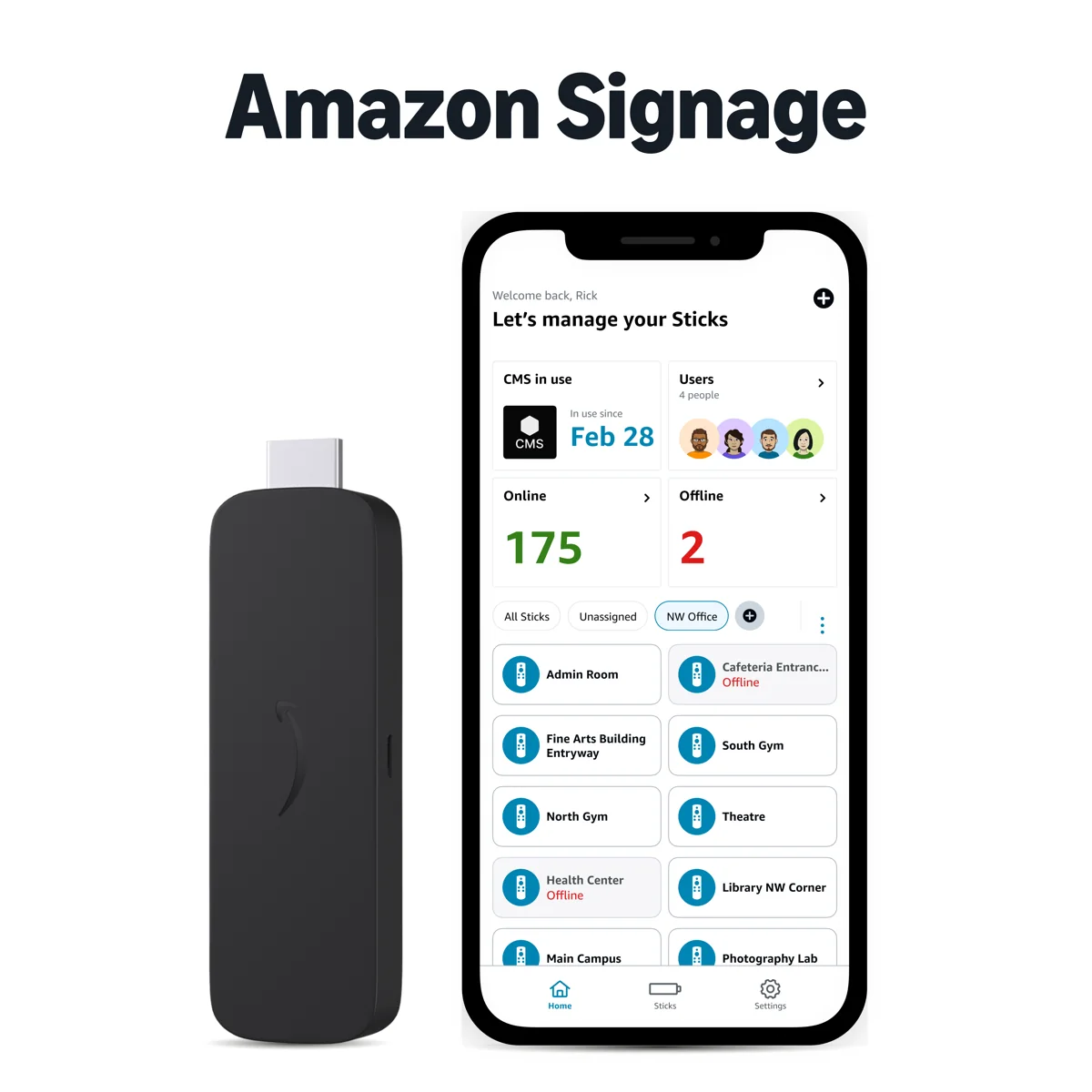
Manage all your Sticks from your phone
The Amazon Signage mobile app makes it faster and easier to set up multiple Signage Sticks and monitor all devices on the go.
Learn more about Amazon Signage at signage.amazon.com
Download and install TVpilot
TVpilot is free to install. You only need a TVpilot account, free for your first screen.
Nothing to download yourself. In the Amazon Signage mobile app, choose TVpilot as your CMS: the Stick installs the app and starts it full screen. Enter the claim code from your TVpilot dashboard and your playlist plays.
Search the Amazon Appstore on your Fire TV for "TVpilot", or open the listing below and send the app to your device. Open it and enter the claim code from your dashboard.
New versions install by themselves. A Signage Stick updates overnight while it is on and online; in the dashboard, Check for app update in the screen's actions menu installs a new version right away.
What's new in the TVpilot app
The app on the Amazon Signage Stick and Fire TV has its own version number, shown on the screen page under Device. Everything else in TVpilot improves without an app update: see the TVpilot changelog.
- Restart the Stick and check for an app update straight from the screen's actions menu in the dashboard.
- Portrait screens rotate through the Stick itself, so videos play full screen in portrait too.
- The screen page shows the Stick's serial number, temperature, Wi-Fi signal and network details.
- On/Off Hours switch the TV itself over HDMI, and a TV switched off by hand comes back on by itself.
- The Stick follows the screen's time zone, and Clear cache also clears the Stick's own cache.
- Videos are kept on the Stick, so a playlist keeps playing through an internet outage, and the app comes back by itself once the internet returns.
- Wi-Fi signal, free memory and storage on the screen page, with an email when memory or storage runs low.
- Press Back twice to leave the app; hold the Menu button for the maintenance menu.
- TVpilot is available on the Amazon Signage Stick: choose TVpilot in the Amazon Signage app and enter the claim code from your dashboard.
- The Stick starts straight into TVpilot after every power cut and plays your playlist full screen.
- Screenshots, restart, clear cache and device logs from the dashboard, like on every TVpilot screen.
Everything TVpilot does, on the Stick
The Stick runs the full TVpilot player, so every feature below works exactly as on any other TVpilot screen.
Mix images, videos, web pages, PDFs and live widgets in one playlist, schedule slides per daypart and weekday, and push a takeover to any screen when something needs to show right now.
Describe a promo or menu in a short brief and AI Studio generates a finished signage screen, or start from a template in the Designer and swap in your own text, photos and logo.
Online/offline monitoring with email alerts, remote restart, cache clear, real screenshots and on-demand device logs, the tools you need when a screen hangs in a shop 200 km away.
From the Pro plan you invite colleagues with roles and scope them to locations, and on Business you require approval before an editor's playlist changes go live, governance that matches a multi-site rollout.
Amazon Signage Stick vs Fire TV Stick for signage
Amazon Signage Stick, answered
Does TVpilot work on the Amazon Signage Stick?
Yes. TVpilot is available in the Amazon Signage app: plug in the Stick, choose TVpilot as your CMS during setup, enter the claim code from your TVpilot dashboard and your playlist plays. The Stick then starts TVpilot full screen every time it powers on.
How do I download the TVpilot app?
On the Amazon Signage Stick you do not download anything yourself: choose TVpilot as your CMS in the Amazon Signage mobile app and the Stick installs and starts the app. On a Fire TV Stick, search the Amazon Appstore for "TVpilot". New versions install by themselves; the app changelog on this page lists what each version added.
Where can I buy the Amazon Signage Stick?
On Amazon in the US, the UK, Germany, France, Spain, Italy and Canada, and through Amazon Business in these regions. Customers in the Netherlands and Belgium order via amazon.de. Amazon ships the Stick within the country of purchase.
Do I need a separate TVpilot subscription?
Yes, the Stick is the player and TVpilot is the software. TVpilot is free for 1 screen, Starter is €5/month with 3 screens included and Pro €29/month with 10 screens and every Premium feature, the same pricing on every device.
How do I manage many Sticks?
Set up and group the Sticks with the free Amazon Signage mobile app, with profiles so you do not re-enter network and CMS settings for every Stick. Content, schedules, monitoring and screenshots for every screen live in the TVpilot dashboard.
What happens after a power cut?
The Stick boots straight back into TVpilot and continues the playlist, no remote or staff needed.
Free for your first screen
Use the hardware you already own; the software starts at €0.
Try TVpilot on one screen, for as long as you like.
- 1 screen
- 250 MB storage
- All standard plugins
- Scheduling: 1 calendar
For a shop, practice or restaurant with a few screens.
- 3 screens included, up to 10
- 2 GB storage
- Premium available as an add-on
- Version history
- Scheduling: 5 calendars
For offices, schools and chains, with every Premium feature.
- 10 screens included, up to 100
- 10 GB storage
- All Premium features
- Up to 3 users, up to 3 locations
- Version history
For organizations with a team, approvals and many locations.
- 25 screens included, up to 100
- 100 GB storage
- All Premium features
- Up to 25 users, unlimited locations
- Approval before publishing
- Own branding, priority support
- Extra screens from €1.50
- Premium on Starter €9
- Extra storage €10 per 25 GB
- Cancel monthly
- Prices excl. VAT
Great signage starts with the dashboard,
and the Stick makes the screen setup effortless.
Create a free TVpilot account, order the Amazon Signage Stick, and put your first screen live today.
Start free with TVpilotAnother country? Choose your Amazon store