Meeting room panel

Free or busy,
readable from the corridor

The classic door panel without the proprietary hardware: a tablet or small screen by the door shows whether the room is free or busy right now, the current booking and what comes next, green when free and red when busy. Paste the iCal link of the room calendar and that is it.

Start free, 1 screen includedSee how it connects

Free plan, no credit card required. Paid plans from €5/month. Plugin version v1.1.
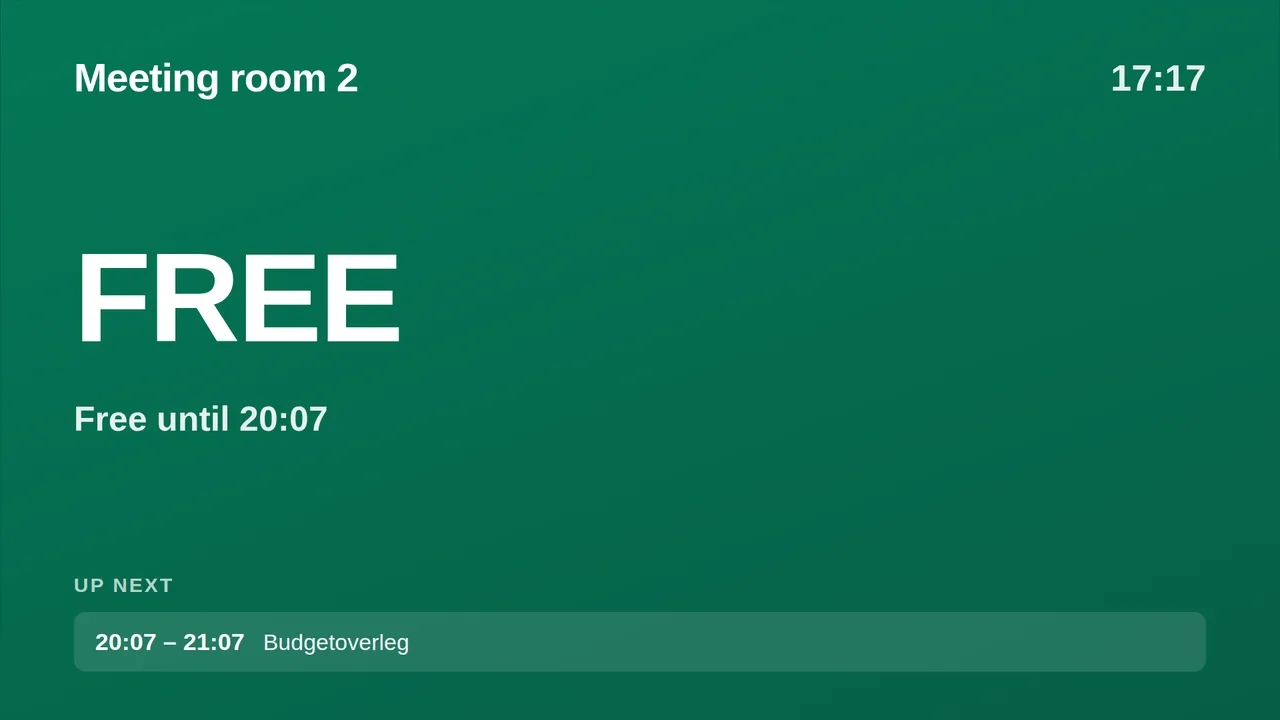
Meeting room panel on a TV screen
On the screen

What the screen shows

Free or busy now

Green when free, red when busy, with the minutes until the next change.

Current booking and next

What is happening in the room and what follows.

From the room calendar

Google Workspace, Microsoft 365 or Exchange, through the iCal link.

One widget per room

Every door gets its own panel, all managed from one dashboard.

Setup

How it connects

01
Copy the room calendar's iCal link

Google Workspace: the room resource's secret iCal address. Microsoft 365: publish the room calendar and copy the ICS link.

02
Paste it and name the room

The panel shows the room name, the clock and the bookings.

03
Open it on the door screen

A tablet in a stand or a small screen with a Pi opens the player URL and stays on the panel.

Privacy

What reaches the screen

The panel reads the room calendar you paste and shows the booking titles on the door. Give the room calendar a title policy that suits a corridor, or use a calendar that hides details.

Read only: TVpilot never changes anything in the source
Credentials sealed at rest, never shown again after saving
Revoke on the platform side at any time and the screen stops
Any TV

Show it on the TV you already own

TVpilot turns the hardware you have into a managed screen: a Raspberry Pi with one command, a Fire TV Stick or Android TV, or simply the browser of a smart TV. One player URL per screen, managed from the dashboard.

Raspberry Pi signageFire TV Stick signageSmart TV, no hardware
Pricing

Free for your first screen

Every plugin is included in every plan. You pay for screens, not for integrations.

Free
€0forever

Perfect for trying TVpilot with one screen.

Start free
Starter
€5/month

For small teams and single locations.

Start free
Pro
€19/month

For growing businesses with multiple locations.

Start free
Business
Customon request

Enterprise-grade signage at any scale.

Contact sales

Start on the free plan and stay there as long as you like. No credit card, no trial clock.

FAQ

Frequently asked questions

Which tablet works by the door?

Any iPad or Android tablet in a stand, opened on the player URL. On an iPad use Guided Access to lock it to the panel.

Can people book from the panel?

No. The panel shows the calendar; booking stays in Google or Microsoft. That keeps the panel reliable and cheap.

How fast does a new booking appear?

The feed is refreshed automatically; most calendar providers export changes within a few minutes.

How many rooms can I do?

One widget per room, as many as you have screens for.

Also see:Calendar · Clock widget · Power BI · QR and Wi-Fi · All business

Free or busy, readable from the corridor

A door panel that shows whether a room is free or busy right now, the current booking and what is next, straight from the room calendar. Paste the iCal link of Google Workspace, Microsoft 365 or Exchange. Free plan available.

Start free with TVpilot