Social Wall Digital Signage: Instagram Posts on Your TV
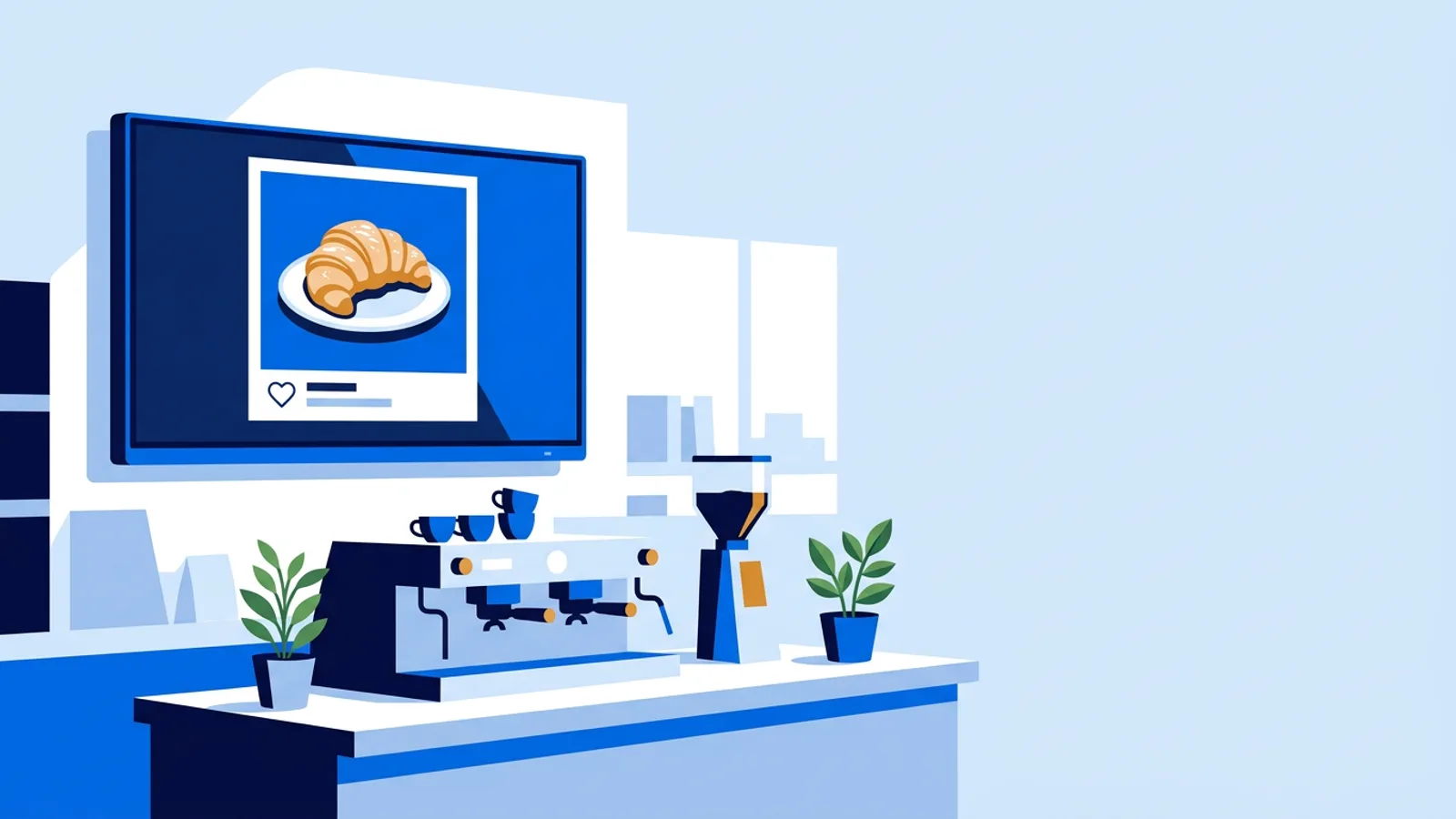
Social wall digital signage shows your latest Instagram posts (photo, caption and likes) on a TV inside your venue, rotating through them and updating on its own when you post something new. You need an Instagram account you post from, a screen with a cheap player or a browser, and signage software that pulls the feed for you; in TVpilot you type your handle into the Instagram social wall plugin and add it to a playlist.
The posts you already make for Instagram get seen by followers scrolling past at speed. The people standing in your gym, cafe, boutique or reception are a second audience that is physically present, often waiting, and already interested in what you sell. Putting the same posts on the wall costs no extra content work.
What social wall digital signage actually shows
A social wall is a full-screen slide that cycles through your most recent posts. Each post appears with its photo, the caption and the like count, then moves to the next. When you publish a new post on Instagram, the wall picks it up automatically and it joins the rotation.
Two details matter in practice:
- The wall refreshes automatically, and a new post can take a while to appear on screen. If you post at 10:00 for a lunch special, check the screen before you count on it being there at 11:30.
- The wall sits inside a playlist. It is one slide among others (your menu, opening hours, a promo), so you decide how much screen time it gets.
The wall only shows your own posts
The TVpilot social wall shows the posts of the account whose handle you enter. It does not collect public posts under a hashtag. That is the main moderation point: nothing appears on your screen that you did not publish yourself, so there is no risk of a stranger's post, a competitor's photo or an offensive comment turning up in your shop window.
The flip side is that your own old posts are still your responsibility. A caption saying "20% off until Sunday" keeps showing on Monday unless newer posts push it out. If a post would embarrass you on a 55-inch screen next to the till, archive it on Instagram or post something newer.
What you need before you start
An Instagram account you post from regularly
The plugin works from your Instagram handle, so all you need is the handle of the account whose posts you want on screen. No extra content, no separate upload.
Before you put it on a wall, scroll your own grid the way a customer in the room would see it. The screen shows whatever you have posted recently, so look for three things: expired offers, photos that only make sense with context from a story, and captions that start with a wall of hashtags. Clean those up first and the wall looks intentional from day one.
Posting rhythm matters more than follower count. A small account that posts twice a week makes a better wall than a large one that posts once a month, because the rotation actually changes.
A screen and a player
Any TV with a player works. Common setups:
- A Fire TV Stick with the TVpilot app from the Amazon Appstore, or an Amazon Signage Stick, which starts TVpilot in kiosk mode on every boot.
- A Raspberry Pi 4 or 5 with the one-command installer, which also switches the TV on and off on a schedule over HDMI-CEC.
- A smart TV, Android TV box, iPad or old laptop pointed at the player URL in a browser.
The player needs a working internet connection to fetch new posts. If you are deciding between devices, the Fire TV Stick setup page is the quickest route for a single TV.
What about Facebook, LinkedIn and TikTok?
The TVpilot social wall is Instagram only for now. Facebook, LinkedIn and TikTok are not supported as feeds.
For most small businesses this matters less than it sounds. If you post through Meta Business Suite, you can publish the same photo to Instagram and Facebook in one go, and the Instagram copy feeds the wall. Text-only Facebook updates ("Closed Tuesday for maintenance") make poor wall content anyway: a block of text without a photo is hard to read from across a room. Put that kind of message on a designed slide instead, built in the Designer or pasted in as a Canva link, or show it in the on-screen Messages bar over your other content.
Worked example: a cafe with one TV
Say you run a cafe with one TV above the counter, posting to Instagram about three times a week: new bakes, the weekly special, the occasional photo of a full terrace.
Hardware. A Fire TV Stick plugged into the TV, running the TVpilot app. One-time cost is the stick; no other box needed.
Plan. The Free plan covers 1 screen with 250 MB storage at €0, no credit card. The Instagram plugin is included, as are all plugins on every plan.
Playlist. Four slides in a loop:
| Slide | Content | Duration |
|---|---|---|
| 1 | Menu board (Canva design) | 20 s |
| 2 | Instagram social wall | 45 s |
| 3 | Google reviews | 20 s |
| 4 | Opening hours (Designer slide) | 10 s |
One loop takes 95 seconds. A customer waiting four minutes for a flat white sees the wall two or three times, which is enough to notice this week's posts without the screen feeling like an Instagram clone.
Scheduling. The menu slide is scheduled to show only between 07:00 and 15:00 using per-slide scheduling. The social wall runs all day because it updates itself.
Result. Your three weekly posts now reach every customer in the room, and the only ongoing work is the posting you were already doing.
Scale this up and the numbers change little. A gym with three screens (entrance, weights floor, changing-room corridor) would move to Starter at €5/month for up to 5 screens, and could put the social wall on the entrance screen only, with class schedules on the others.
Setting up the wall in TVpilot
- In the dashboard, open the Instagram social wall plugin and enter your handle. Double-check the spelling against your profile.
- Add the plugin to a playlist and give it a duration.
- Press "Push to screen". Plugin and playlist edits save as a draft, and screens keep playing the last pushed version until you push, so a half-finished change never shows up on the TV.
- Set a backup playlist for the screen. If the feed is ever unavailable, the screen plays the backup instead of going black.
Failure modes and how to avoid them
The wall goes blank. Check the handle spelling first, then whether the player is online. Screen monitoring in the dashboard shows whether the screen is online and lets you take a screenshot to see what is actually on it, so you can check without walking to the TV.
The wall goes stale. If you post twice a month, the same handful of posts rotates for weeks and regulars stop looking. A rough rule: if you post less than once a week, shorten the wall's slot or schedule it only on the days after you post.
Captions are unreadable. A caption written for a phone held 30 cm away has to be read from three metres. Lead with a short first line and push the hashtags to the end. Photos with a clear single subject (one cake, one product) read far better on a TV than busy group shots.
Old promos linger. Delete or archive expired offers, or post a newer photo the day the offer ends.
Social media walls for events
For your own event (a launch, open day or gym challenge), the wall works well if your team posts during the day: photos of the setup, the first visitors, the winner. Combine it with "Show now" to push an event playlist to every screen for the day, and a countdown timer to the start time.
If what you want is guests' posts appearing under a hashtag, that is a different kind of tool. Dedicated hashtag-wall services exist for conferences and weddings, and they come with moderation queues because anyone can post under a hashtag. If guest content is the whole point of your screen, use one of those. If you want your own brand's posts on screen, a signage social wall is simpler and needs no moderation.
When TVpilot fits, and when it does not
TVpilot fits if the wall is one part of a screen that also shows your menu, reviews, promos or schedules, and you want it all managed from one dashboard. It also fits multi-screen venues, since you can give each screen its own playlist.
It is not the right pick if you need Facebook, LinkedIn or TikTok feeds today, if you need a moderated hashtag wall for guest posts, or if you require fully self-hosted software: TVpilot is hosted SaaS and players need internet to fetch new posts.
Put your posts in front of the people already in the room
If you post to Instagram anyway, the customers waiting at your counter or resting between sets are an audience you already paid for. Plug a stick into the TV, enter your handle, and add the social wall to a playlist next to your menu or class schedule. One screen is free forever, so you can create a free TVpilot account and have your feed on the wall today.
Frequently asked questions
Can I show Facebook posts on a TV with TVpilot?
Not yet. The TVpilot social wall is Instagram only for now, and Facebook, LinkedIn and TikTok are not supported as feeds. If you publish the same photo to Instagram and Facebook through Meta Business Suite, the Instagram copy appears on the wall. Text-only updates work better as a designed slide or in the on-screen Messages bar.
Could a stranger's post or comment appear on my screen?
No. The TVpilot social wall shows the posts of the Instagram account whose handle you enter, so only content you published yourself appears. It does not pull in public posts under a hashtag. You do still need to clean up your own old posts, such as expired offers, because they stay in the rotation until newer posts replace them.
How quickly does a new Instagram post show up on the wall?
The wall refreshes automatically, so new posts appear without you touching the dashboard, but not the instant you publish. If a post is time-sensitive, such as a lunch special, post it well ahead and check the screen before you rely on it.
Do I have to pay to put my Instagram feed on a TV?
Not for one screen. TVpilot's Free plan is €0 forever for 1 screen with 250 MB storage, and every plugin, including the Instagram social wall, is included on every plan. Starter is €5/month for up to 5 screens and Pro is €19/month for up to 25 screens. You still need a player such as a Fire TV Stick, a Raspberry Pi or a TV with a browser.