Digital Signage for Car Dealerships: Inventory and Promos
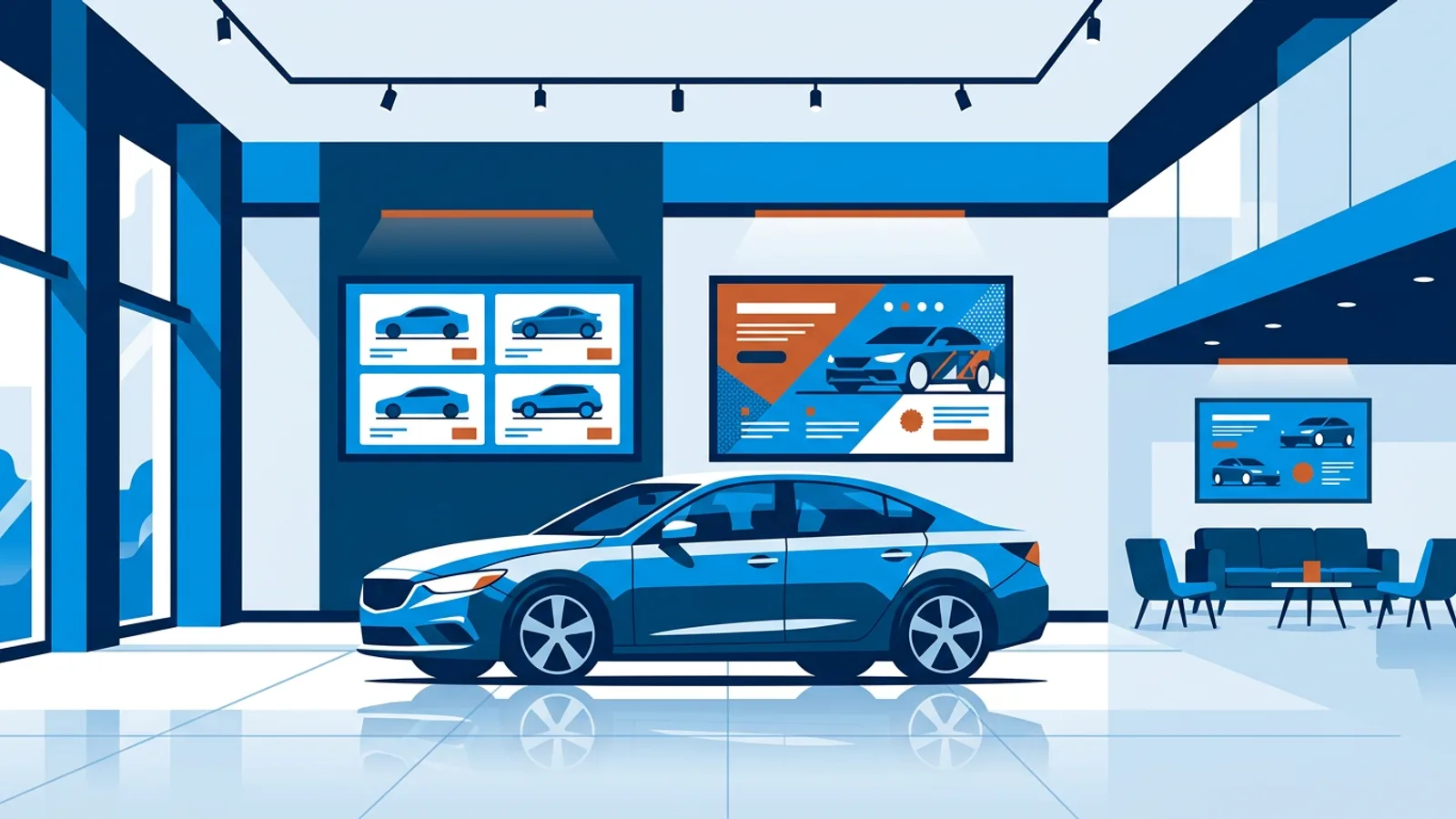
Digital signage for car dealerships works best as three separate jobs: an inventory board that shows what is on the floor and the lot right now, promo screens that push this month's offer, and a service lounge screen that keeps waiting customers informed. Each job needs a different content source and a different update habit. Get those right and the hardware is the easy part.
This guide is for a dealer principal, sales manager or marketing lead who has a few TVs in the showroom (or wants some) and is stuck on what to put on them and how to stop them going stale. The hardware recommendation for most showrooms is a TV with a small player behind it, and a Raspberry Pi signage player is the sturdiest cheap option for screens that run all day.
The biggest risk with dealership digital displays is wrong information: a sold car still advertised at a price the salesperson can no longer honour. Most of this article is about preventing that.
Where screens go in a dealership, and what each one shows
A typical small or mid-size dealership has four places where a screen earns its keep. Decide per location before you buy anything.
| Location | Viewer and dwell time | Best content | Update frequency |
|---|---|---|---|
| Showroom entrance | Walk-in buyers, seconds | Current offer, featured model, Google reviews | Monthly or per campaign |
| Showroom floor (near desks) | Buyers waiting for a salesperson, minutes | Inventory board, financing examples, trade-in invitation | Daily, or whenever a car sells |
| Service lounge | Customers waiting for their car, 30 to 90 minutes | Service specials, accessory promos, news ticker, weather | Weekly |
| Window facing the lot or street | Passing drivers, a few seconds | One big offer, one line of text | Per campaign |
The service lounge is the most undervalued screen. People sit there for the length of an oil change or longer, and they already trust you enough to hand over their keys. A tyre or winter check promo shown there reaches exactly the people who will book one.
How to build an inventory board that never shows a sold car
There is no universal plug-in that pulls car stock from every dealer management system onto a TV, so you need a simple routine. Pick one of these three approaches based on how your stock is managed today.
If your website has a clean inventory page
TVpilot can play a web page as a slide. If your website shows used stock on a page that reads well at TV size, add that page to the playlist and it updates whenever the website does. Test it on the actual screen first: cookie banners, chat pop-ups and tiny fonts look much worse on a 55-inch TV than on a laptop, and some sites refuse to display inside other applications. If the page fails any of those tests, use the next option.
If your sales team updates stock by hand
Use a Google Slides deck with one slide per featured car: photo, model, year, mileage, price, and a QR code to the listing. Paste the deck's link into TVpilot, and edits made in Google Slides appear on the screens automatically, with the deck advancing and looping at the pace you choose. The rule that makes this work is simple. Whoever marks a car as sold in your system deletes its slide in the same minute. Put that line in the sales handbook.
Canva works the same way if your marketing person prefers it, with one catch: a multi-page Canva design shows only its first page, so use one Canva design per slide.
If you only want to feature a handful of cars
Build slides in TVpilot's Designer, which has photos, text, shapes and QR codes, and set an expiry date on each one. A demo model with a two-week special price gets an expiry date two weeks out, and the slide takes itself off the screen even if nobody remembers.
Decision rule: if your stock changes several times a week, use Google Slides with the delete-on-sale rule. If you feature five or fewer hero cars that change monthly, use Designer slides with expiry dates. Only use a website page if it passes the screen test.
Promo screens: timing the offer to the calendar
Dealership promotions run on dates: a sale weekend, a quarter-end push, a model launch, a winter tyre campaign. Three scheduling tools match those patterns.
- Per-slide scheduling (dayparting) shows a slide only on chosen weekdays or times. A Saturday test-drive event slide can run Monday to Saturday and disappear on Sunday when the showroom is closed.
- Calendar scheduling swaps whole playlists. Plan a "Launch weekend" playlist as a one-off item for the event days, and the screens fall back to the normal playlist afterwards without anyone touching them.
- The countdown widget counts to a launch date or the end of a sale, with an optional red warning state in the final minutes. On the entrance screen, "Spring sale ends in 3 days" gives a reason to decide today.
For social proof, the Google reviews widget shows your public rating and recent reviews. Dealerships live or die on trust, and a rotating 4.7-star score near the desks says more than a slogan. Only show it if your rating is something you are proud of.
When a sales manager needs a last-minute message on every screen ("Free winter check with every trade-in this week"), "Show now" pushes a playlist to selected screens for 30 minutes, an hour, two hours, until a chosen time or indefinitely, then returns them to the planned content.
A worked example: a six-screen dealership
Say you run a used and new car dealership with a showroom, a service desk and a lounge. Here is a realistic plan.
Screens
- Entrance: 55-inch TV, campaign playlist plus Google reviews.
- and 3. Showroom floor: two 50-inch TVs near the sales desks, inventory board from Google Slides.
- Finance office corridor: 43-inch TV, financing examples and the trade-in invitation.
- Service lounge: 55-inch TV, service specials, accessory promos, weather and a news ticker running along the bottom.
- Window facing the lot: commercial high-brightness display, one offer at a time.
Loop length. The floor screens show 12 featured cars at 10 seconds each, plus two financing slides at 10 seconds, so the loop takes 140 seconds. A buyer waiting five minutes for a salesperson sees every car at least twice. If you feature 30 cars the loop runs past five minutes, and most people will never see the end. Keep the board to the 10 to 15 cars you most want to move, and put the QR code to the full stock list on every slide.
Cost. Six screens fit the Pro plan at €19 per month (up to 25 screens, 10 GB storage). If you drop the finance corridor screen, five screens fit Starter at €5 per month. Either plan includes all plugins, including the reviews, weather, news and countdown widgets used above.
Power. The showroom closes at 18:00 on weekdays. On Raspberry Pi players, TVpilot checks the dashboard power schedule every minute and puts the TV in standby over HDMI-CEC, so all six screens turn off at closing and on before opening without smart plugs.
Choosing hardware for showroom TV screens
For screens that run ten or more hours a day, a Raspberry Pi 4 or 5 behind each TV is the reliable route. The installer is one command generated in the dashboard with a six-character claim code, it sets up kiosk mode and auto-start, and a watchdog restarts the player within about 10 seconds if it crashes. Daily updates run at 03:00 while the showroom is closed.
If you would rather not handle a Pi, the Amazon Signage Stick or a Fire TV Stick with the TVpilot app plugs straight into the HDMI port. A smart TV's built-in browser also works for a single screen, though consumer TV browsers tend to be the least predictable option over months of daily use.
The car lot promo screen is where people overspend or underspend. A normal TV behind a sunny showroom window looks washed out by mid-morning, and a consumer TV mounted outdoors will not survive rain, frost and summer heat. For a window screen, use a high-brightness commercial display; for a true outdoor screen, buy an outdoor-rated enclosure or display. Our guide on commercial displays vs consumer TVs covers which spec matters.
Failure modes that cost dealerships money
- Stale prices. The sold car problem above. Fix it with the delete-on-sale rule and expiry dates on time-limited offers.
- Wi-Fi dead spots. Large showrooms with glass and steel often have weak Wi-Fi in the corners. Run Ethernet to Pi players where you can. The dashboard shows each screen's Wi-Fi signal strength, so check it during setup instead of after a screen goes offline.
- Black screens nobody notices. A screen that went offline on Friday is often spotted on Monday. Turn on email alerts for screen offline and recovery, and set a backup playlist per screen so empty or unavailable content shows something instead of a black panel.
- Unreadable text. Mileage and price in small type are invisible from three metres. Use at most five facts per car slide, with the price as the largest text.
- Half-finished edits going live. Playlist and plugin changes stay in draft until someone presses "Push to screen", so a salesperson editing the inventory deck in TVpilot does not show a broken slide to customers. Google Slides edits, by contrast, appear on screen automatically, so make changes in a copy if you are redesigning the deck.
- Offline expectations. Players need internet for content updates. Scheduled playlists keep following the calendar during an outage, but a new price change will not arrive until the connection returns.
When TVpilot is, and is not, the right fit
TVpilot fits a dealership that wants to manage a handful to a few dozen screens from a web dashboard, build promos without a design agency (AI Studio generates promo screens from a short brief), and schedule campaigns weeks ahead. Groups with several branches can use locations with per-member access and an approval workflow, so a branch manager cannot publish a price the head office has not signed off.
It is a weaker fit if you need car stock pulled automatically from your dealer management system onto the screen: there is no built-in automotive inventory plugin, so you rely on a website page or a Slides deck. It is also hosted software, not self-hostable, so a group IT policy that requires on-premise servers rules it out. If a single screen with a USB stick of photos is all you want, the TV's own slideshow function is honestly fine.
Getting your first screen live
Start with the screen that pays back fastest, usually the service lounge or the showroom floor board, and run it for a month before adding the rest. The Free plan covers one screen with no credit card, so you can test the Google Slides inventory routine with your own sales team before committing. Create a free TVpilot account, pair your first player with the claim code, and put this week's featured cars on the wall.
Frequently asked questions
What should a car dealership show on its showroom TV screens?
Split screens by location. Near the entrance, show the current campaign and your Google reviews rating. Near the sales desks, show an inventory board of 10 to 15 featured cars with price, mileage and a QR code to the full listing. In the service lounge, show service specials, accessory promos, weather and news, because customers sit there for a long time.
How do I keep a dealership inventory screen up to date?
Use one source that the sales team already touches. A Google Slides deck with one slide per car works well because edits appear on the screens automatically. Make it a rule that whoever marks a car as sold deletes its slide at the same time, and put expiry dates on time-limited offers so they remove themselves.
Can I use a normal TV for a car lot promo screen?
Indoors, yes. Behind a sunny window, a normal TV usually looks washed out, so a high-brightness commercial display is the better buy. Outdoors on the lot, a consumer TV will not handle rain, frost and heat, so you need an outdoor-rated display or enclosure.
How much does digital signage software cost for a dealership?
With TVpilot, one screen is free forever, up to 5 screens cost €5 per month on Starter, and up to 25 screens cost €19 per month on Pro. Larger dealer groups with more than 25 screens get custom Business pricing. All plans include every plugin, such as reviews, countdowns, weather and news.