Floor screens that keep the shift on track
Show the orders and picklists waiting in the warehouse, the production figures of this shift and the safety message of the week, on screens your people see from the floor. TVpilot keeps every screen on every site up to date from one dashboard, and keeps playing when the network has a bad day.
Free plan, no credit card. Paid plans from €5 per month.
The team only finds out at the end of the shift how far behind the orders are.
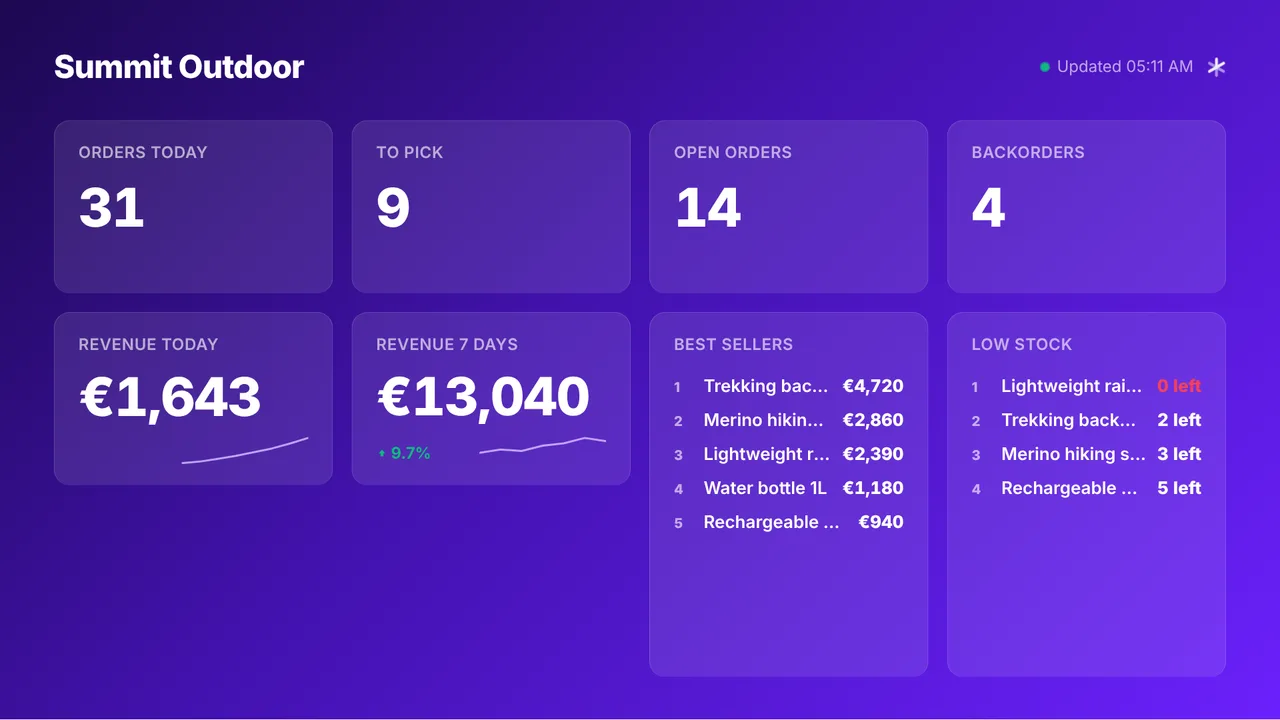
The Picqer dashboard shows orders today, picklists waiting and backorders live on the warehouse wall, and Power BI puts the production KPIs next to it. Everyone sees the same numbers all shift.
Safety notices on paper fade on the board and nobody reads them.
A message bar carries the safety rule of the week along the bottom of every slide, and a counter counts up from the date of the last incident.
When something happens, you cannot reach everyone on a noisy floor.
The emergency alert puts Evacuate or Fire full screen on every screen of a site within seconds, over whatever is playing.
Real screens, ready to use
Every screen below is a live plugin or a design you make in minutes. Mix them in one playlist, or give each screen its own.
Warehouse dashboard from Picqer
Orders today, picklists to pick, open orders and backorders, from one API key on your own Picqer account.
See how it works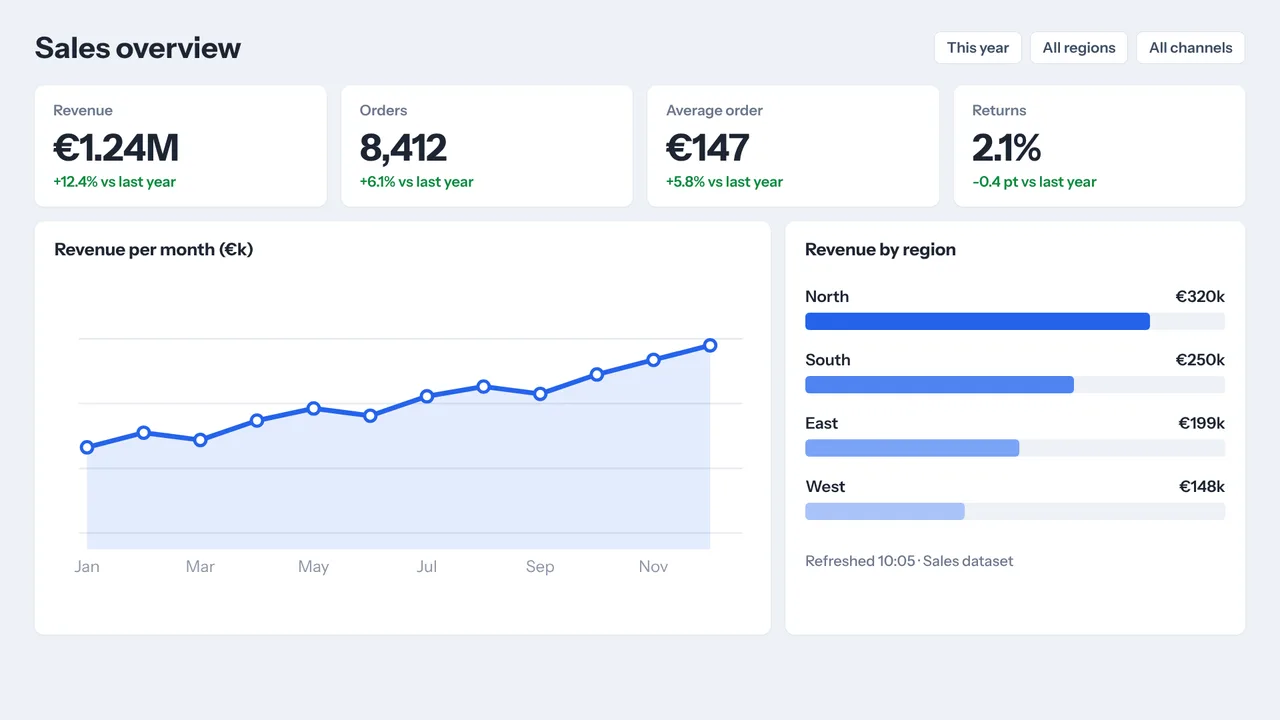
Production KPIs from Power BI
Publish the report to the web, paste the link and it plays full screen and refreshes by itself.
See how it works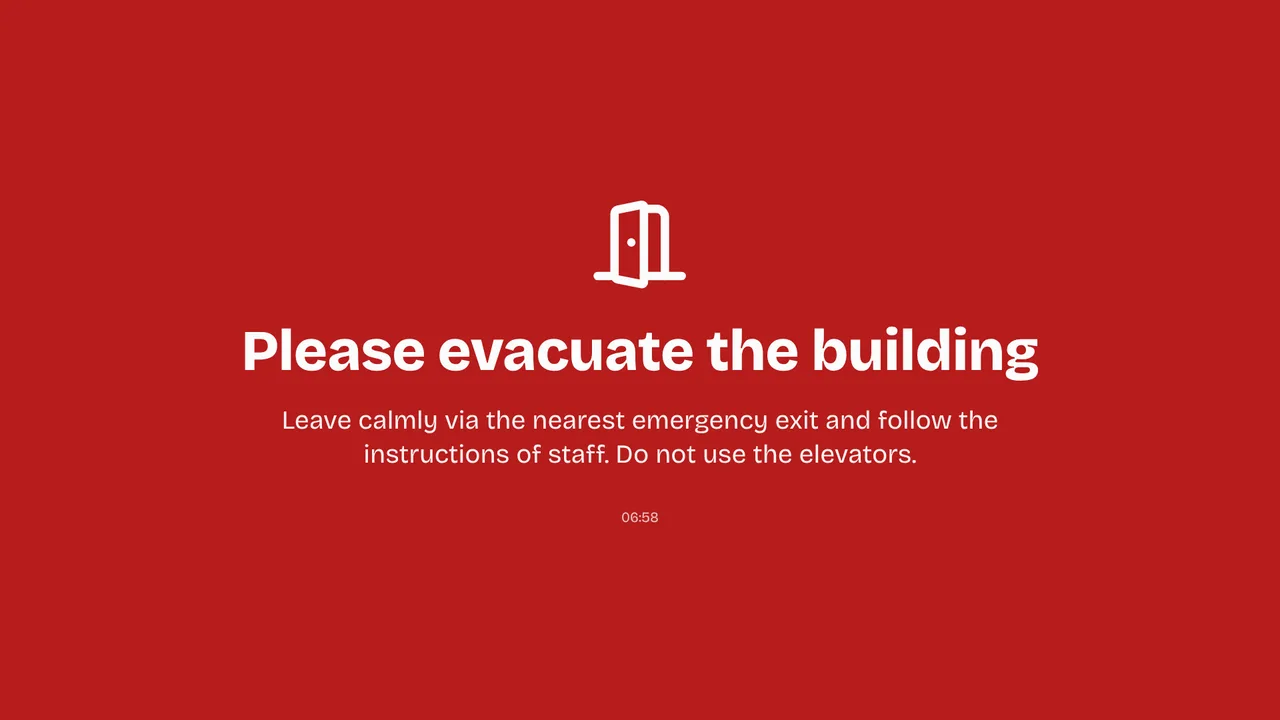
Emergency alert
Evacuate, Fire or your own message in red, per location or on chosen screens, ending by itself.
See how it works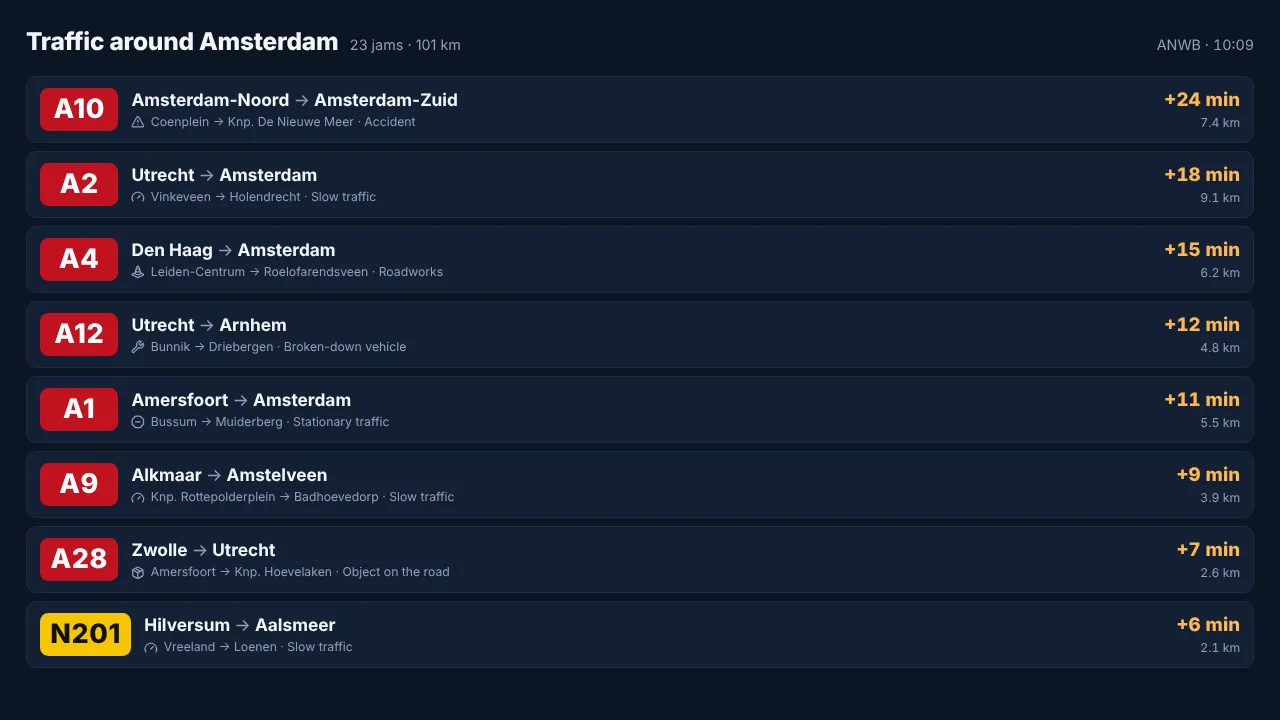
Traffic before the drive home
Live jams on the roads your people take, with the delay per jam, from ANWB traffic data.
See how it worksPlan once, and every screen follows the clock
Give slides weekdays, hours and an end date, or plan whole playlists in the calendar. The screens switch on time, even when the internet drops.
- 06:00
Early shift starts
Shift info, the safety rule of the week and the days since the last incident at the entrance.
- 09:00
Picking in full swing
The warehouse wall shows picklists waiting and backorders, refreshed all morning.
- 12:00
Break in the canteen
The canteen screen switches to the lunch menu, company news and the weather.
- 14:00
Shift change
Production KPIs of the early shift and the handover notes for the late shift.
- 16:30
Going home
Traffic jams on the roads nearby and the next trains and buses play only in the last half hour.
Everything you need, nothing you don't
Figures from the floor
Picqer for the warehouse, Power BI for production. Your own systems put figures and lists on screen through the Data API (Premium).
Safety on every screen
A message bar with the safety rules on every slide and a counter that counts up from the last incident.
Emergency alert per site
Evacuate, Fire, Disruption or your own message full screen on all screens of one location, a tag or chosen screens. Ends by itself, also offline.
Content per shift
Give each slide its weekdays and hours: the handover slide at shift change, the canteen menu only during breaks.
Keeps playing on a bad network
Players keep following the schedule during an outage, switch to planned content on time and fall back to a backup playlist instead of going black.
Every screen in sight
Online status, screenshots and remote restart from the dashboard, with an email when a screen goes offline. The Raspberry Pi restarts its own player within seconds.
Live in fifteen minutes
- 1Create a free account
No credit card, no installation. The dashboard runs in your browser.
- 2Connect a screen
Any TV with HDMI and a small player, or a smart TV browser. Enter the code the screen shows.
- 3Choose what plays
Add a plugin, upload your own media or let AI Studio design a screen. Press Push to screen.
A site with screens in production, the warehouse, the canteen and the entrance
10 screens included, every Premium feature including the emergency alert and the Data API. Extra screens €2 per month each.
Compare all plansPrices excl. VAT, cancel monthly.
Frequently asked questions
Which systems can I show on the floor?
Picqer and Power BI have their own plugin. Other systems, such as an ERP or a production line, can put figures and lists on screen through the Data API (Premium), as long as they can send a web request, directly or through Zapier, Make or n8n.
What happens when the internet drops out?
Players keep showing the content and following the schedule they already have, and switch to planned content on time. They need the internet for new content, and a Raspberry Pi recovers by itself when the connection is back.
How does the emergency alert work?
Press the red Emergency alert button, choose Evacuate, Fire, Temporarily closed, Disruption or your own message, and pick a location, a tag or screens. It shows full screen within seconds and ends after the time you choose. It is a Premium feature, included in Pro and Business.
Can I show a safety counter?
Yes. Set the countdown timer to the date of the last incident and let it count up from that moment, next to a slide with the safety rule of the week.
What hardware works best in a warehouse?
A Raspberry Pi runs in kiosk mode, restarts its own player within about 10 seconds and switches the TV on and off through HDMI-CEC. An Amazon Signage Stick starts TVpilot on every boot, also after a power cut. Any TV or monitor with HDMI works.
What does it cost for a site?
One screen is free forever. Pro is €29 per month with 10 screens and every Premium feature, extra screens €2 per month each, up to 100. Business is €99 per month with 25 screens and unlimited locations. Prices exclude VAT.
Also see: Picqer dashboard · Power BI on a TV · Emergency alert · Pricing
TVpilot in other industries
Put the shift's numbers where the work happens
Create a free account, connect Picqer or paste a Power BI link and hang the first screen on the floor. Live in fifteen minutes.
Free plan, no credit card. Paid plans from €5 per month.