Menu screens that sell while you serve
Show breakfast in the morning, lunch at noon and dinner at night, without touching a screen. Change a price in seconds, call pickup orders on a board and let your best reviews do the talking. TVpilot runs every screen from one dashboard, so your team can stay behind the counter.
Free plan, no credit card. Paid plans from €5 per month.
The breakfast menu is still up when the lunch rush starts.
Give every menu slide the hours it belongs to. Breakfast plays until 11:30, then lunch takes over and dinner starts at 18:00. Every day, by itself.
A price changes or a dish runs out, and the printed menu is wrong.
Change the price in the Designer, press Push to screen and every menu board shows it. With the menu feed of the Data API (Premium), sold-out dishes are struck through or hidden as soon as your system says so.
Guests crowd the counter to ask if their order is ready.
The Order board shows which numbers are being prepared and which are ready to collect. Guests watch the screen, your team keeps cooking.
Real screens, ready to use
Every screen below is a live plugin or a design you make in minutes. Mix them in one playlist, or give each screen its own.
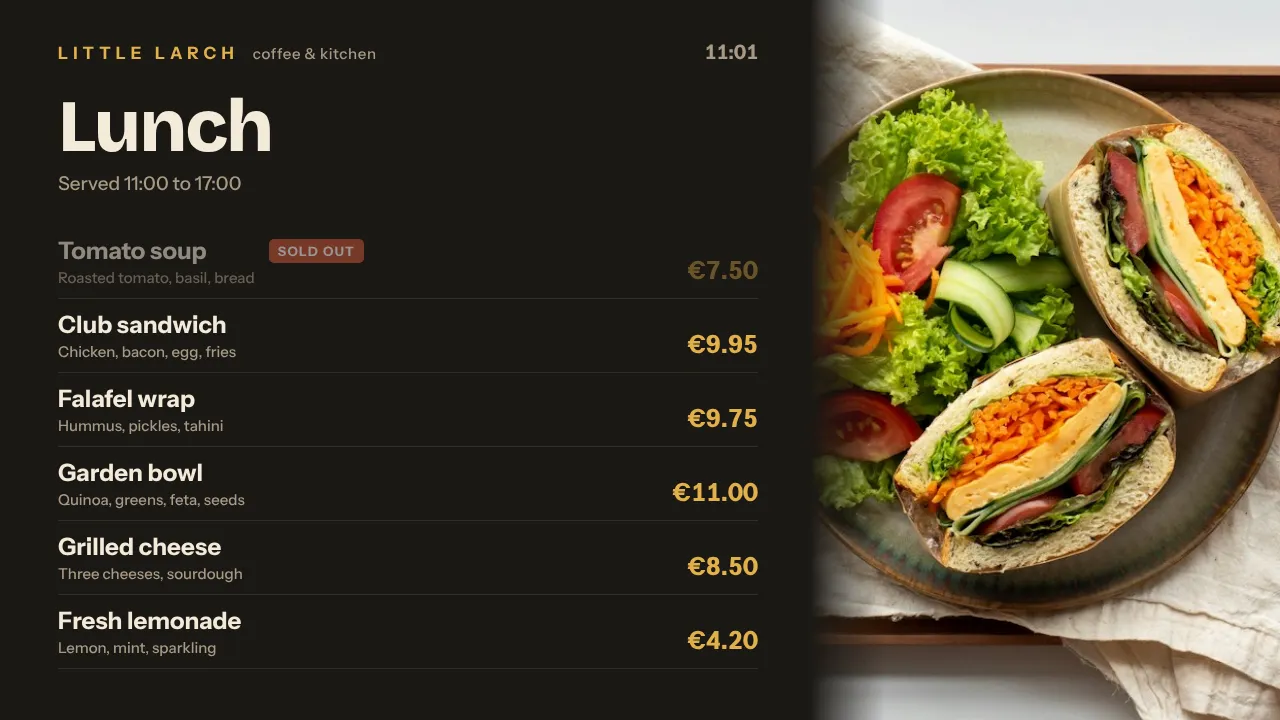
Menu board with prices
Build it in the Designer or with AI Studio and plan one per daypart. A new price is on every screen in seconds.
See how it works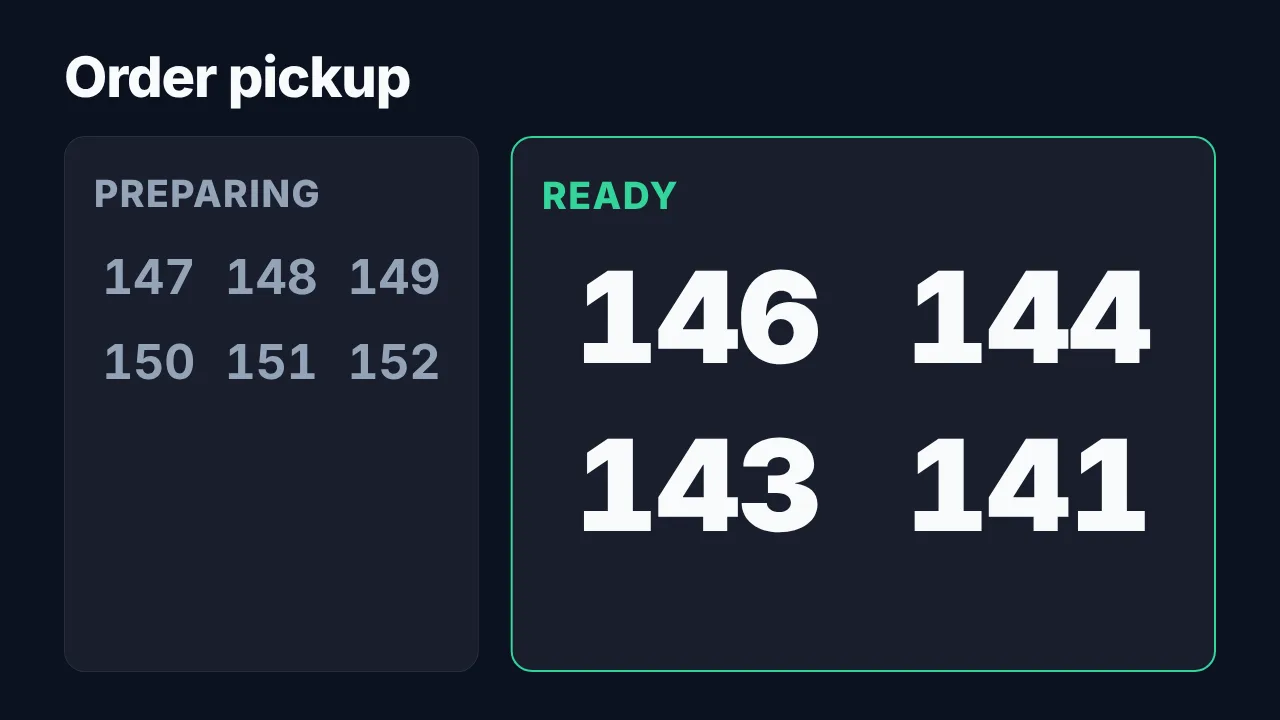
Order pickup board
Preparing on one side, ready to collect on the other, in numbers you can read from the back of the queue.
See how it works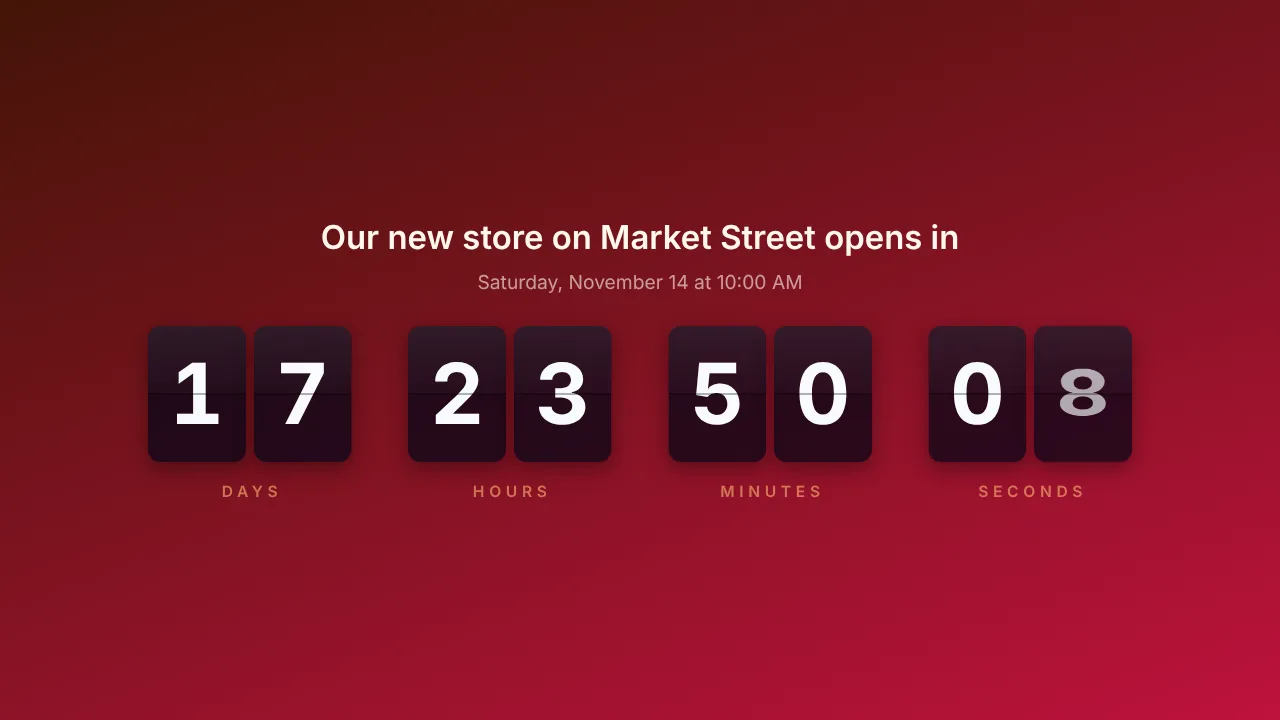
Countdown to happy hour or an opening
Counts down to happy hour every day, or to your opening night, and shows your own message when time is up.
See how it works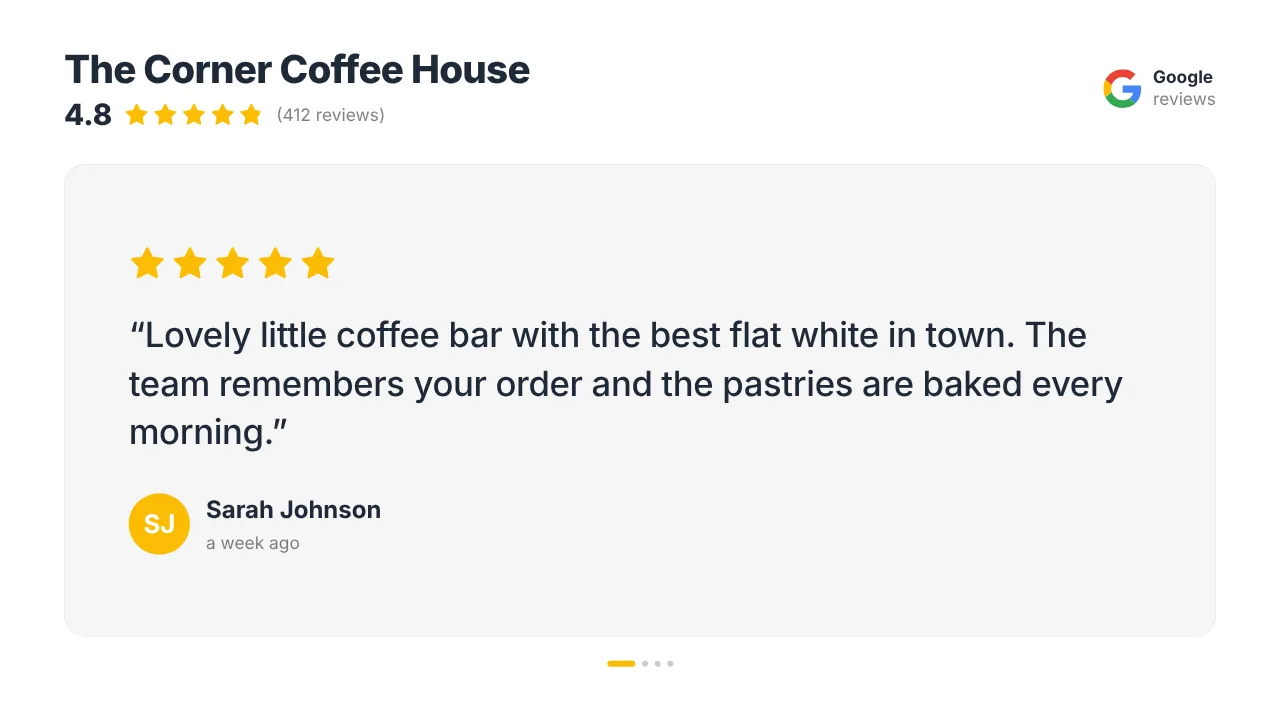
Your Google reviews
Your star rating and rotating guest reviews on the screen by the door. Tripadvisor is a Premium plugin.
See how it worksPlan once, and every screen follows the clock
Give slides weekdays, hours and an end date, or plan whole playlists in the calendar. The screens switch on time, even when the internet drops.
- 07:30
Breakfast menu
The screens switch on with coffee, croissants and the breakfast deal.
- 11:30
Lunch takes over
The breakfast slides step aside and the lunch menu plays, on weekdays only if you like.
- 14:30
Quiet afternoon
Cake, coffee, your Instagram posts and reviews. On cold days a weather trigger (Premium) adds the hot chocolate.
- 16:00
Happy hour
The countdown builds up to it every day, then the drinks offer plays until 18:00.
- 18:00
Dinner service
The dinner menu is up, takeaway numbers go live, and after closing the screens go to standby.
Everything you need, nothing you don't
Menus by time of day
Give each slide weekdays and hours, or plan weekly time slots in the calendar. Breakfast, lunch and dinner switch on time.
Live menu with sold-out items
With the Data API (Premium), your own system sends dishes and prices. Sold-out items are struck through or hidden within seconds.
Pickup board included
Now serving and its Order board are in every plan, Free included. Preparing and Ready, in big numbers.
Guest Wi-Fi in one scan
A QR code on screen joins guests to your Wi-Fi, or opens your menu, review page or Instagram.
Specials that follow the weather
Smart triggers (Premium) play the hot chocolate when it is colder than 10 degrees and the iced coffee when the sun is out.
Takings for the team
A SumUp dashboard in the back office shows today's takings, number of sales and average sale. It refreshes every 10 minutes.
Live in fifteen minutes
- 1Create a free account
No credit card, no installation. The dashboard runs in your browser.
- 2Connect a screen
Any TV with HDMI and a small player, or a smart TV browser. Enter the code the screen shows.
- 3Choose what plays
Add a plugin, upload your own media or let AI Studio design a screen. Press Push to screen.
A cafe with two menu boards and a pickup screen
3 screens included, with menus, pickup board, countdown, Wi-Fi QR and Google reviews. The Premium add-on (€9 per month) adds Tripadvisor, the menu feed and weather triggers. A SumUp screen in the back office is a 4th screen at €2 per month.
Compare all plansPrices excl. VAT, cancel monthly.
Frequently asked questions
Can the menu change by time of day?
Yes. Give each slide the weekdays and hours it should play, or plan a whole menu playlist in weekly time slots on the Schedule page. Breakfast, lunch and dinner switch by themselves, also when the internet drops for a while.
How do I show that a dish is sold out?
Edit the slide and press Push to screen, and every screen shows the change. With the Data API (Premium), your own system sends the menu as a live feed and sold-out items are struck through or hidden within seconds.
Can guests see when their order is ready?
Yes. Now serving includes an Order board with Preparing and Ready columns, in every plan. Have your own ordering system? Through the Data API (Premium) it sends order numbers itself, and a number that becomes ready lights up with an optional chime.
Does it work with my till?
With SumUp, yes: one API key puts today's takings, number of sales, average sale and the split per payment method on a screen in the back office. Any other till or system that can send a web request can send figures through the Data API (Premium).
What hardware do I need?
Any TV or monitor with HDMI and a small player: an Amazon Signage Stick, a Raspberry Pi, a Fire TV Stick or an Android TV box. A smart TV can also open the player in its browser.
What does it cost for a restaurant or cafe?
One screen is free forever. Starter is €5 per month with 3 screens included; the Premium add-on (€9 per month) adds Tripadvisor, the menu feed and smart triggers. Pro is €29 per month with 10 screens and Premium included. Prices exclude VAT; you never pay per user.
Also see: Digital menu boards · Now serving and order board · Google reviews · Pricing
TVpilot in other industries
Put your menu on autopilot
Create a free account, design your first menu and give it its hours. Live before the next lunch rush.
Free plan, no credit card. Paid plans from €5 per month.