Office screens that keep everyone informed
Welcome visitors at reception, show which meeting room is free on the door and put this month's figures on the wall. TVpilot pulls it all from the tools you already use, so nobody has to update a screen by hand again.
Free plan, no credit card. Paid plans from €5 per month.
Nobody reads the company news in the intranet or the long email.
Put the update where people walk past: a Google Slides or PowerPoint deck on the screens in the hallway and the kitchen. Edit the deck and the screens follow by themselves.
People walk into a meeting room that turns out to be booked.
A panel next to each door shows the room calendar from Google Workspace or Microsoft 365: green when free, red when busy, with the next booking below.
The dashboard with the team's numbers lives in a browser tab nobody opens.
Put Power BI, HubSpot, Help Scout or Zendesk on a wallboard. The figures refresh by themselves, so the whole team sees the same numbers all day.
Real screens, ready to use
Every screen below is a live plugin or a design you make in minutes. Mix them in one playlist, or give each screen its own.
Welcome at reception
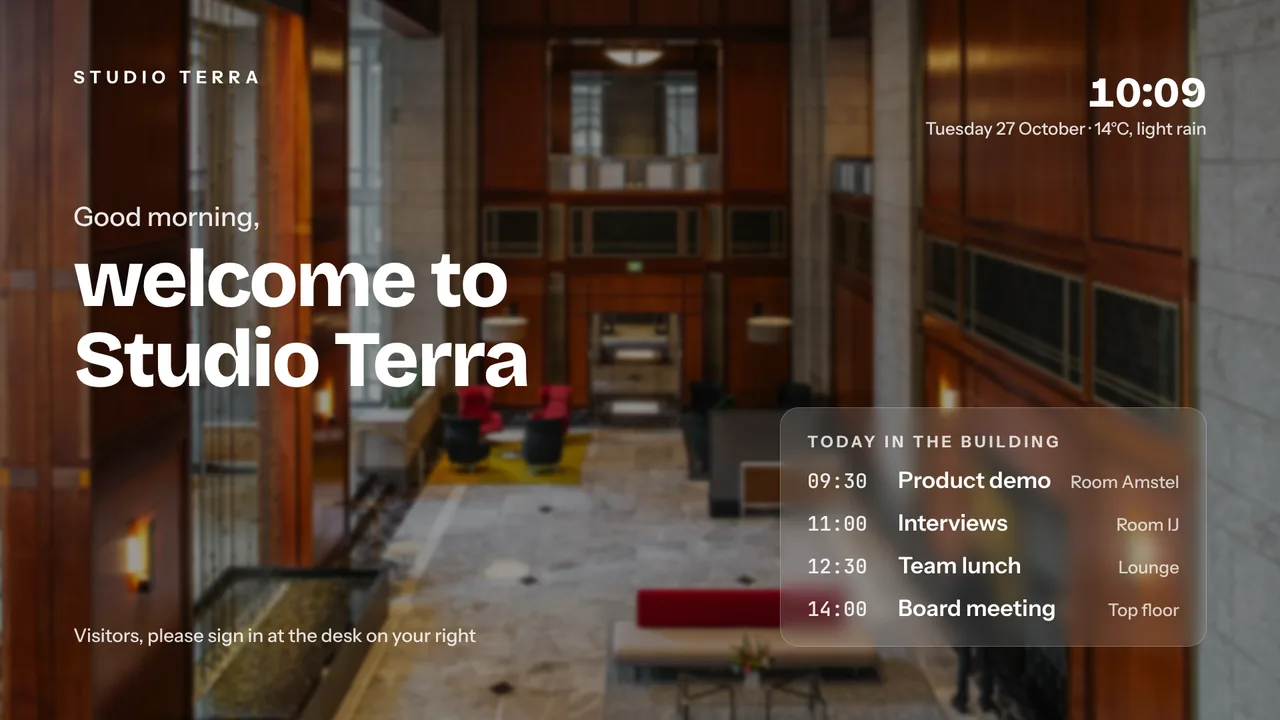
A welcome screen made with AI Studio from a short brief, next to today's agenda from your calendar.
See how it works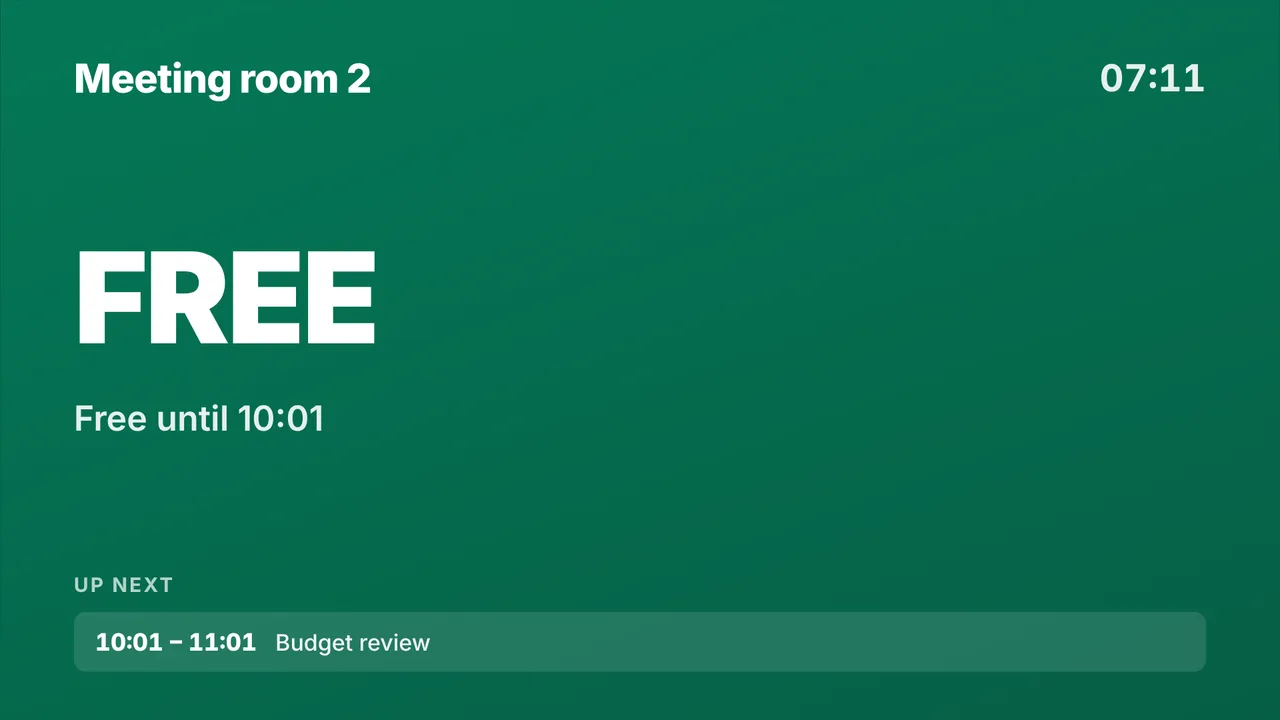
Meeting room door panel
Free or busy right now, the current booking and what is next, straight from the room calendar.
See how it works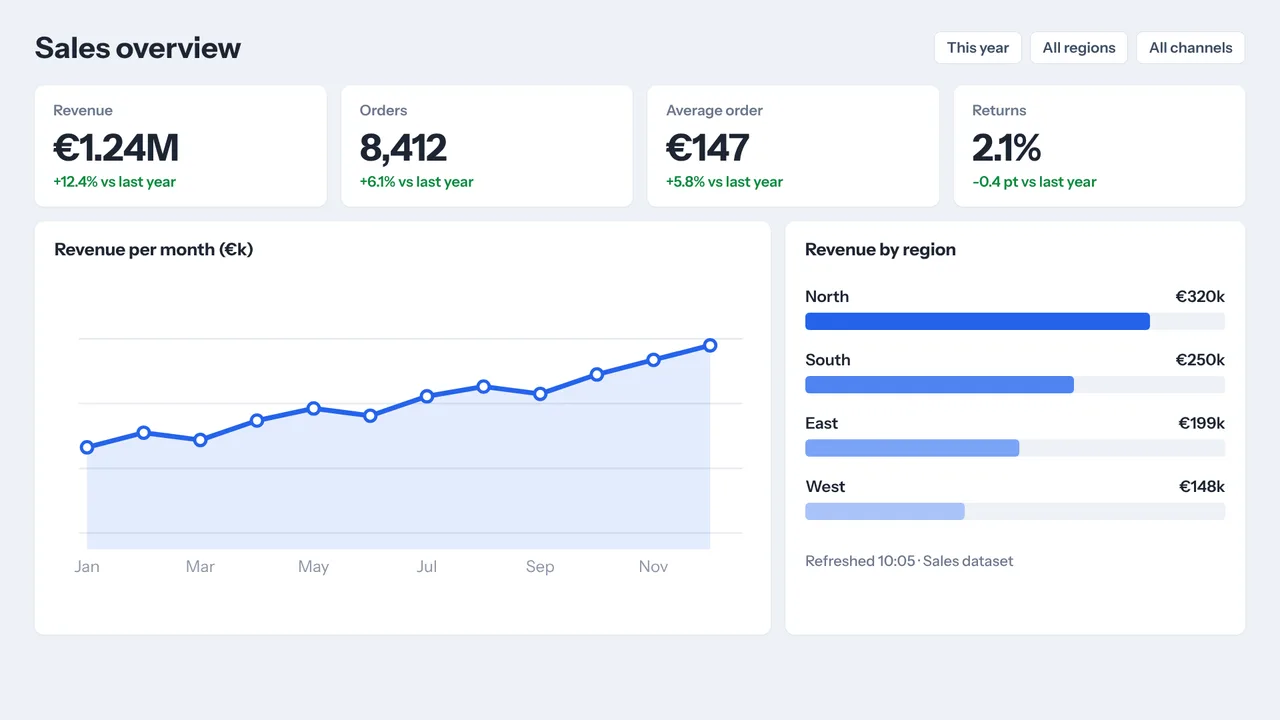
KPI wallboard from Power BI
Publish a report to the web, paste the link and it plays full screen, refreshing by itself.
See how it works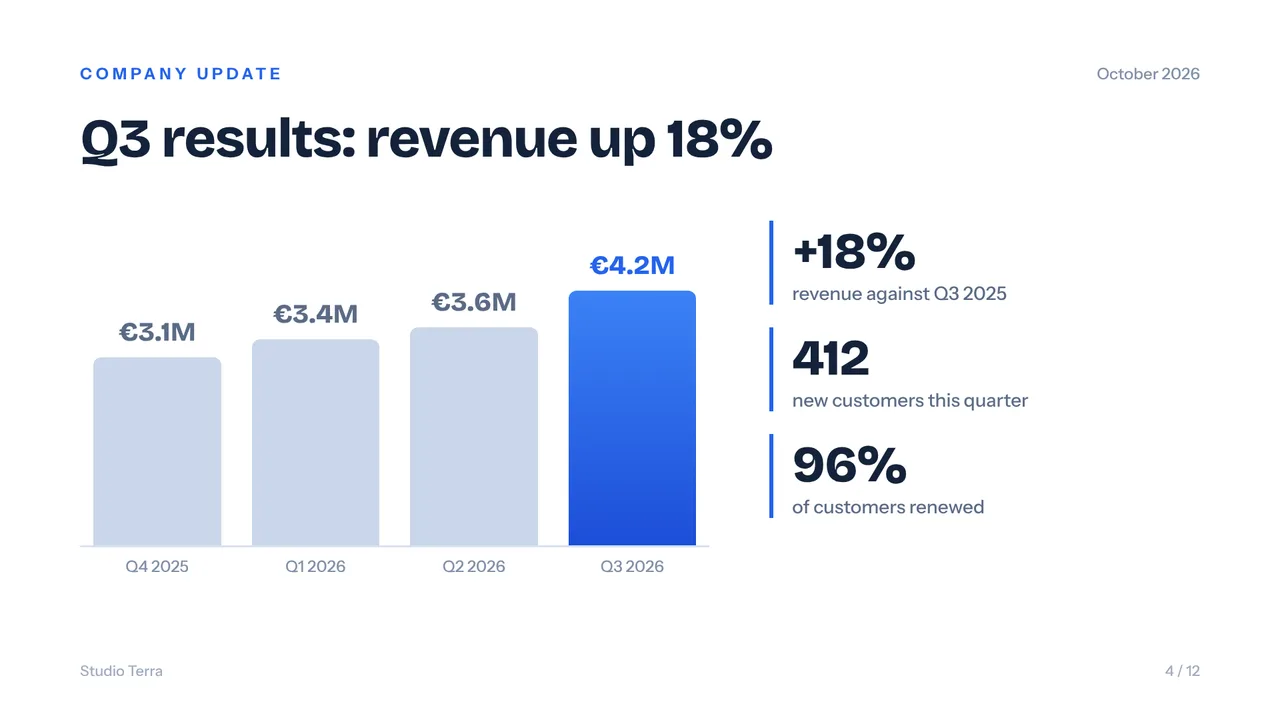
Company news from a slide deck
Google Slides or PowerPoint from OneDrive or SharePoint. Change a slide and every screen shows it.
See how it worksPlan once, and every screen follows the clock
Give slides weekdays, hours and an end date, or plan whole playlists in the calendar. The screens switch on time, even when the internet drops.
- 08:00
Good morning at reception
The welcome screen shows today's visitors and events from the reception calendar.
- 09:00
Rooms fill up
Door panels turn red as meetings start and show the next booking.
- 12:00
Lunch in the kitchen
Company news, new colleagues and your latest LinkedIn posts play while people queue for coffee.
- 16:00
All-hands
Press Show now and the all-hands playlist runs on every screen for an hour, then each screen returns to its own planning.
- 18:30
Office closes
The screens go to standby with the on/off hours you set, and wake up again tomorrow.
Everything you need, nothing you don't
Meeting room panels
Paste the iCal link of a room calendar from Google Workspace or Outlook and the panel shows free or busy, the current booking and the next one.
Live KPI wallboards
Power BI reports, HubSpot sales numbers and Help Scout or Zendesk support queues on the wall, refreshed automatically.
News that updates itself
Google Slides, PowerPoint and Canva designs play as slides and follow every edit. LinkedIn company posts come with Premium.
A message bar on every slide
One line along the bottom of every slide for the Wi-Fi name, a visitor notice or today's fire drill.
Roles and approvals
Give HR, marketing and facilities their own role and locations. On Business, content waits for approval before it goes live.
Emergency alert
One red button puts an evacuation or fire message full screen on every screen in the building within seconds.
Live in fifteen minutes
- 1Create a free account
No credit card, no installation. The dashboard runs in your browser.
- 2Connect a screen
Any TV with HDMI and a small player, or a smart TV browser. Enter the code the screen shows.
- 3Choose what plays
Add a plugin, upload your own media or let AI Studio design a screen. Press Push to screen.
An office with a reception screen, four room panels and two wallboards
10 screens included, up to 3 users with roles and every Premium feature. Need approvals and a team of 25? Business is €99 per month.
Compare all plansPrices excl. VAT, cancel monthly.
Frequently asked questions
Which room calendars work for the door panels?
Any room calendar with an iCal link, such as a resource calendar in Google Workspace or a room mailbox in Outlook and Microsoft 365. Paste the link and the panel shows free or busy, the current booking and what is next.
Is it safe to show Power BI on a screen?
Power BI plays through Publish to web, which makes the report viewable to anyone with the link. Use it for figures that are fine on a wall in the office. Authenticated share links cannot play on screens and are rejected with an explanation.
Can several departments manage their own screens?
Yes. Pro has up to 3 users with owner, admin, editor and viewer roles and 3 locations. Business has up to 25 users, unlimited locations and an approval step before playlists, uploads and schedule changes go live.
Can we put one message on every screen for a town hall?
Yes. Show now pushes a playlist to the screens you choose for 30 minutes, 1 hour, 2 hours, until a set time or indefinitely. Afterwards each screen returns to its own planning by itself. For an evacuation, use the emergency alert (Premium).
What hardware do I need?
Any TV or monitor with HDMI and a small player: an Amazon Signage Stick, a Raspberry Pi, a Fire TV Stick or an Android TV box. A smart TV or a tablet next to a meeting room door can open the player in its browser.
What does it cost for an office?
One screen is free forever. Starter is €5 per month with 3 screens, Pro €29 per month with 10 screens, 3 users and every Premium feature, Business €99 per month with 25 screens, 25 users and approvals. Prices exclude VAT; you pay per plan, never per user.
Also see: Meeting room panel · Power BI on a TV · Teams and roles · Pricing
Give every screen in the office a job
Create a free account, paste the iCal link of your first meeting room and see the panel turn green. Live in fifteen minutes.
Free plan, no credit card. Paid plans from €5 per month.