A calmer waiting room, without the questions
Call the next patient by number with a chime, show your opening hours and holiday closures, and let a calm video play in between. TVpilot answers the questions your desk hears all day, and the screen never shows who anyone is.
Free plan, no credit card. Paid plans from €5 per month.
Patients at the pharmacy counter keep asking whose turn it is.
Now serving puts the number big on every screen with a chime, and optionally a spoken call-out such as "Number A 42, to counter 3". Patients take a ticket from the paper roll you already have, or scan a QR code for a ticket on their own phone.
The holiday closure poster is still on the door two weeks later.
Give every slide weekdays, hours and an expiry date. The Christmas opening hours or the flu shot dates take themselves off screen when the date has passed.
The desk answers the same questions about Wi-Fi, opening hours and repeat prescriptions all day.
Put the answers on the waiting room screen: opening hours, how to order a repeat prescription and a QR code that joins the guest Wi-Fi in one scan.
Real screens, ready to use
Every screen below is a live plugin or a design you make in minutes. Mix them in one playlist, or give each screen its own.
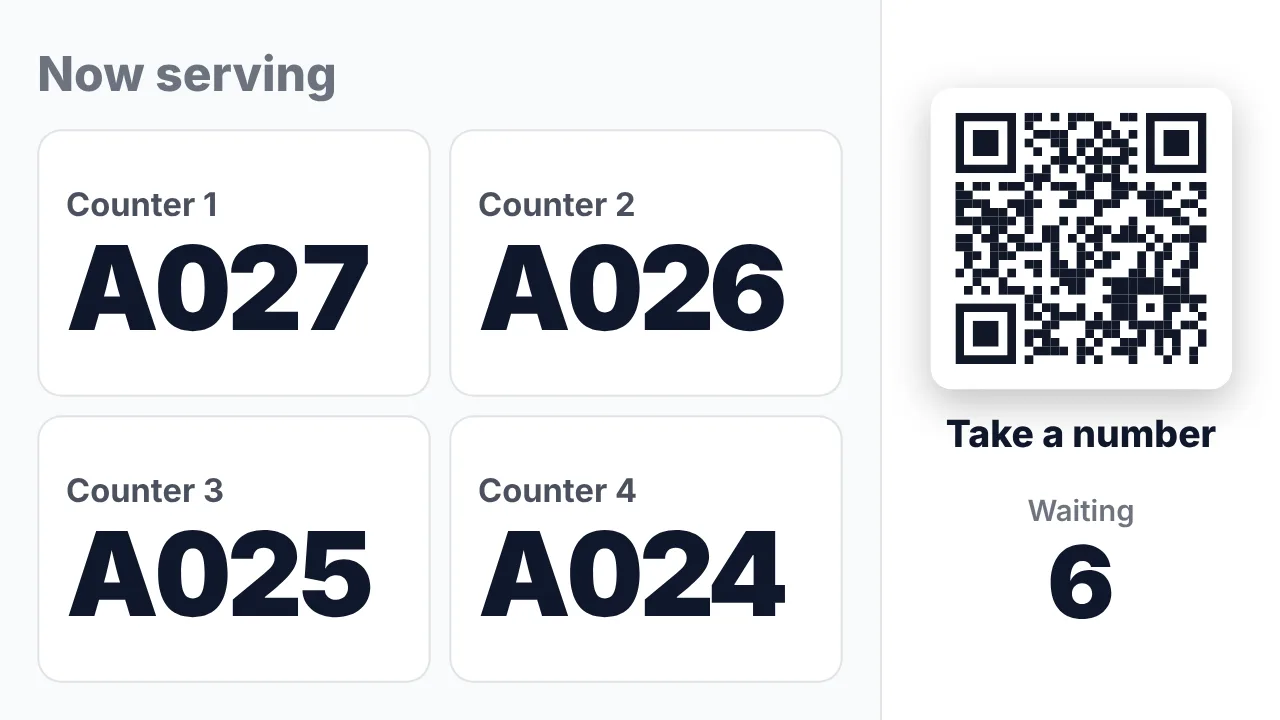
Now serving board
The current number per counter and a QR code to take a number on your own phone, with the people ahead and an estimated wait.
See how it works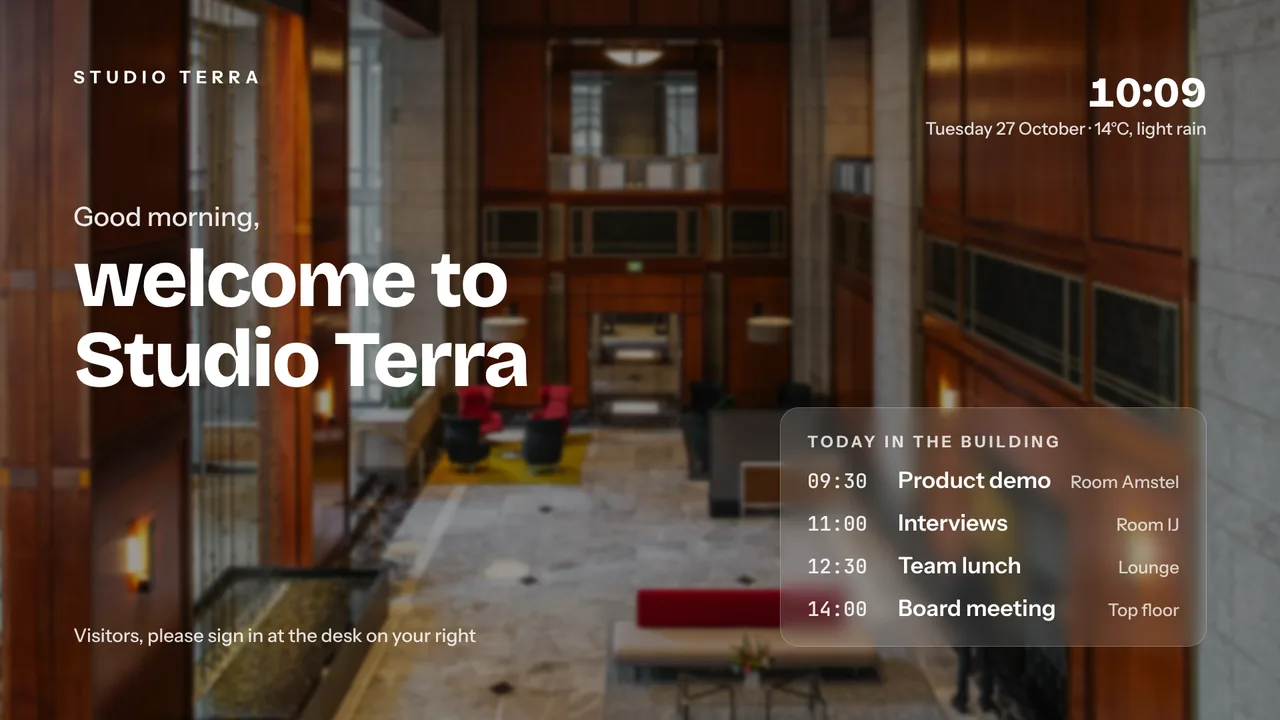
Welcome and practice news
A welcome screen made with AI Studio from a short brief: today in the practice, opening hours or the next flu shot day.
See how it works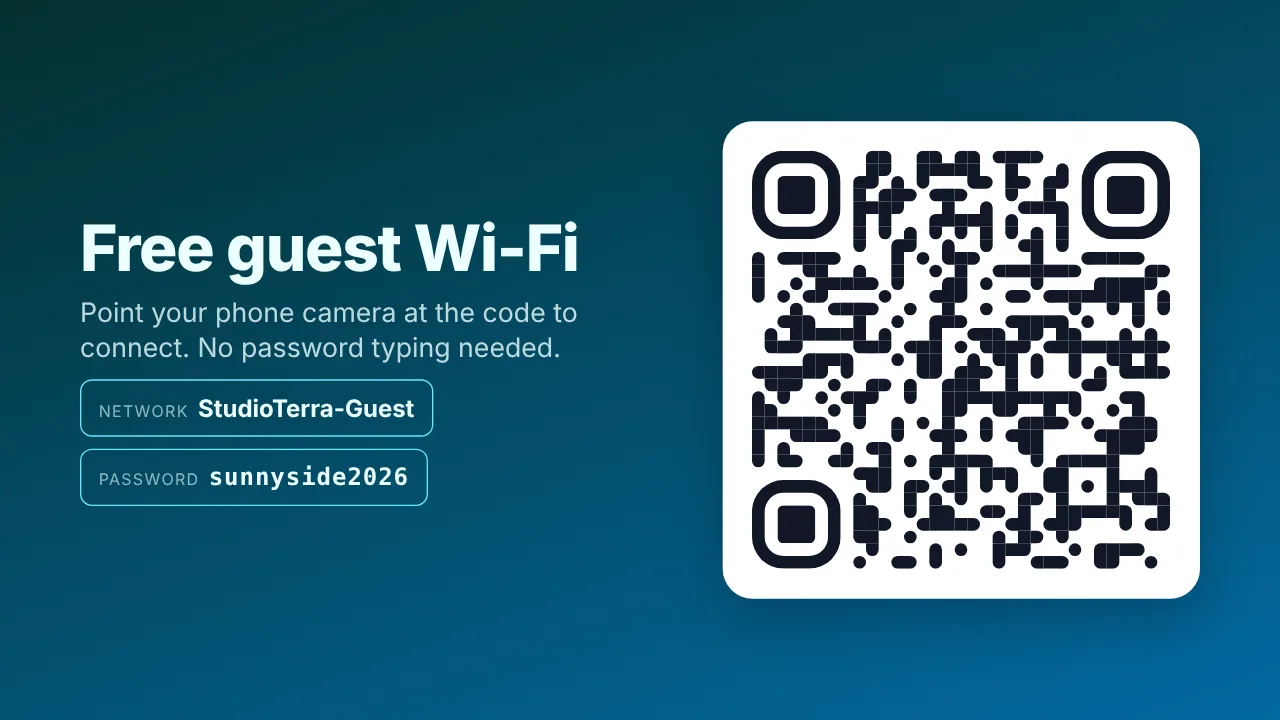
Guest Wi-Fi in one scan
A big QR code that carries your guest Wi-Fi, so patients join without asking the desk for the password.
See how it works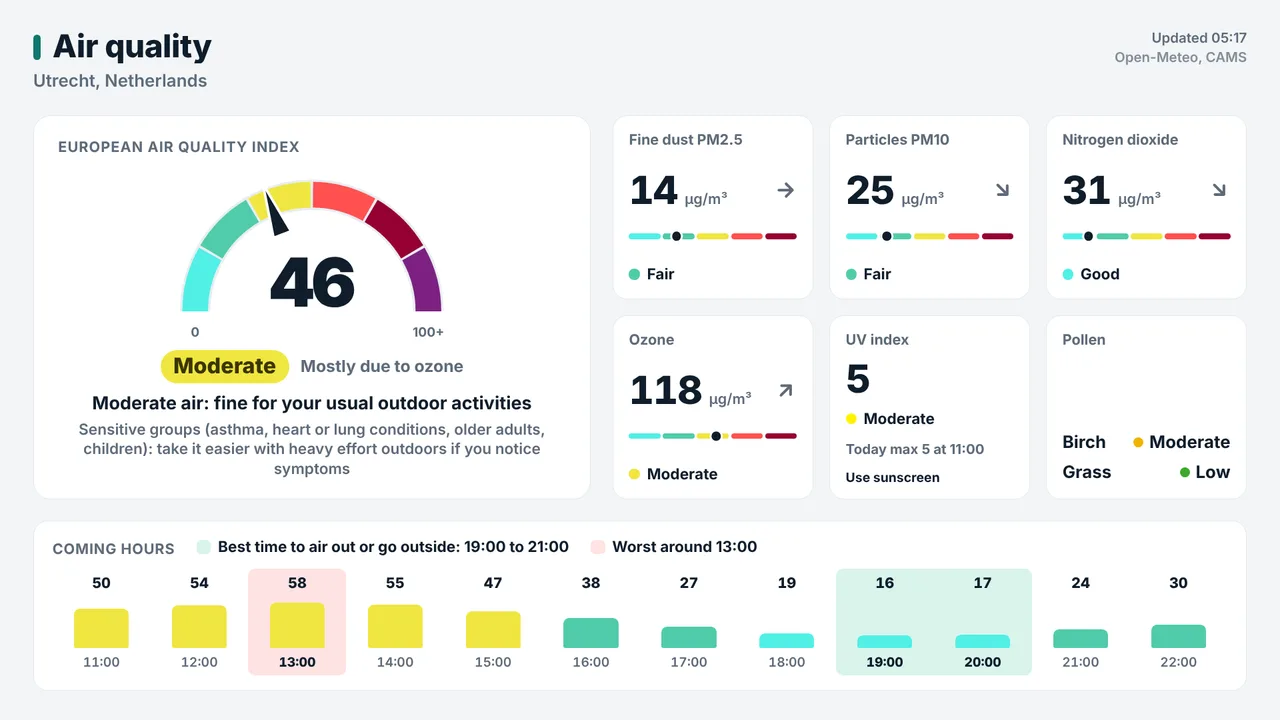
Air quality and pollen
The outdoor air index with tiles for fine dust, UV and pollen. Useful for every patient with asthma or hay fever.
See how it worksPlan once, and every screen follows the clock
Give slides weekdays, hours and an end date, or plan whole playlists in the calendar. The screens switch on time, even when the internet drops.
- 07:45
Screens on before the first patient
The TV in the waiting room switches on by itself and shows today's opening hours.
- 08:00
Doors open, numbers called
The desk presses Next and the number appears over the playlist with a chime. Patients who scanned the QR code follow their place on their phone.
- 10:00
Prevention campaign
The flu shot dates play only in the weeks you set and end on their expiry date.
- 12:30
Closed for lunch
A weekly slot in the calendar shows "back at 13:30" and the number to call in an emergency, weekdays only.
- 17:30
Closing time
The statistics show how many patients were served, the average wait and the busiest hour. The screens go to standby.
Everything you need, nothing you don't
Now serving in every plan
A ticket number system inside TVpilot, also on the Free plan. Use your paper ticket roll or a QR ticket on the patient's phone, no ticket machine needed.
Call with a chime or a voice
Staff press Next on a presenter, a wireless button, a keyboard or their phone. The number appears with a chime and an optional spoken call-out.
Numbers, never names
The queue works with ticket numbers only, so the screen in the waiting room never shows who is waiting.
Closures that end by themselves
Holiday hours, bridge days and campaigns get an expiry date. Pro and Business add blackout dates with Dutch holiday presets.
See how busy it was
Statistics show how many people were served, the average and longest wait, and the busiest hour of the day.
TVs follow your opening hours
On/off hours per screen. A Raspberry Pi switches the TV on and to standby through HDMI-CEC, no remote needed.
Live in fifteen minutes
- 1Create a free account
No credit card, no installation. The dashboard runs in your browser.
- 2Connect a screen
Any TV with HDMI and a small player, or a smart TV browser. Enter the code the screen shows.
- 3Choose what plays
Add a plugin, upload your own media or let AI Studio design a screen. Press Push to screen.
A practice with a screen in the waiting room, one at the desk and one in the hallway
3 screens included, Now serving and every standard plugin included. Now serving also works on the Free plan with 1 screen.
Compare all plansPrices excl. VAT, cancel monthly.
Frequently asked questions
Do I need a ticket machine?
No. Patients take a number from the paper ticket roll already on your counter, or scan a QR code for a digital ticket on their own phone. The QR ticket can be limited to people on site.
Does the screen show patient data?
No. The queue shows ticket numbers and counters only. The phone ticket shows how many people are ahead and an estimated wait.
How does the desk call the next patient?
Press Next on a presenter, a wireless button, a keyboard or a phone with the caller page, which is protected by a PIN. The number appears big on every screen with a chime, and optionally a spoken call-out.
Can the queue run next to our own content?
Yes. Show it as a banner over the normal playlist, so your opening hours and campaigns keep playing, or as a full-screen board for several counters. Numbers reset every day.
Can we warn everyone in an emergency?
Yes, with the Emergency alert: one message full screen on every screen within seconds, ending by itself. It is a Premium feature, included in Pro and Business and available as an add-on on Starter.
What does it cost for a practice?
One screen is free forever, Now serving included. Starter is €5 per month with 3 screens included, Pro €29 per month with 10 screens and every Premium feature. Prices exclude VAT; you never pay per user.
Also see: Now serving queue display · Guest Wi-Fi QR code · Emergency alerts · Pricing
TVpilot in other industries
Give your desk a quieter day
Create a free account, switch on Now serving and put your opening hours next to it. Your first screen is free.
Free plan, no credit card. Paid plans from €5 per month.