Gym screens that fill your classes
Show today's classes with free spots straight from Virtuagym or Trainin, promote your membership offers at the desk and run challenges on the gym floor. TVpilot keeps every screen in your club up to date, so your team can coach instead of printing schedules.
Free plan, no credit card. Paid plans from €5 per month.
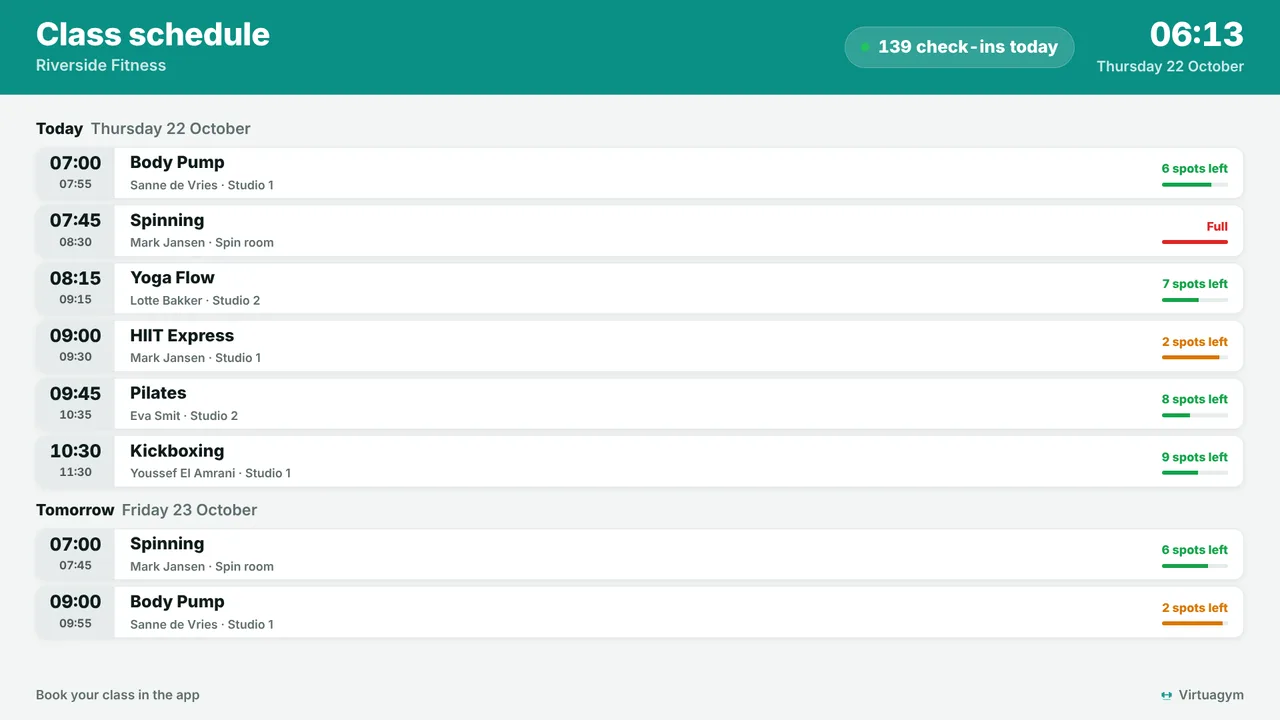
The schedule on the wall is out of date the moment a class changes.
The class schedule comes live from Virtuagym or Trainin, with free spots and full classes, plus the waiting list on Trainin. A change in the booking system is on screen within minutes.
Members walk past the offer you want them to see.
Put the personal training offer, the bring-a-friend week or the new class next to the schedule, and let each slide start and stop on the dates you set.
Somebody has to switch the TVs on and off every day.
Set on/off hours per screen. A Raspberry Pi switches the TV on at opening time and to standby after the last class, no remote needed.
Real screens, ready to use
Every screen below is a live plugin or a design you make in minutes. Mix them in one playlist, or give each screen its own.
Class schedule from Virtuagym
Today's classes with trainer, studio and free spots. Almost full and full are clear from across the room.
See how it works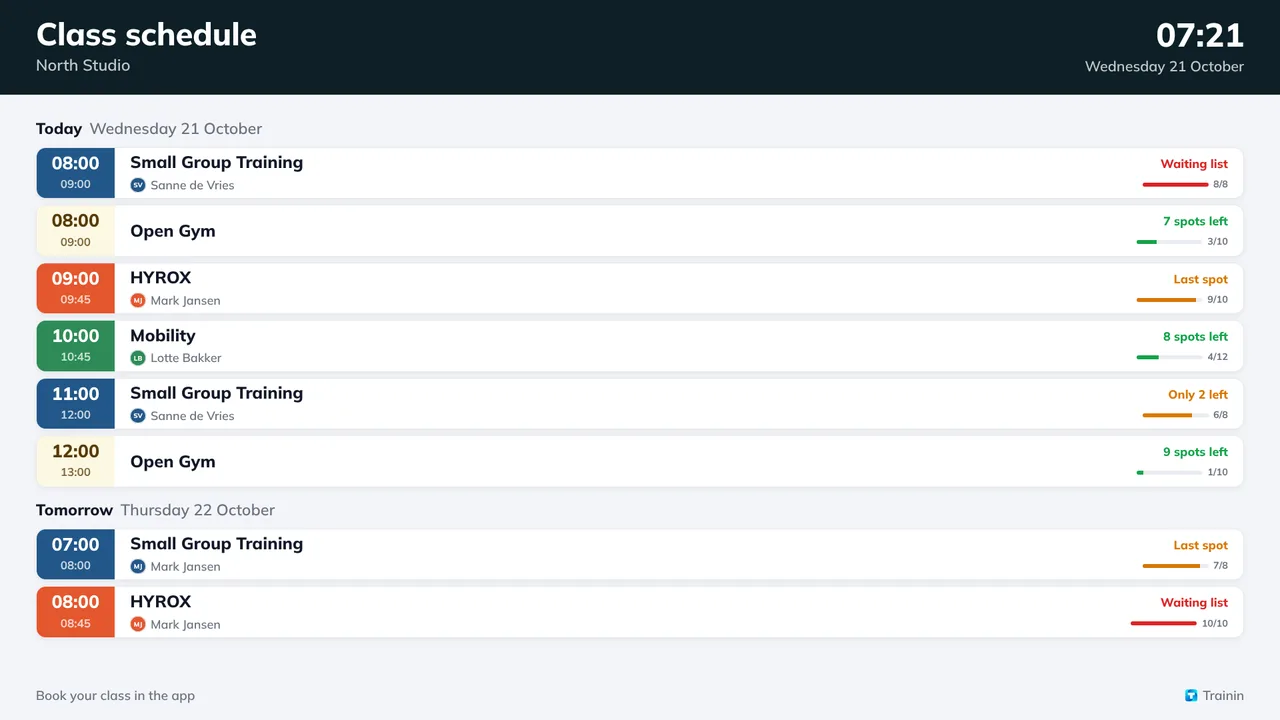
Class schedule from Trainin
In the colours and logo you set in Trainin, with an occupancy bar per class and the waiting list.
See how it works
Your membership offer
Made in the Designer, with Canva or AI Studio, with a QR code to sign up on the spot.
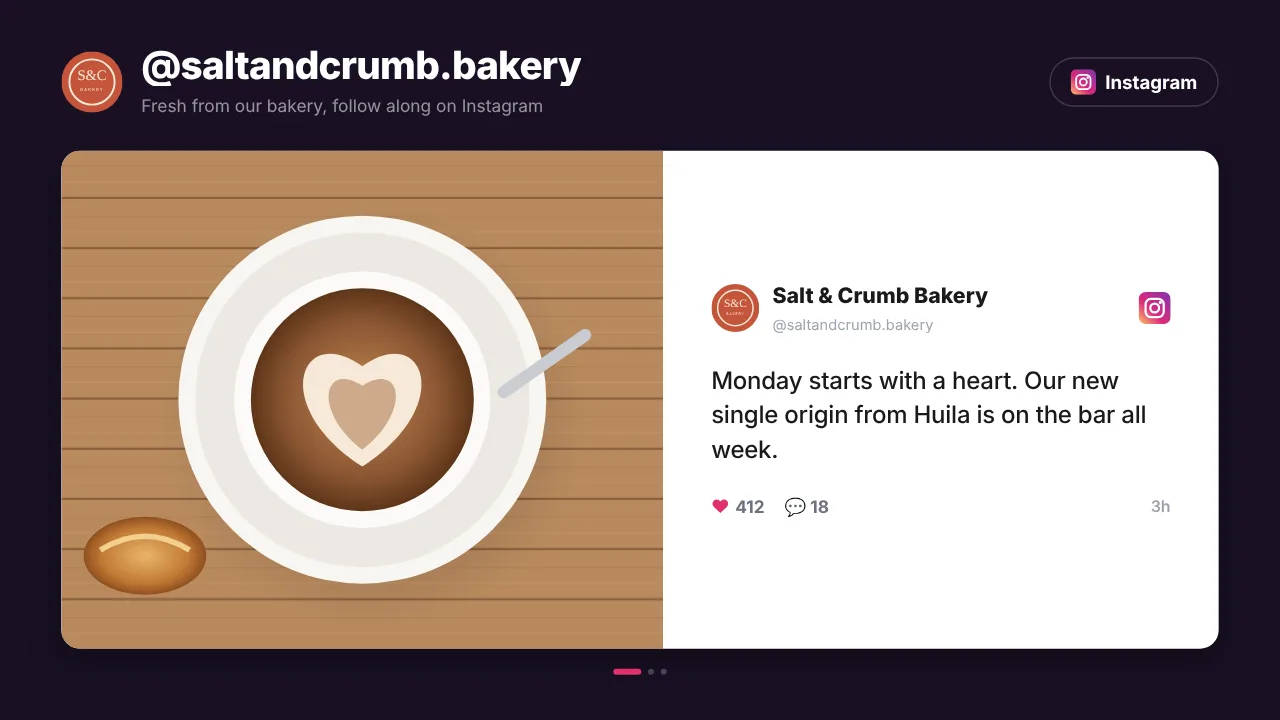
Your Instagram on the floor
Your latest posts as a live social wall between the classes, refreshed by themselves. Members spot themselves and share.
See how it worksPlan once, and every screen follows the clock
Give slides weekdays, hours and an end date, or plan whole playlists in the calendar. The screens switch on time, even when the internet drops.
- 06:30
Doors open, screens on
The TV wakes up by itself and shows the morning classes with free spots.
- 09:00
Quiet hours offer
A daytime membership deal plays only on weekdays between 09:00 and 16:00.
- 12:00
Lunch classes
The schedule moves on by itself; full classes are marked as full.
- 17:00
Peak time
Evening classes, the bring-a-friend week and your Instagram posts on the gym floor.
- 22:30
Lights out
After the last class the screens go to standby until tomorrow.
Everything you need, nothing you don't
Live class schedules
Virtuagym and Trainin plugins show the coming classes with time, trainer and free spots. Views for today or today and tomorrow, and the week on Trainin.
Promotions with an end date
Give every slide weekdays, hours and an expiry date. Last month's deal never stays on screen.
Sign up from the screen
A QR code on any slide opens the trial lesson, the app or your Wi-Fi. Members act while they are motivated.
Every club, one dashboard
Give screens a location and tags such as "desk" or "floor". On Pro and Business, club managers get access to their own club only.
TVs on and off by schedule
On/off hours per screen, so the TVs follow your opening hours. A Raspberry Pi switches the TV itself through HDMI-CEC.
Social proof
Your Instagram feed, Google reviews and member shout-outs between the classes.
Live in fifteen minutes
- 1Create a free account
No credit card, no installation. The dashboard runs in your browser.
- 2Connect a screen
Any TV with HDMI and a small player, or a smart TV browser. Enter the code the screen shows.
- 3Choose what plays
Add a plugin, upload your own media or let AI Studio design a screen. Press Push to screen.
A studio with a screen at the desk and two on the floor
3 screens included, every standard plugin, Virtuagym and Trainin included. Start free with 1 screen.
Compare all plansPrices excl. VAT, cancel monthly.
Frequently asked questions
Which booking systems work with TVpilot?
Virtuagym and Trainin have their own plugin that shows the class schedule with free spots. For other systems, the Calendar widget shows any iCal feed, and the Data API (Premium) receives live data from any system that can send a web request.
Do I need a login or API key for Trainin?
No. Enter your Trainin address and the screen shows the classes. When the schedule is not public, the Trainin iCal link works too, without free spots.
Can I show different content in the studio and at the desk?
Yes. Every screen gets its own playlist or calendar. Tag screens by area and assign content to all screens with a tag in one go.
Can the TVs switch on and off by themselves?
Yes. Set on/off hours per screen. A Raspberry Pi switches the TV on and to standby through HDMI-CEC, without a smart plug.
What hardware do I need?
Any TV or monitor with HDMI and a small player: an Amazon Signage Stick, a Raspberry Pi, a Fire TV Stick or an Android TV box. A smart TV can also open the player in its browser.
What does it cost for a gym?
One screen is free forever. Starter is €5 per month with 3 screens included, Pro €29 per month with 10 screens and every Premium feature. Prices exclude VAT; you never pay per user.
Also see: Virtuagym schedule · Trainin schedule · Sports and fitness plugins · Pricing
TVpilot in other industries
Turn your TVs into your best salesperson
Create a free account, connect your class schedule and put your first offer next to it. Live in fifteen minutes.
Free plan, no credit card. Paid plans from €5 per month.