School screens students actually read
Show cancelled lessons, room changes and substitutes in the hallway, straight from Zermelo. Put a door sign at every classroom and the free rooms by the study area. TVpilot keeps every screen in every building up to date, so nobody has to print a changes list again.
Free plan, no credit card. Paid plans from €5 per month.
Students crowd around one changes list that was already out of date at 08:15.
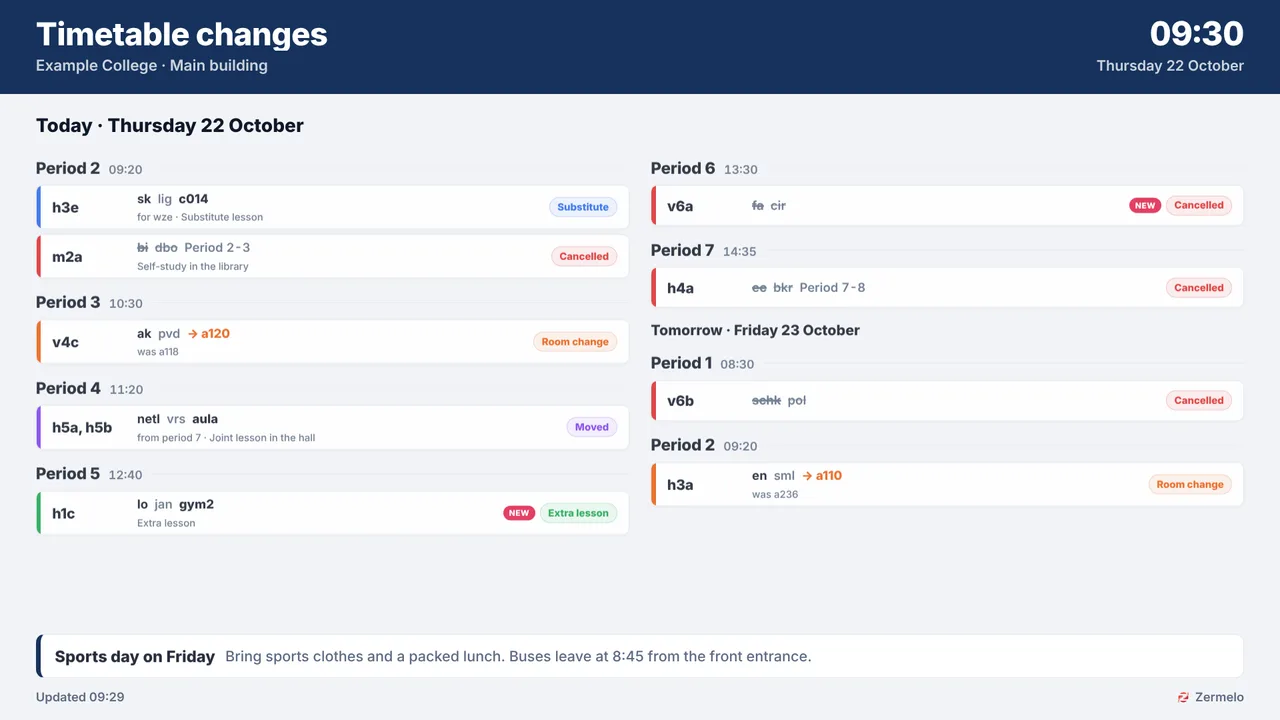
Timetable changes come live from Zermelo, grouped per lesson hour, class or teacher. A change for today is on the hallway screens within about a minute, and past hours drop off by themselves.
Students with a free period wander the corridors looking for an empty room.
The Free rooms board shows which classrooms are free right now and until when. A door sign at each room shows the lesson now, the next one and the rest of the day.
In an evacuation you cannot reach every corridor and canteen at once.
The red Emergency alert button puts one message full screen on every screen of a building within seconds, over whatever is playing. Pick Evacuate or write your own.
Real screens, ready to use
Every screen below is a live plugin or a design you make in minutes. Mix them in one playlist, or give each screen its own.
Timetable changes for the hallway
Cancelled lessons, room changes, substitutes and moved lessons per lesson hour. Busy day? Spread the board over up to 6 screens side by side.
See how it works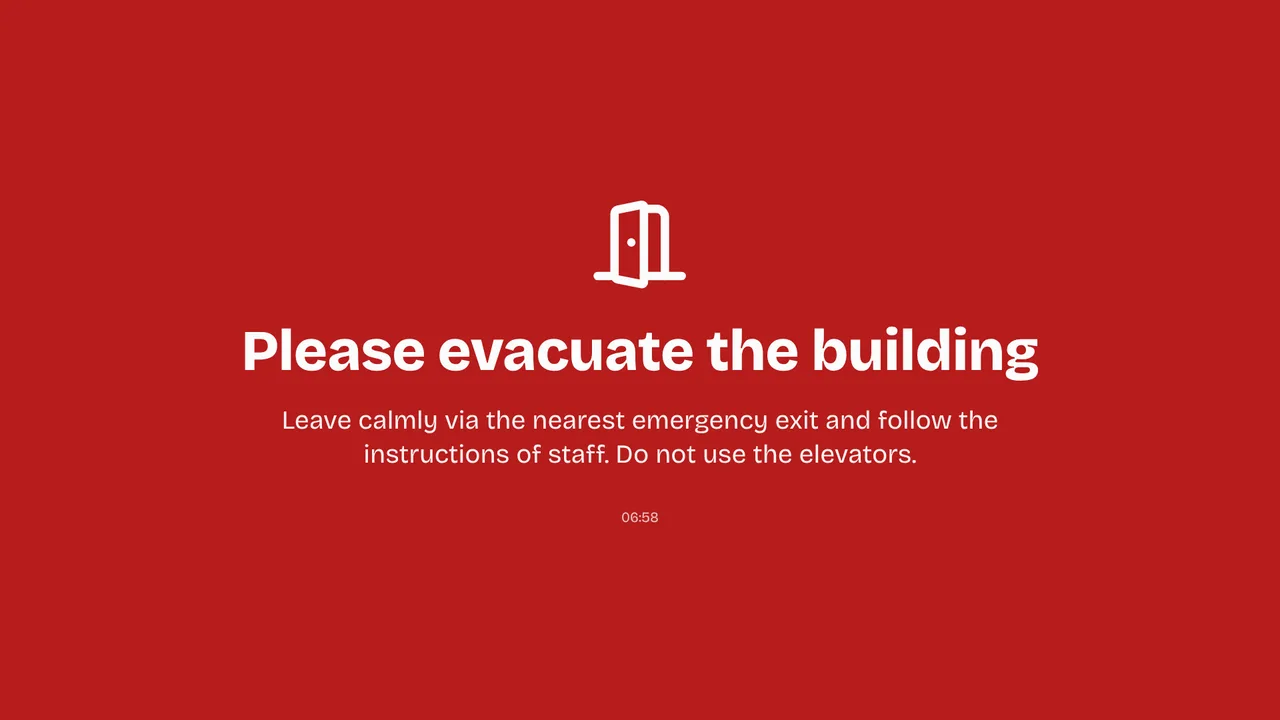
Evacuation alert in seconds
Evacuate, Fire or your own message full screen on every screen of one building, over whatever is playing. It ends by itself (Premium).
See how it works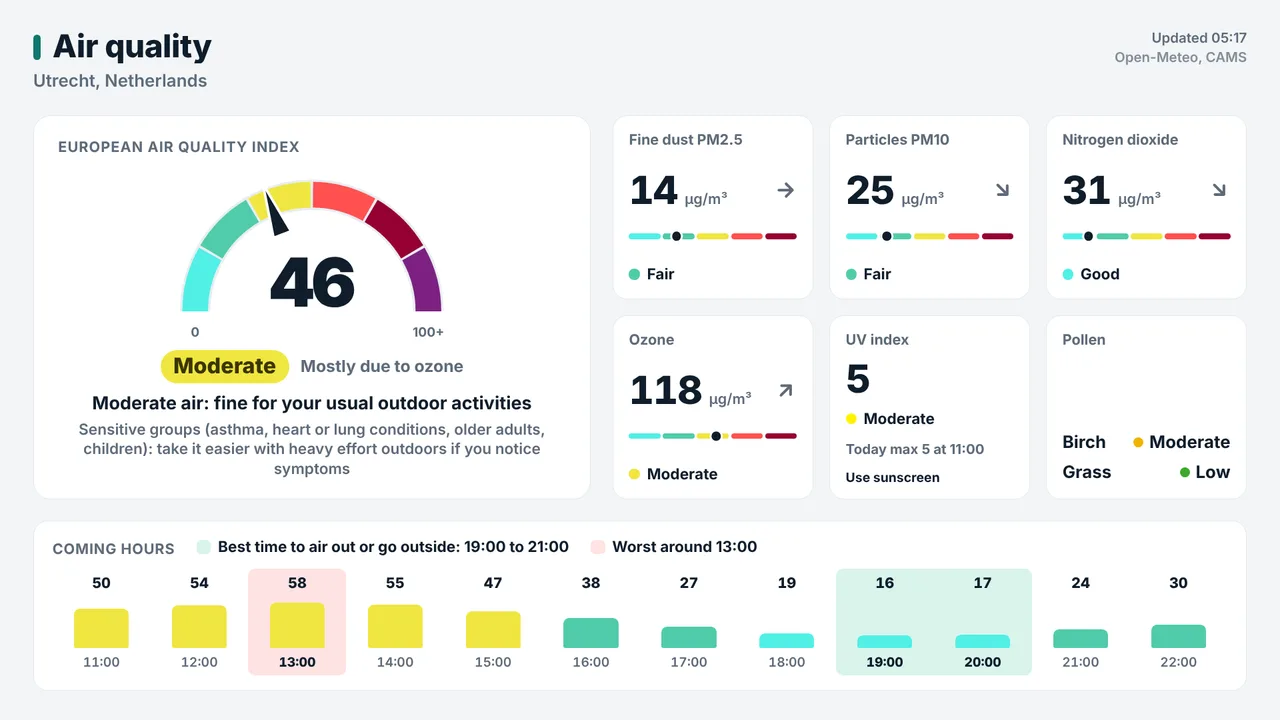
When to air the classrooms
The air quality index for your town with the best moment to air the rooms. Outdoor air only: CO2 in a classroom needs its own sensor.
See how it works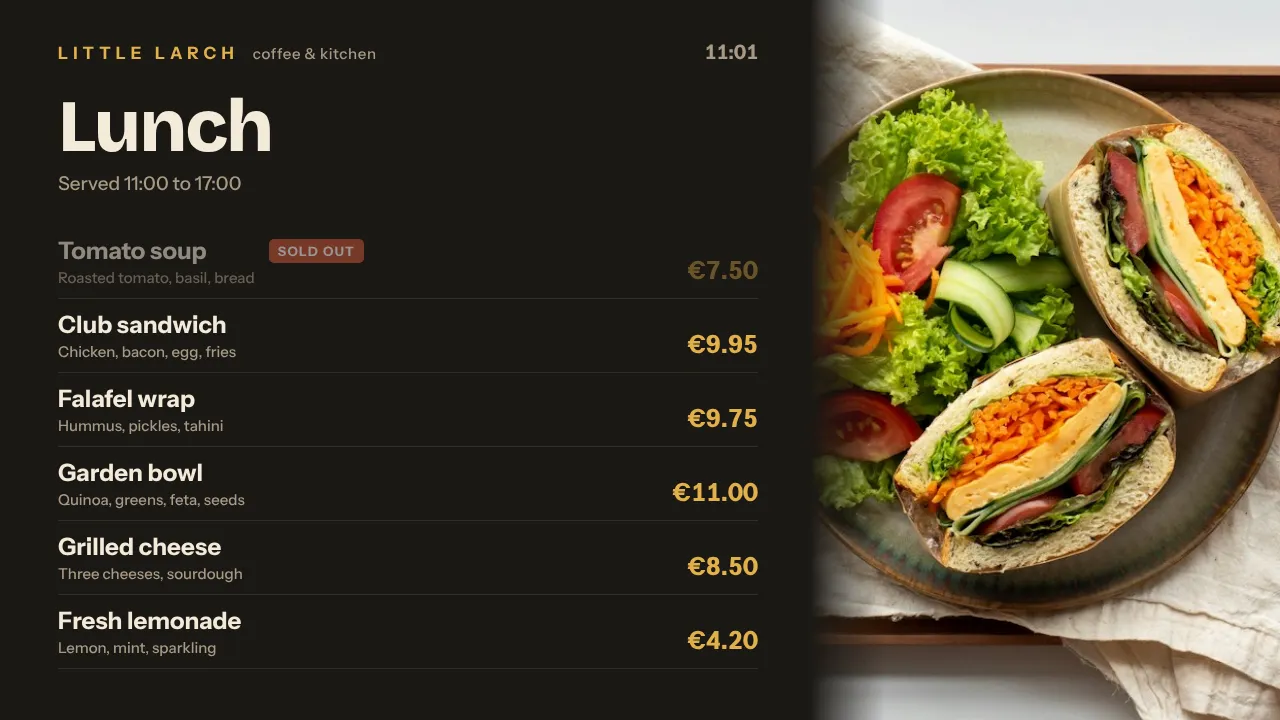
Canteen menu
Today's lunch with prices, made in the Designer or with AI Studio and planned for lunchtime on school days only.
Plan once, and every screen follows the clock
Give slides weekdays, hours and an end date, or plan whole playlists in the calendar. The screens switch on time, even when the internet drops.
- 07:45
Screens on, changes up
The TVs wake up by themselves and the hallway shows today's changes before the first bell.
- 08:30
First lesson hour
Door signs show the lesson now and next; the Free rooms board shows which rooms are free this hour.
- 10:15
Break
The staff room board shows absent teachers and who covers their lessons. The air quality screen shows the best moment to air the rooms.
- 12:15
Lunch in the canteen
A weekly slot in the calendar puts the canteen menu and the countdown to the school musical on screen, school days only.
- 16:30
Ready for tomorrow
Hallway screens switch to today and the next school day, then go to standby after the last lesson.
Everything you need, nothing you don't
Live from Zermelo
Timetable changes, door signs, free rooms, announcements and the staff room board through Zermelo's official API, with read-only rights your school grants.
A board for every spot
Filter per department or class (wildcards such as h4*) and choose today, today and the next school day, or the coming school week per screen.
Emergency alert per building
One message full screen on all screens of a location, a tag or chosen screens. It ends by itself after 15 minutes up to 24 hours, also offline.
Every building, one dashboard
Give screens a location and tags such as "hallway" or "canteen". Staff get access to their own building only.
When to air the rooms
The air quality plugin shows the outdoor air index, pollen and a 12-hour forecast with the best moment to open the windows.
Plan the school year
Weekly slots for lunch and breaks, one-off items for open days, and a countdown to the holidays. Skip holidays with presets on Pro and Business.
Live in fifteen minutes
- 1Create a free account
No credit card, no installation. The dashboard runs in your browser.
- 2Connect a screen
Any TV with HDMI and a small player, or a smart TV browser. Enter the code the screen shows.
- 3Choose what plays
Add a plugin, upload your own media or let AI Studio design a screen. Press Push to screen.
A secondary school with screens in the hallways, the canteen and the staff room
10 screens included, Zermelo, emergency alert and every Premium plugin included, 3 users and 3 locations. Smaller start: Starter with the Premium add-on, €5 + €9 per month for 3 screens. Door signs per classroom are extra screens at €2 per month each.
Compare all plansPrices excl. VAT, cancel monthly.
Frequently asked questions
How does TVpilot connect to Zermelo?
Your school connects its Zermelo portal once through Zermelo's official API, under Beheer > Partners, with read-only rights you grant. Schools without the Partners menu use an API user.
Does the screen show student data?
No. Student names and student data are never read. Teacher codes and timetabler remarks can be hidden per screen.
How quickly do changes reach the screens?
Changes for today appear within about a minute of saving them in Zermelo, changes for later days within about five minutes.
Can the screen tell us when to air a classroom?
The air quality plugin shows the outdoor air and the best moment to air the rooms. It cannot measure CO2 inside a classroom; that needs a CO2 sensor in the room itself.
How does an emergency alert work?
Press the red Emergency alert button, choose Evacuate, Fire, Temporarily closed or your own message, and pick a location, a tag or screens. With Turn TVs on, a Raspberry Pi switches a TV in standby on. Editors and up can start it.
What does it cost for a school?
Zermelo and the emergency alert are Premium. Pro is €29 per month with 10 screens and every Premium feature. Starter is €5 per month for 3 screens plus €9 for the Premium add-on. Extra screens are €2 per month. Prices exclude VAT.
Also see: Zermelo timetable · Emergency alerts · Education plugins · Pricing
Put the changes list where students look
Create a free account, connect Zermelo and put the changes board in the hallway. Your first screen is free.
Free plan, no credit card. Paid plans from €5 per month.