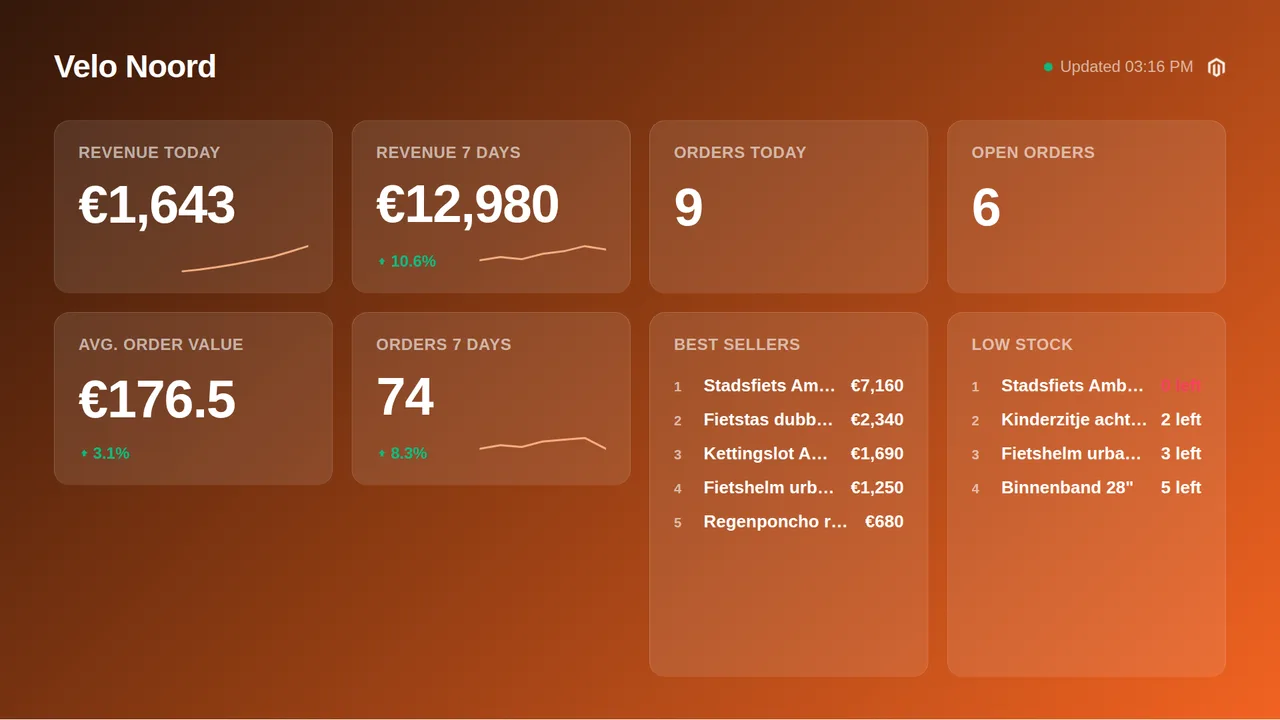
A Magento or Adobe Commerce dashboard for the office wall: revenue for today, this week and this month, orders and open orders, best sellers, average order value and the products running low. Create a read-only integration in the admin, paste the access token and pick your tiles.
Free plan, no credit card required. Paid plans from €5/month. Plugin version v1.2.
On the screen
What the screen shows
Revenue today, this week, this month
From the order data, with the delta against the period before.
Orders and open orders
Orders today and this week, and the ones still processing.
Best sellers
The products that sell most right now, ranked.
Average order value
How much a customer spends per order.
Low stock
Products under their stock threshold.
Setup
How it connects
01
Add an integration in Magento
System, Extensions, Integrations, Add New Integration. Name it TVpilot for example.
02
Read access to Sales, Catalog and Stores
Under API, Resource Access pick Custom and tick Sales, Catalog and Stores. The token is only ever used to read.
03
Activate and copy the token
Save, press Activate and copy the Access Token from the integration details. Paste it in TVpilot, test, pick tiles, push to screen.
Privacy
What reaches the screen
The board shows totals, counts, product names and amounts, never a customer name or address. Keys are sealed on our servers, only ever used to read, and never shown again after you save them. Revoke them in the source at any time and the board stops.
Read only: TVpilot never changes anything in the source
Credentials sealed at rest, never shown again after saving
Revoke on the platform side at any time and the screen stops
Any TV
Show it on the TV you already own
TVpilot turns the hardware you have into a managed screen: an Amazon Signage Stick with the TVpilot app, a Raspberry Pi with one command, a Fire TV Stick or Android TV, or simply the browser of a smart TV. One player URL per screen, managed from the dashboard.
Your whole team, safely.Roles for every colleague, and nothing goes live without approval.
What you keep
€17.08 per month
For 3 screens you pay €5 per month on Starter. At a typical per-screen price for the same features that is €22.08.
TVpilot Starter€5
Per screen elsewhere€22.08
Compared with typical per-screen prices for the same features: $8 standard, $12 with premium features, $15 with a team and approvals, per screen per month, billed yearly, converted at €0.92.
Both. The board uses the REST API that ships with Magento 2.
Why no sessions or returning customers?
Magento does not expose visitor sessions through its API and returning-customer rates need reports it does not serve, so those tiles are not offered rather than shown as zeros.
How often does it refresh?
Every 10 minutes, and the screen keeps the last numbers through a connection hiccup.
Multiple store views?
The board reads the store the token belongs to. For several stores connect each as its own dashboard.
Live Magento and Adobe Commerce numbers on any TV: revenue, orders, best sellers, average order value and low stock. Read-only integration token, free plan.