Stripe dashboard

Stripe revenue
on the office wall

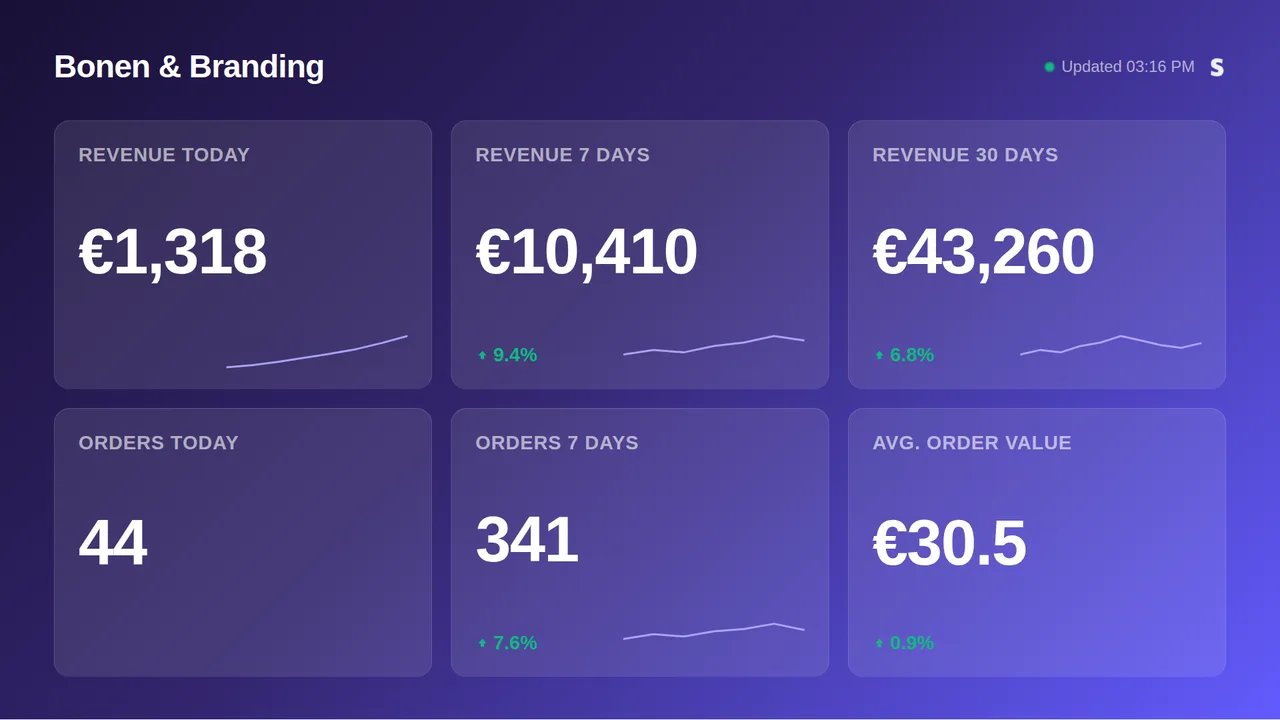
For webshops, SaaS and everything else that charges through Stripe: turnover for today, this week and this month, the number of successful charges and the average amount, live on a TV. Connect with a restricted key that can only read charges; full secret keys are refused.

Start free, 1 screen includedSee how it connects

Free plan, no credit card required. Paid plans from €5/month. Plugin version v1.1.
Stripe on a TV screen
On the screen

What the screen shows

Turnover today, this week, this month

Successful charges, with the delta against the period before.

Payment volume

The number of successful charges today and this week.

Average order value

Turnover divided by charges.

Any Stripe business

Checkout, subscriptions, invoices: whatever creates the charge, it counts.

Setup

How it connects

01
Create a restricted key

In your Stripe dashboard go to Developers, API keys and create a restricted key with read access to Charges (add Account read for the business name).

02
Paste the rk_live_ key

Full secret keys (sk_live_) are not accepted: a restricted read-only key is all the dashboard needs and keeps your account safe.

03
Test, pick tiles, push to screen

Revenue, volume and average order value appear automatically.

Privacy

What reaches the screen

The board shows totals and counts, never a customer email, a card or a description. Keys are sealed on our servers, only ever used to read, and never shown again after you save them. Revoke them in the source at any time and the board stops.

Read only: TVpilot never changes anything in the source
Credentials sealed at rest, never shown again after saving
Revoke on the platform side at any time and the screen stops
Any TV

Show it on the TV you already own

TVpilot turns the hardware you have into a managed screen: a Raspberry Pi with one command, a Fire TV Stick or Android TV, or simply the browser of a smart TV. One player URL per screen, managed from the dashboard.

Raspberry Pi signageFire TV Stick signageSmart TV, no hardware
Pricing

Free for your first screen

Every plugin is included in every plan. You pay for screens, not for integrations.

Free
€0forever

Perfect for trying TVpilot with one screen.

Start free
Starter
€5/month

For small teams and single locations.

Start free
Pro
€19/month

For growing businesses with multiple locations.

Start free
Business
Customon request

Enterprise-grade signage at any scale.

Contact sales

Start on the free plan and stay there as long as you like. No credit card, no trial clock.

FAQ

Frequently asked questions

Why only a restricted key?

Because a board never needs more. A restricted key with read access to Charges cannot create, refund or read anything else, so a leaked key cannot hurt you.

Does it show MRR?

The board shows charges: turnover, volume and average amount. Recurring revenue metrics are not on it.

How often does it refresh?

Every 10 minutes, and the screen keeps the last numbers through a connection hiccup.

Multiple currencies?

Charges are summed in the currency of your Stripe account as reported by the API.

Also see:Mollie · Moneybird · Shopify · WooCommerce · All e-commerce dashboards · TV dashboards

Stripe revenue on the office wall

Show live Stripe revenue on any TV: turnover today, this week and this month, payment volume and average order value, for webshops and SaaS alike. Restricted read-only key, free plan available.

Start free with TVpilot

Stripe is a trademark of Stripe, Inc. TVpilot is not affiliated with Stripe.