Weather widget

The weather for your location, on the wall

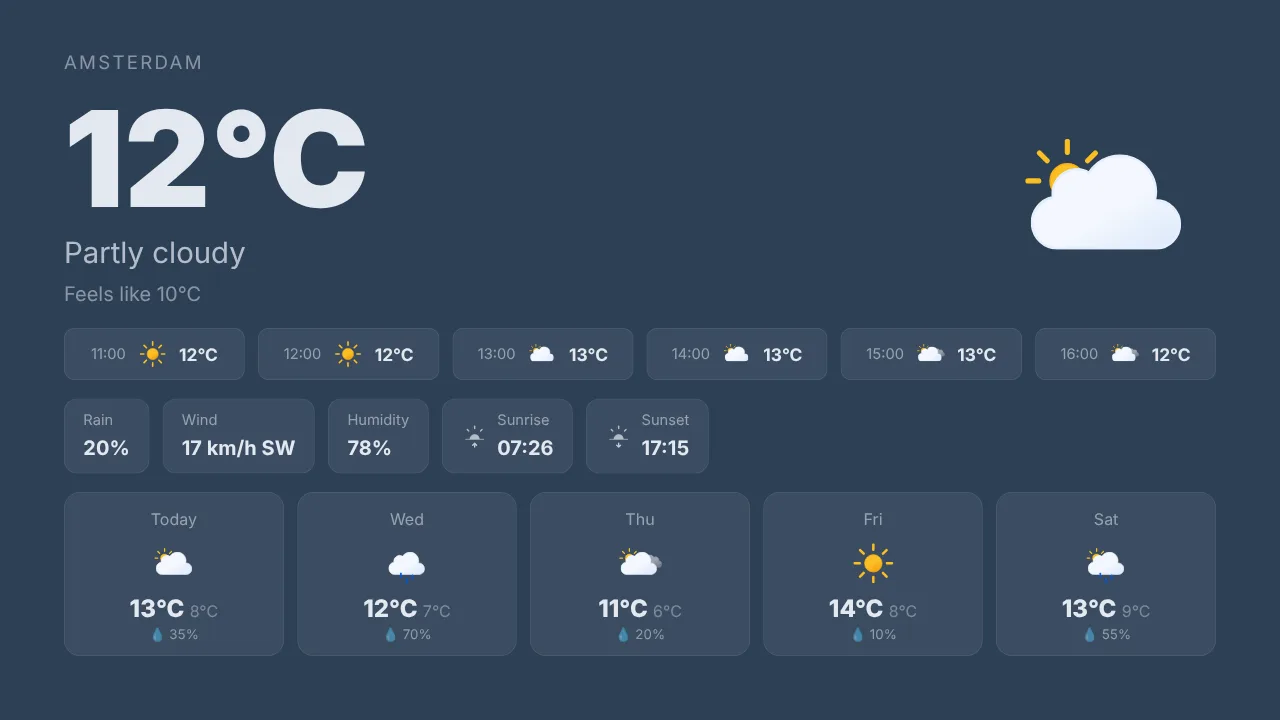
The slide people look at on their way out. Enter a city, pick a layout and the screen shows the current conditions, the forecast for the coming days or a live rain radar next to the forecast, in your colours and icon style. Works for any place in the world and refreshes by itself.

Free plan, no credit card required. Paid plans from €5/month. Plugin version v1.9.

Weather widget on a TV screen
On the screen

What the screen shows

Current conditions

Temperature, sky, wind and the feel of the day, big and clear.

Forecast

The coming days with highs, lows and icons.

Rain radar mode

The forecast paired with a live radar map for the region.

Your colours and icons

Dark or light, brand colours, animated or static icon styles.

Setup

How it connects

01
Enter a city

Any city in the world. The widget resolves the location.

02
Pick a layout

Current conditions, forecast or rain radar, plus colours and icon style.

03
Push to screen

Add the slide to a playlist. It refreshes on the screen from then on.

Privacy

What reaches the screen

A core widget: nothing to connect and no account behind it. Settings live in your TVpilot account and the widget keeps its last data on the device for at least a day, so a screen that restarts during an outage still shows something useful.

Read only: TVpilot never changes anything in the source
Credentials sealed at rest, never shown again after saving
Revoke on the platform side at any time and the screen stops
Any TV

Show it on the TV you already own

TVpilot turns the hardware you have into a managed screen: an Amazon Signage Stick with the TVpilot app, a Raspberry Pi with one command, a Fire TV Stick or Android TV, or simply the browser of a smart TV. One player URL per screen, managed from the dashboard.

Amazon Signage StickRaspberry Pi signageFire TV Stick signageSmart TV, no hardware
Pricing

Free for your first screen

This plugin is included in every plan, the free one too. You pay for screens, not for integrations.

How many screens?

Free

Try TVpilot on one screen, for as long as you like.

Does not fit 3 screensOnly for 1 screen
Start free
Included1 screen
Extra screennot possible
Storage250 MB
  • All standard plugins
  • Scheduling: 1 calendar

Free, forever.No credit card. Try it on one TV.

Best fit for you

Starter

For a shop, practice or restaurant with a few screens.

3 screens€5per month
Choose Starter
Included3 screens
Extra screen€2 per month
Storage2 GB
  • Premium available as an add-on
  • Version history
  • Scheduling: 5 calendars

3 screens for €5.Each extra screen €2 per month.

Pro

For offices, schools and chains, with every Premium feature.

3 screens€29per month
Choose Pro
Included10 screens
Extra screen€2 per month
Storage10 GB
  • All Premium features
  • Up to 3 users, up to 3 locations
  • Version history

10 screens, all Premium.Review walls, triggers and the emergency alert included.

Business

For organizations with a team, approvals and many locations.

3 screens€99per month
Choose Business
Included25 screens
Extra screen€1.50 per month
Storage100 GB
  • All Premium features
  • Up to 25 users, unlimited locations
  • Approval before publishing
  • Own branding, priority support

Your whole team, safely.Roles for every colleague, and nothing goes live without approval.

What you keep

€17.08 per month

For 3 screens you pay €5 per month on Starter. At a typical per-screen price for the same features that is €22.08.

TVpilot Starter€5
Per screen elsewhere€22.08

Compared with typical per-screen prices for the same features: $8 standard, $12 with premium features, $15 with a team and approvals, per screen per month, billed yearly, converted at €0.92.

  • Extra screens from €1.50
  • Premium on Starter €9
  • Extra storage €10 per 25 GB
  • Cancel monthly
  • Prices excl. VAT

See every feature per plan

FAQ

Frequently asked questions

Does it work outside the Netherlands?

Yes. Enter any city worldwide. For a Dutch rain forecast in 5-minute steps there is also the Buienradar widget.

Does it play smoothly on a Raspberry Pi?

Yes. On the Pi the animated icon styles play as their static twins and the radar map is fetched at screen size; other players keep the animations.

Can I show several locations?

Yes. Add one weather widget per location and put them in the same playlist.

How often does it refresh?

Automatically, a few times an hour. The last forecast stays on the device through an outage.

Related articles
Dynamic Digital Signage Content: Smart Triggers Guide
Digital Waiting Room Displays: What Patients Actually Read
Queue Display System for Small Shops, No Ticket Machine
Also see:Buienradar · News feed · Clock widget · Calendar · All core widgets

The weather for your location, on the wall

The weather for your location on any TV: current conditions, the forecast or a rain radar, in your colours, refreshed automatically. Included in every plan.