Air Quality Display for Offices, Schools and Receptions
An air quality display is a TV or screen that shows the current outdoor air quality for your town, what each pollutant is doing, and when it makes sense to open the windows. For a school hallway, an office kitchen or a care home reception, it answers one daily question: is now a good moment to air the rooms, or should we wait?
This guide explains how to read the European air quality index, what PM2.5, PM10, NO2, ozone, UV and pollen mean for the people in your building, and how to set up a screen with the air quality plugin in TVpilot. It also covers the limit that catches people out: a screen like this shows outdoor air, so it cannot tell you how stuffy a classroom has become.
The typical reader here is a facilities manager, a school's ICT coordinator or a care home team leader who has been asked to "put air quality on the screens" and wants to know what that means in practice before buying anything.
What an air quality screen shows (and what it cannot)
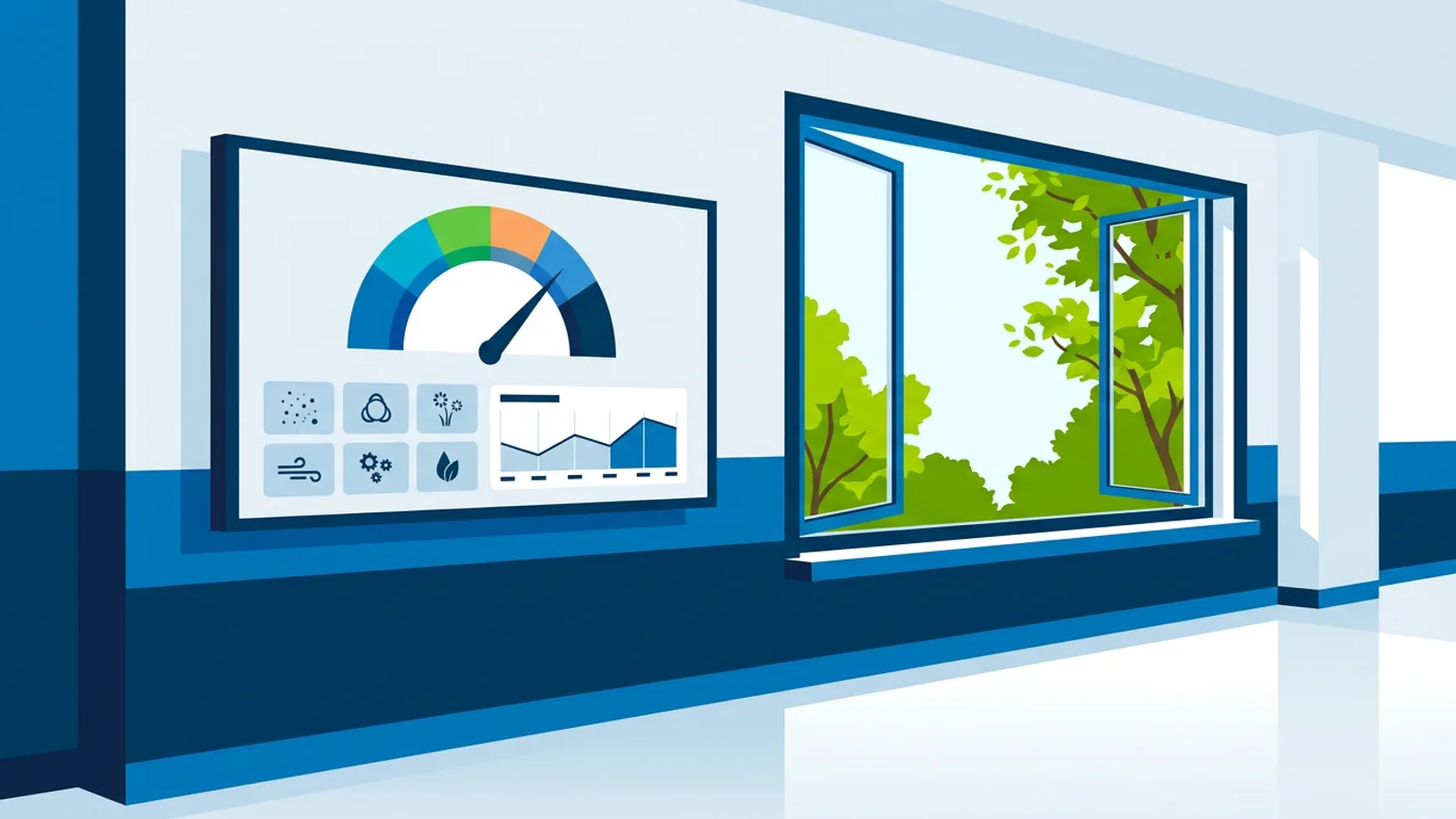
The TVpilot air quality plugin shows, for one town or city:
- The European air quality index on a gauge in the six official band colours, with plain advice for that band
- Tiles for fine dust PM2.5 and PM10, NO2 (nitrogen dioxide), ozone, UV and pollen (pollen in Europe)
- A 12-hour forecast with the best moment to air the rooms
All of this is outdoor data. Indoor CO2, the figure most people mean when they talk about stuffy classrooms, comes from the people in the room breathing. It depends on how many people are inside, the room size and the ventilation, and it can only be measured by a CO2 sensor in that room. The widget cannot measure it, and no outdoor data source can.
The two work together well. A CO2 meter on the classroom wall tells the teacher that the room needs fresh air. The screen in the corridor tells them whether the air outside is good right now, or whether waiting an hour would bring in cleaner air. If you only buy one thing for a crowded classroom, buy the CO2 sensor. If you want the whole building to know when to air rooms, add the screen.
How to read the European air quality index
The European air quality index, published by the European Environment Agency, sorts outdoor air into six bands: good, fair, moderate, poor, very poor and extremely poor. Each band has a fixed colour, so anyone walking past the screen can read it from a distance without knowing the numbers behind it.
The overall index follows the worst pollutant. If fine dust is fair but ozone is poor, the gauge shows poor. That is why the pollutant tiles matter: they tell you which pollutant is driving the rating, and that decides what you should do about it.
A practical rule for the advice text on your screen:
| Band | What most buildings do |
|---|---|
| Good, fair | Air rooms freely; outdoor breaks and sports as normal |
| Moderate | Air rooms normally; sensitive people may want to limit long, intense outdoor exercise |
| Poor | Air rooms in short bursts at the best moment in the forecast; tell staff of vulnerable groups |
| Very poor, extremely poor | Keep windows mostly closed, air briefly at the best forecast moment, move intense activity indoors |
Follow any local health authority advice over this table; it is a starting point for the message on your screen, not medical guidance.
What each pollutant means for your building
PM2.5 and PM10 (fine dust)
PM10 is coarser dust: road wear, construction, dry soil. PM2.5 is much finer and comes mainly from combustion, such as traffic, industry and wood burning. In many European towns PM2.5 rises on cold, still winter evenings when people light wood stoves. If your fine dust tiles turn red in the evening, air the building in the late morning or early afternoon instead.
NO2 (nitrogen dioxide)
NO2 comes mostly from road traffic, so it peaks around rush hours and is highest close to busy roads. A school or office on a main road should avoid airing rooms at the start of the school or work day, when traffic and NO2 are both at their worst.
Ozone
Ozone forms in sunlight from other pollutants, so it builds through warm summer days and peaks in the afternoon. On a hot day with poor ozone, air rooms early in the morning, before the sun has done its work. This is the opposite of the winter fine dust pattern, which is why one fixed "air the rooms at 10:00" rule fails half the year.
UV
UV is not a pollutant, but it matters for playgrounds, sports fields and care home gardens. A high UV tile is the cue for sunscreen and shade at lunchtime.
Pollen
Pollen is the tile allergy sufferers look at first. When pollen is high, opening every window for an hour brings it inside and keeps it there. Short, targeted airing at the best forecast moment is a better habit, and on very high pollen days some people prefer to keep windows on the allergy side of the building closed. A pollen display in a staff room or reception lets people plan medication and outdoor activities without checking an app.
When to air rooms: using the 12-hour forecast
The forecast on the screen shows the expected index for the coming 12 hours and marks the best moment to air the rooms. This is the most useful part of the display for daily routines, because it turns a number into an action: "best moment to air: 13:00".
A simple routine that works for most buildings:
- Look at the forecast when the day starts.
- Air rooms thoroughly at the marked best moment.
- Between those moments, let the CO2 sensors decide when a room needs short extra airing.
- If the index is poor or worse, keep the airing short and repeat it rather than leaving windows open for long.
Worked example: a primary school with three screens
Say you run a primary school with screens in three places: the main corridor, the staff room and the reception.
Hardware: three TVs that the school already has, each with a cheap player. A Raspberry Pi 4 runs TVpilot with a one-command installer and can switch the TV on and to standby on a schedule via HDMI-CEC, so the screens are off at night and during holidays. A Fire TV Stick with the TVpilot app or a smart TV browser also works.
Plan: Starter costs €5 per month (or €49 per year) and includes 3 screens. The air quality plugin is on every plan, so these three screens are covered.
Content per screen:
- Corridor: the normal playlist (events, lunch menu, photos) with an air quality slide every few minutes, so teachers see the band colour and the best moment to air on the way to class.
- Staff room: a Designer slide with the air quality plugin in a Widget box next to the day's announcements. Teachers with allergies check the pollen tile here.
- Reception: the full air quality board on a loop with the welcome message, useful for parents dropping off children with asthma.
Now the school wants a warning that appears only on bad days, instead of an air quality slide that plays even when the air is fine and teachers stop looking at it. That needs a Trigger, a Premium feature. On Starter the Premium add-on costs €9 per month, bringing the total to €14 per month.
If the school later grows to 10 screens, Starter with 7 extra screens at €2 each plus Premium comes to €28 per month. Pro costs €29 per month, includes 10 screens and Premium, and adds up to 3 users with roles and 3 locations. Around that point Pro is the better deal, especially if more than one person edits the screens.
Show a slide only when the air is poor
Triggers make a slide play only while a rule about live data holds. For air quality the rules cover poor or good air, the index, UV and pollen. Screens check about every minute.
You choose one of two behaviours per Trigger:
- The slide joins the rotation while the rule holds. Good for the corridor: "Air quality is poor today. Air classrooms briefly at the best moment shown."
- The slide takes over the screen while the rule holds. Good for a care home reception on an extremely poor day, where staff must see it.
Useful rules for each building type:
- School: when air is poor, show a slide that moves PE indoors; when UV is high, show the sunscreen reminder before lunch break.
- Office: when pollen is high, show a slide in the kitchen suggesting short airing and closing windows on the windward side.
- Care home: when air is poor, show a full-screen notice to keep residents with lung conditions inside and plan garden walks for the best forecast moment.
The smart triggers guide covers weather, review and Data API rules as well, if you want to build more of these.
Common mistakes with air quality displays
- Promising indoor data. Labelling the screen "Classroom air" sets the wrong expectation. Call it "Outdoor air" and pair it with CO2 sensors.
- Picking the wrong town. The index is per town or city. A school on the edge of a large city should pick the closest one, since pollution near a city centre can differ from the suburbs.
- A permanent slide nobody reads. If the air is good most days, a slide that always plays turns into background. Use a Trigger so the warning only appears when it means something.
- Copying generic advice. The band table above is a start; agree with the school nurse, the care staff or your health and safety lead what each band means for your people, and put that text on the slide.
When TVpilot is the right fit, and when it is not
TVpilot fits if you already have, or plan, screens that show other content too: schedules, announcements, menus, a welcome message. The air quality plugin is on every plan including Free (1 screen), and Triggers come with Pro, Business or the Premium add-on on Starter.
It is the wrong tool if indoor CO2 is your only concern. A CO2 meter with a traffic light on the wall of each classroom is cheaper and measures the thing you care about. It is also more than you need if one person checks the air once a day; a phone app does that job. Outside Europe, check whether the pollen tile covers your area, since pollen is listed for Europe. And TVpilot is hosted software, so the screens need an internet connection to receive updates.
Getting started
Pick the screen people walk past at the moment they decide about windows (usually a corridor or staff room), add the air quality plugin for your town, and agree on the advice text for each band with whoever looks after vulnerable people in your building. If the air is usually fine where you are, add a Trigger so the poor-air slide only appears on the days that need it. You can try all of this on one screen with the Free plan: create a TVpilot account and have an air quality display running before the next airing round.
Frequently asked questions
Can an air quality display show the CO2 level in a classroom or office?
No. The air quality plugin shows outdoor air for a town or city: the European air quality index, PM2.5, PM10, NO2, ozone, UV and pollen. CO2 inside a room comes from the people breathing in it and can only be measured by a CO2 sensor in that room. Use a CO2 meter for indoor air and the screen to see when outdoor air is good for airing.
What is the best time to air rooms when outdoor air quality is poor?
Use the 12-hour forecast on the screen, which marks the best moment to air the rooms. As a rule, ozone peaks on sunny summer afternoons, so mornings are better then; fine dust from wood burning often rises on winter evenings; NO2 near busy roads peaks at rush hours. Air briefly and repeat rather than leaving windows open for a long time.
Does TVpilot's air quality plugin cost extra?
No. The air quality plugin is included on every plan, including the Free plan with 1 screen. Triggers, which show a slide only when the air is poor or pollen is high, are a Premium feature included in Pro (€29 per month) and Business, or available on Starter as the Premium add-on for €9 per month. Prices exclude VAT.
Can the screen show pollen levels for allergy sufferers?
Yes, in Europe. The air quality plugin has a pollen tile next to the pollutant tiles, and with a Trigger you can show an extra slide only on high pollen days, for example in a staff room or care home reception.