Your menu and your window, run from one dashboard
TVpilot is digital signage software for cafes, bakeries, shops and offices in Denmark. The lunch menu, the window offer and your Google reviews switch by themselves on a schedule you set once, in Danish, English or both, because you make the content. Your first screen is free forever.
Free plan, no credit card. Paid plans from €5 per month.
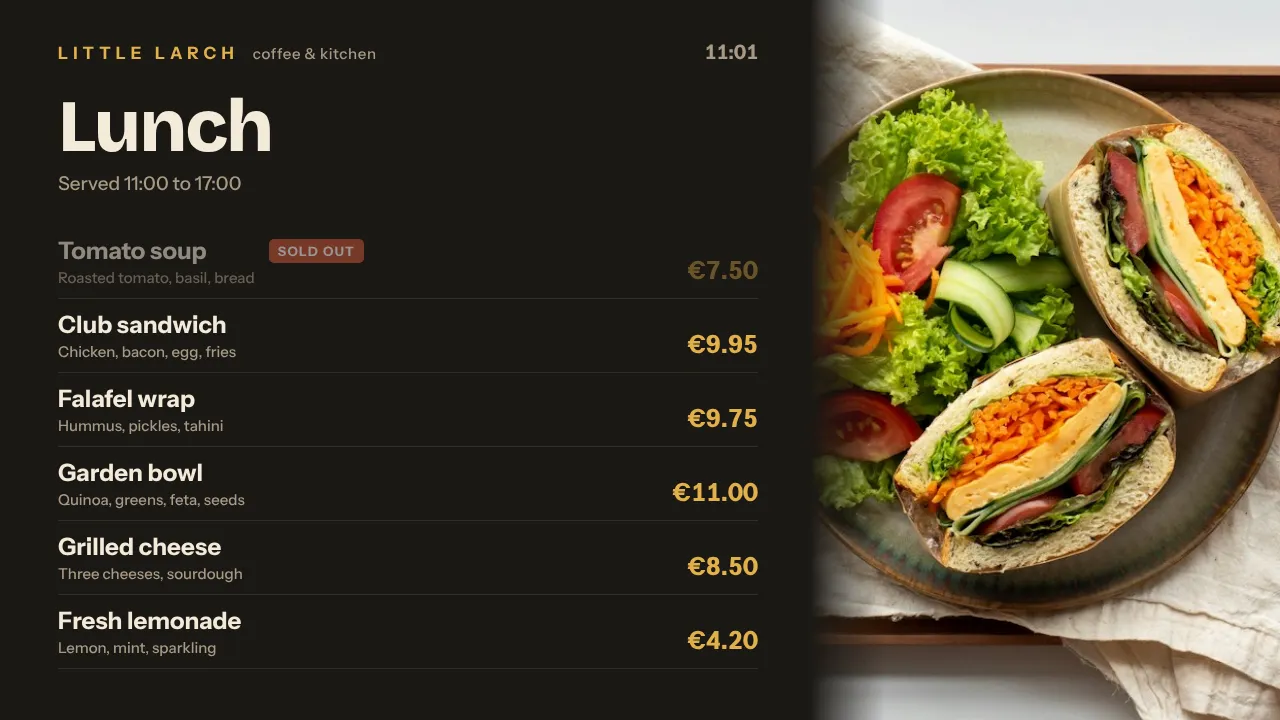
The lunch menu goes up late and the morning offer is still on screen at 12:00.
Plan breakfast, lunch and the afternoon menu as weekly slots in the calendar. Each one appears and disappears by itself, also when the internet drops for a moment.
In December you change the window display every week by hand.
Give every promotion a start and an expiry date and plan the whole season in advance. The Christmas offer goes up on the day you chose and takes itself off screen when it ends.
Your customers read Danish, and most templates only look right in English.
Screens show whatever you make: write your slides in Danish in the Designer, describe a screen to AI Studio, or play a design from Canva. Edits in Canva reach the screens by themselves.
Real screens, ready to use
Every screen below is a live plugin or a design you make in minutes. Mix them in one playlist, or give each screen its own.
Lunch and bakery menus
Today's lunch, the bakery range and prices, switching by time of day. A price change is on screen after one click.
See how it works
Window offers
Seasonal offers with a start and an expiry date, in one shop or every branch at once.
See how it works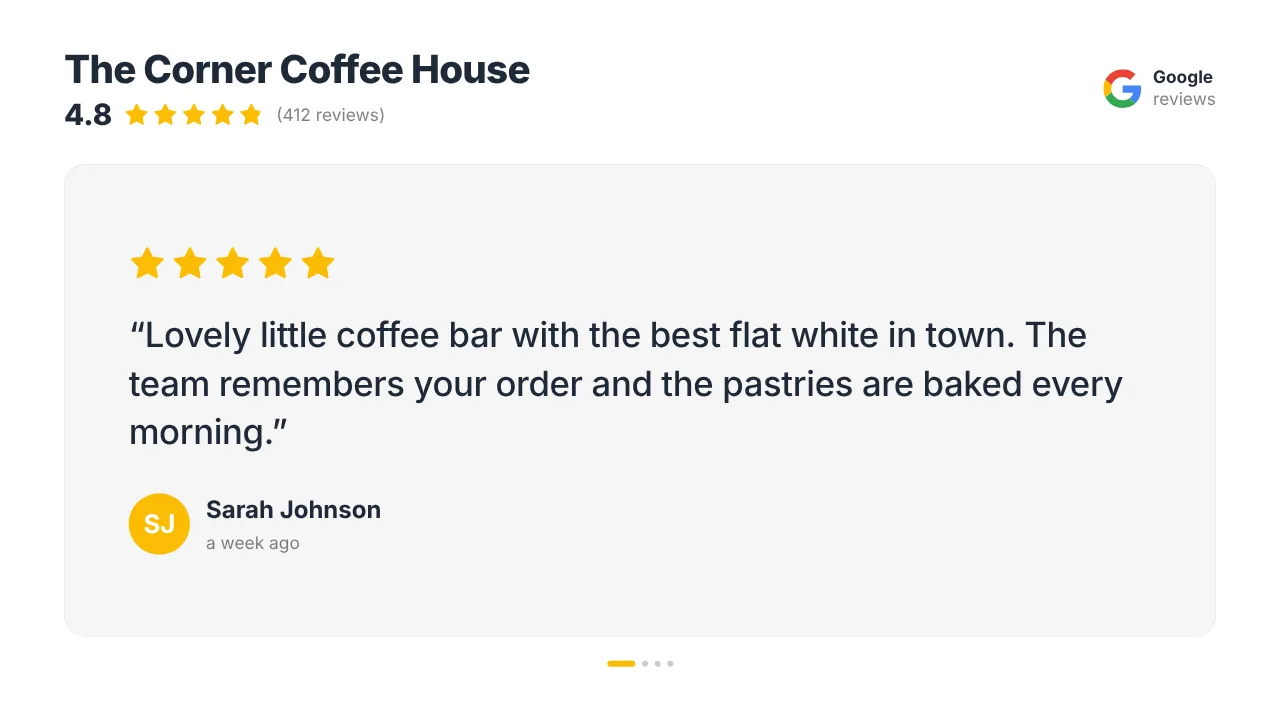
Google reviews
Your rating and a rotating customer review, so passers-by see what regulars think.
See how it works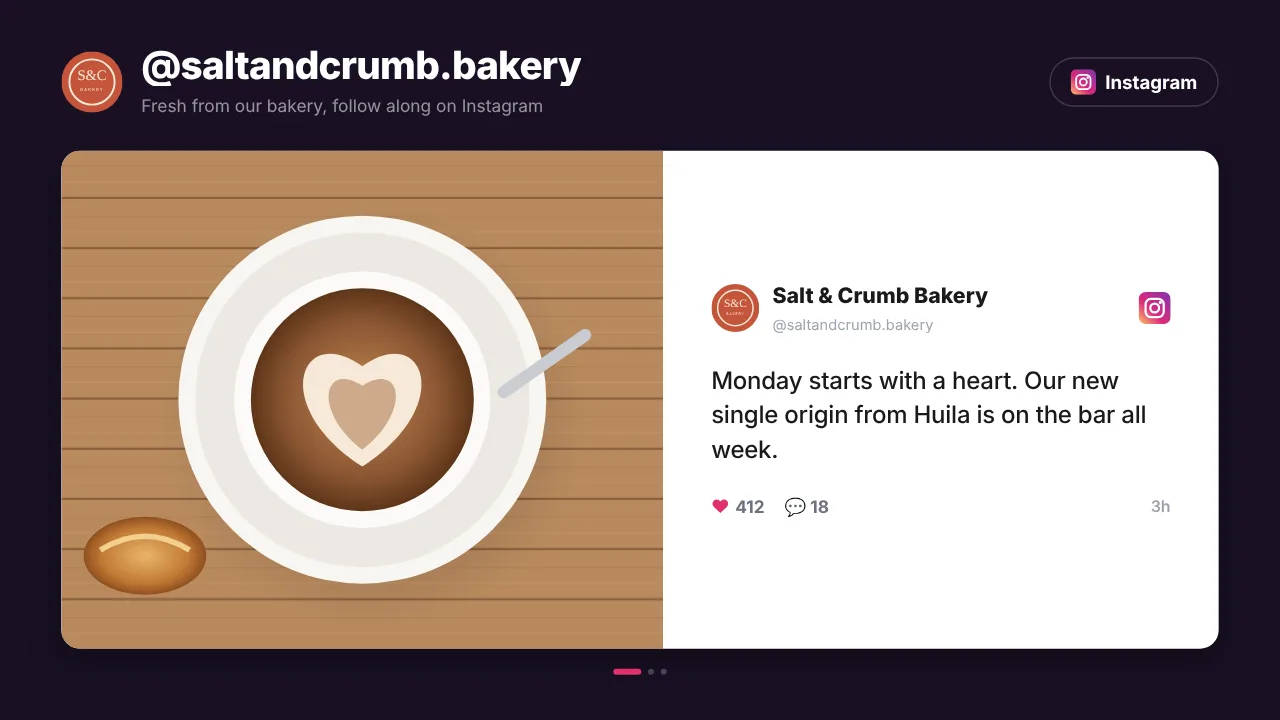
Your Instagram
The latest posts from your Instagram account as a live social wall, refreshed by itself.
See how it worksPlan once, and every screen follows the clock
Give slides weekdays, hours and an end date, or plan whole playlists in the calendar. The screens switch on time, even when the internet drops.
- 07:00
Morning bake
At a bakery that opens at 07:00, the Pi switches the TV on and the screen shows fresh bread and the morning coffee offer.
- 11:30
Lunch
A cafe that serves lunch from 11:30 to 14:00 sets it once as a weekday slot in the calendar.
- 15:00
Afternoon coffee
Cake and coffee offers play, and on a dark winter afternoon the window screen catches the eye.
- 17:30
Late shoppers
The shop window promotes this week's offer and your Google reviews until closing.
- 03:00
Overnight
Player updates install at 03:00 Danish time, because every screen follows its own clock.
Everything you need, nothing you don't
Plan the season ahead
Weekly menu slots, one-off event days and, on Pro and Business, blackout dates. Screens keep following the plan during an internet outage.
Slides with their own hours
Show a slide only on chosen weekdays and between chosen times, with an expiry date after which it takes itself off screen.
TVs on and off by schedule
A Raspberry Pi switches the TV on and to standby through HDMI-CEC and restarts its player by itself after a power cut.
Your content, your language
Write slides in Danish in the Designer or AI Studio. The dashboard is in English, Dutch, German, French, Spanish, Portuguese, Italian, Malay, Simplified Chinese or Thai.
Every branch in one place
Group screens by location and push a campaign to all of them at once. On Pro and Business, managers see only their own branch.
EU hosting and 2FA
Your data is hosted in the EU under GDPR, with two-factor authentication for every user on every plan.
Live in fifteen minutes
- 1Create a free account
No credit card, no installation. The dashboard runs in your browser.
- 2Connect a screen
Any TV with HDMI and a small player, or a smart TV browser. Enter the code the screen shows.
- 3Choose what plays
Add a plugin, upload your own media or let AI Studio design a screen. Press Push to screen.
A bakery with a menu screen behind the counter and a window screen
3 screens included, with weekly menu slots and Google reviews. Billed in euros by card; your bank converts to kroner. Prices exclude VAT.
Compare all plansPrices excl. VAT, cancel monthly.
Frequently asked questions
Can my screens show content in Danish?
Yes. Screens show whatever you make, so write your slides in Danish, English or both. Use the Designer, AI Studio, or a Canva design, PDF or image made elsewhere.
Is the dashboard available in Danish?
Not yet. The dashboard is available in English, Dutch, German, French, Spanish, Portuguese, Italian, Malay, Simplified Chinese and Thai, chosen per user in Settings. Emails and invoices from TVpilot are in English.
Which player should I use in Denmark?
A Raspberry Pi 4 or 5 is the most reliable: one install command, it restarts its own player and switches the TV on and off through HDMI-CEC. An Android TV box with Fully Kiosk Browser or the browser of a smart TV also works. The Amazon Signage Stick is sold on Amazon in the US, UK, Germany, France, Spain, Italy and Canada.
How am I billed from Denmark?
Plans are priced in euros and paid by card; your bank converts the amount to kroner. Free is 1 screen forever without a card, Starter €5 per month for 3 screens, Pro €29 for 10 and Business €99 for 25. Prices exclude VAT.
Where is our data stored?
TVpilot is built in the Netherlands and your data is hosted in the EU under GDPR. Every user can turn on two-factor authentication, and on Pro and Business you can require it for the whole team.
Can the TVs switch off after closing?
Yes. Set on and off hours per screen. A Raspberry Pi switches the TV on and to standby through HDMI-CEC, without a smart plug.
Also see: Digital menu board · Retail digital signage · Google reviews on screen · Raspberry Pi signage
TVpilot in other countries
Less chalk, more customers at the counter
Create a free account, connect one TV with a Raspberry Pi and put today's menu on screen. One screen stays free forever.
Free plan, no credit card. Paid plans from €5 per month.