Screens that welcome every visitor
Whether you run a cafe in Queenstown, a motel on State Highway 1 or a tour desk in Rotorua, TVpilot puts your reviews, menu and guest Wi-Fi on a TV you already own. Manage it from your phone, keep playing when a rural connection drops, and start free with one screen.
Free plan, no credit card. Paid plans from €5 per month.
Visitors pick a cafe or tour in seconds, and your great reviews sit on a phone they never open.
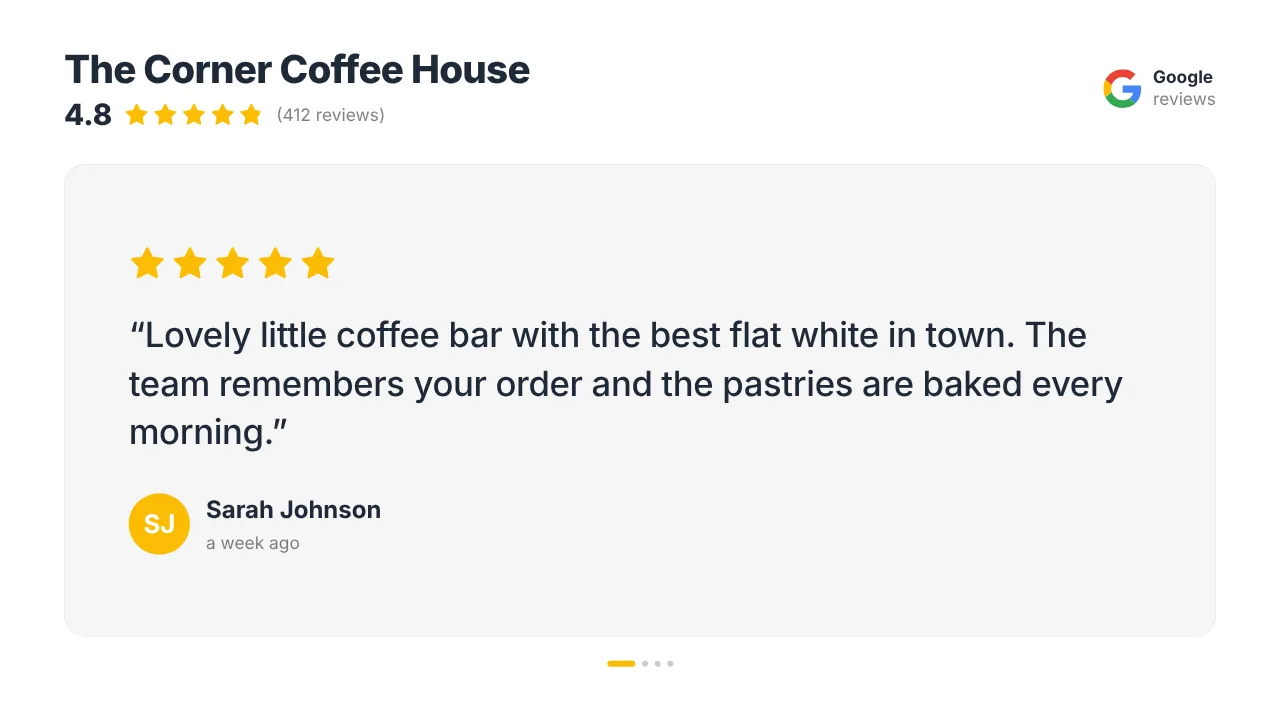
Put your Google rating and best reviews on the screen in the window. They refresh by themselves, so new five-star reviews show up without anyone lifting a finger.
Reception spends the day spelling out the Wi-Fi password to guests.
A QR code on screen carries the guest Wi-Fi. Guests join with one scan, and the code is made on the screen itself, so once loaded it keeps showing when the internet drops.
Out of town, the connection drops and a USB-stick TV is the only thing that keeps working.
TVpilot players keep the content and schedule they downloaded and carry on playing offline, switching at the planned time. Updates arrive once the line is back.
Real screens, ready to use
Every screen below is a live plugin or a design you make in minutes. Mix them in one playlist, or give each screen its own.
Google reviews in the window
Your star rating and a rotating review, in your colours. Social proof for people deciding on the footpath.
See how it works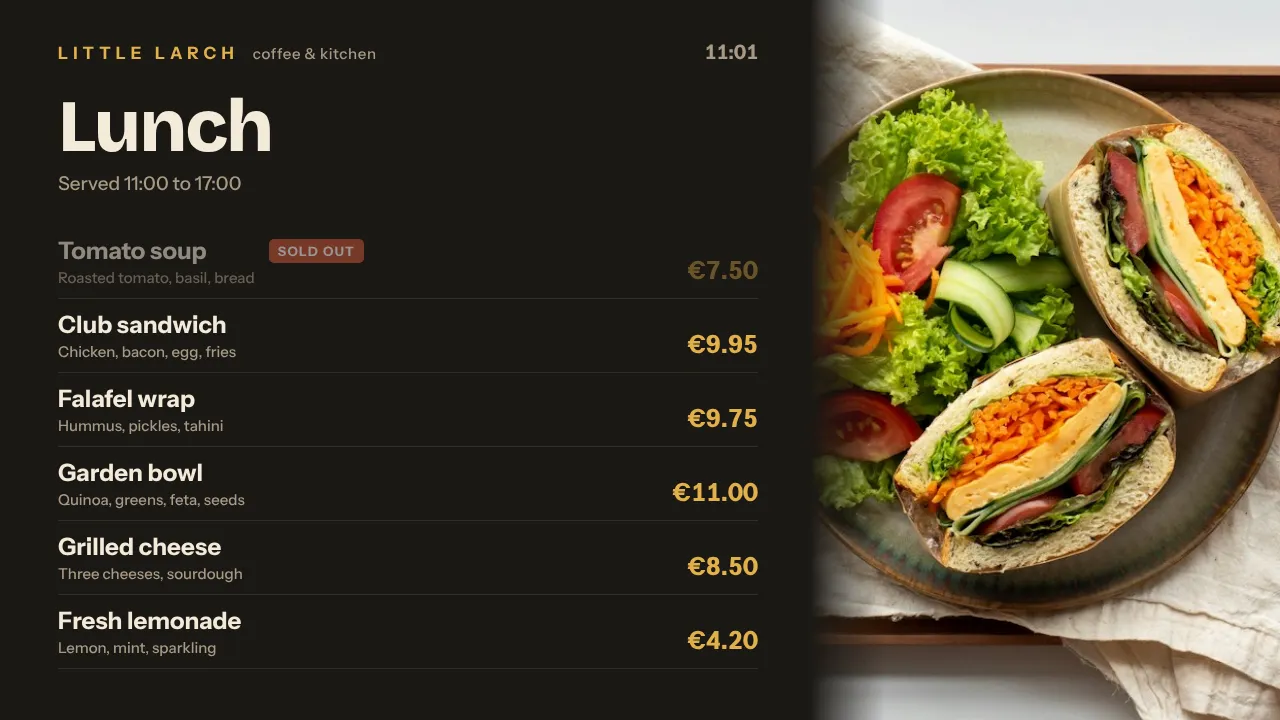
A menu that follows the day
Breakfast, lunch and the afternoon cabinet, each on its own time slot, switching by itself.
See how it works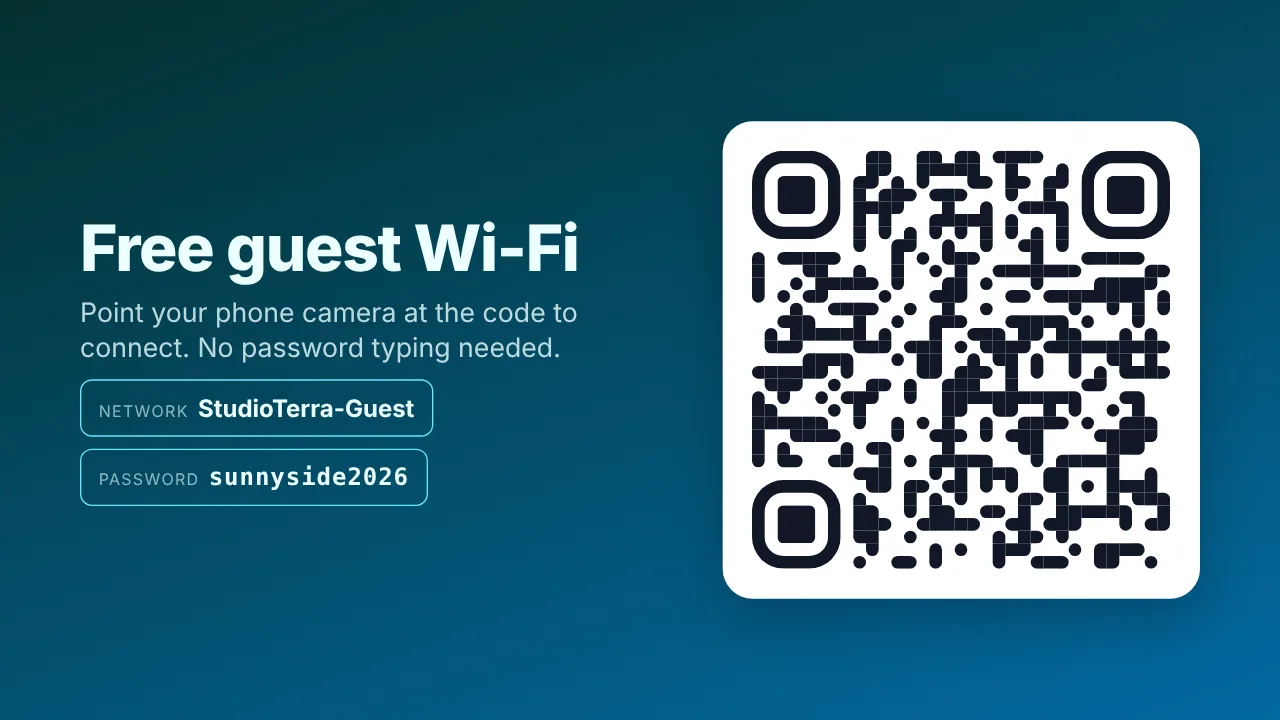
Guest Wi-Fi in one scan
A big QR code that joins the network, opens your booking page or your Instagram.
See how it works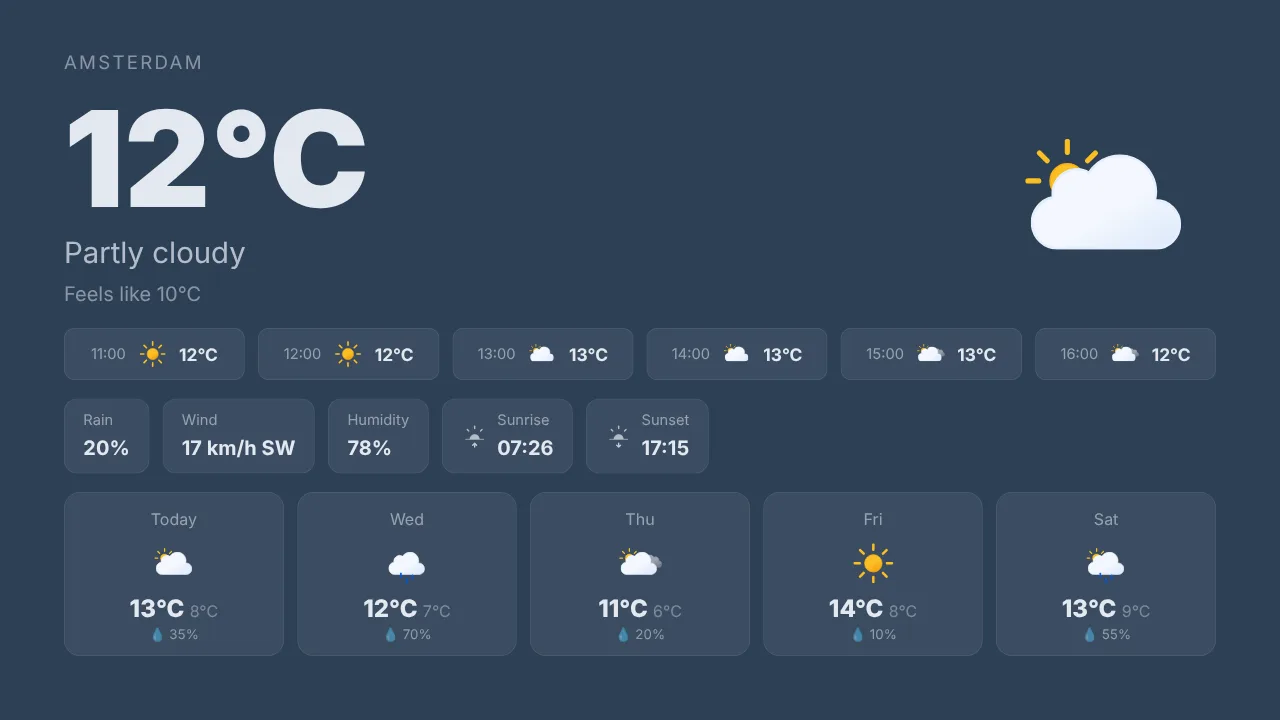
The forecast for the day ahead
Weather for your town and the coming days. The first thing visitors check before a walk or a boat trip.
See how it worksPlan once, and every screen follows the clock
Give slides weekdays, hours and an end date, or plan whole playlists in the calendar. The screens switch on time, even when the internet drops.
- 07:00
Breakfast and the forecast
The TV wakes up by itself with the breakfast menu and today's weather for your town.
- 10:00
Check-out, next stop
At the motel desk: your Google rating and a QR code that opens your review page.
- 12:00
Lunch from the cabinet
The lunch menu takes over at noon and the breakfast slides step aside.
- 16:00
Tomorrow's tours
Promote tomorrow's trips and a booking link while guests plan their evening.
- 21:00
Lights out
Screens go to standby at closing time, and player updates wait until 03:00 New Zealand time.
Everything you need, nothing you don't
Reviews that sell for you
Google reviews on every plan; Tripadvisor and Booking.com reviews are Premium, in Pro and Business or as an add-on on Starter.
Wi-Fi and links by QR code
Guest Wi-Fi, your booking page or your menu in one scan, with your logo in the middle of the code.
Keeps playing offline
Downloaded content and the schedule stay on the player. A backup playlist plays instead of a black screen if the assigned content is unavailable.
New Zealand time, always
Every screen keeps its own time zone, so menus and on/off hours follow local time, not the time of our team in Europe.
Run it from your phone
Change the special of the day from the dashboard in any browser, also on your phone, and press Push to screen.
No designer needed
Describe what you want and AI Studio makes a designed screen, or start from a template in the Designer.
Live in fifteen minutes
- 1Create a free account
No credit card, no installation. The dashboard runs in your browser.
- 2Connect a screen
Any TV with HDMI and a small player, or a smart TV browser. Enter the code the screen shows.
- 3Choose what plays
Add a plugin, upload your own media or let AI Studio design a screen. Press Push to screen.
A motel with a screen at reception and one in the guest lounge
3 screens included, Google reviews and guest Wi-Fi included. Start free with 1 screen.
Compare all plansPrices excl. VAT, cancel monthly.
Frequently asked questions
Which player should I use in New Zealand?
A Raspberry Pi 4 or 5 with one install command is the most robust choice: it restarts its own player, recovers after an outage and switches the TV on and off through HDMI-CEC. A Fire TV Stick runs the TVpilot app from the Amazon Appstore, an Android TV box works with TV Bro or Fully Kiosk Browser, and a smart TV can open the player in its browser. The Amazon Signage Stick is sold on Amazon in the US, UK, Germany, France, Spain, Italy and Canada.
Your team is in Europe. Will my screens run on New Zealand time?
Yes. Every screen keeps its own time zone, so a menu set for 12:00 switches at noon in New Zealand. Player updates also run at 03:00 in each screen's own time zone.
What if my internet is slow or drops out?
Players keep the content and schedule they already downloaded and keep playing, and a planned switch still happens on time. A Raspberry Pi recovers by itself after an outage. New content needs a connection to arrive.
Can I show Tripadvisor or Booking.com reviews?
Yes, as Premium plugins, included in Pro and Business or with the Premium add-on on Starter. Google reviews work on every plan, also the free one.
How does billing work from New Zealand?
Plans are priced in euros and paid by card; your bank converts the amount. Prices exclude VAT. You pay per plan with screens included, not per screen or per user.
Where is my data stored?
TVpilot is built in the Netherlands and hosted in the European Union. The security page explains how we handle your data.
Also see: Google reviews on screen · QR and Wi-Fi · Tripadvisor reviews · Raspberry Pi signage
TVpilot in other countries
Let your screen do the welcoming
Create a free account, add your Google reviews and your Wi-Fi code, and have your first screen live before the next guest walks in.
Free plan, no credit card. Paid plans from €5 per month.