Screens that come back after every power cut
When the power goes, a USB stick in the TV starts from slide one or not at all, and someone has to walk around switching screens back on. A TVpilot player on a Raspberry Pi restarts by itself, picks up the schedule where it should be and turns the TV back on. Your first screen is free.
Free plan, no credit card. Paid plans from €5 per month.
After load shedding, half the screens in the store stay black until someone notices.
A Raspberry Pi with TVpilot starts its player on boot and its watchdog restarts the player within about 10 seconds if it stops. During opening hours it switches the TV back on through HDMI-CEC.
When the power or the fibre drops, the content is gone and the screen shows an error.
Players keep the content and schedule they downloaded and keep playing offline. If the assigned content is unavailable, a backup playlist plays instead of a black screen.
You only hear that a branch screen is down when the regional manager visits.
Email alerts tell you when a screen goes offline and when it is back. The Health page shows uptime per screen, so you see which branches suffer most.
Real screens, ready to use
Every screen below is a live plugin or a design you make in minutes. Mix them in one playlist, or give each screen its own.
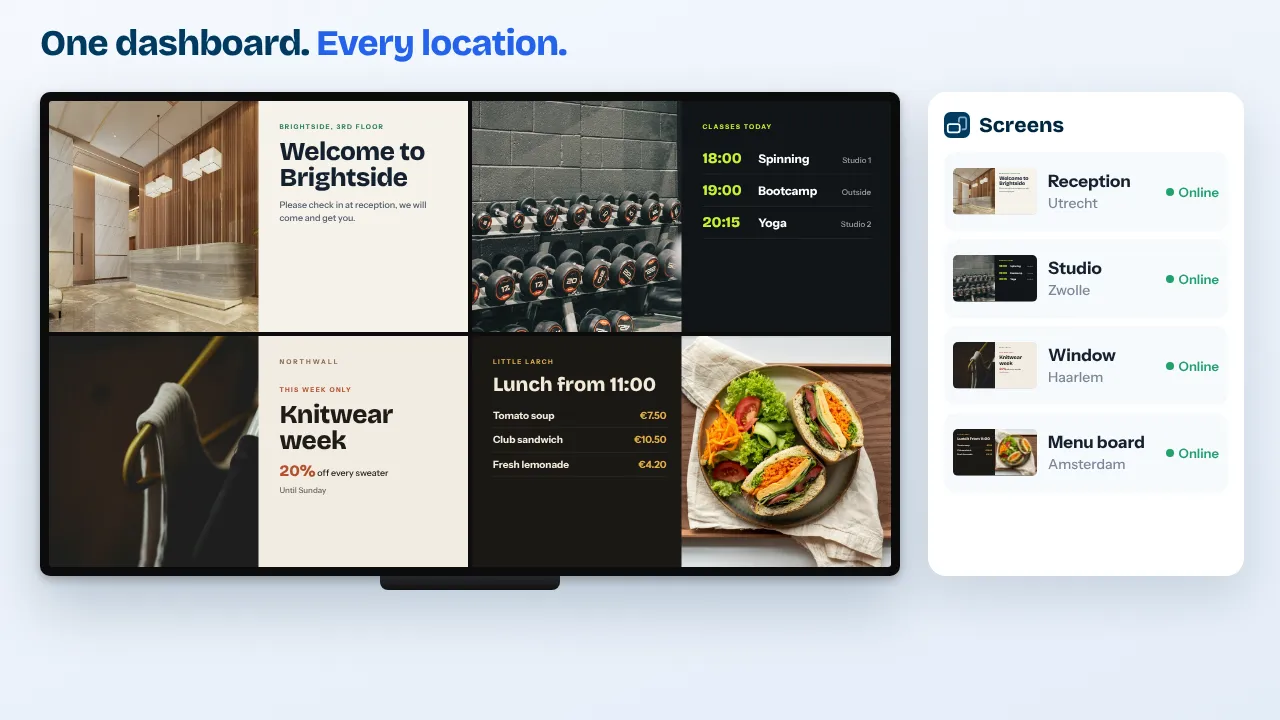
Every branch, one dashboard
From Cape Town to Durban to Joburg, see which screens are online and change what plays everywhere at once.
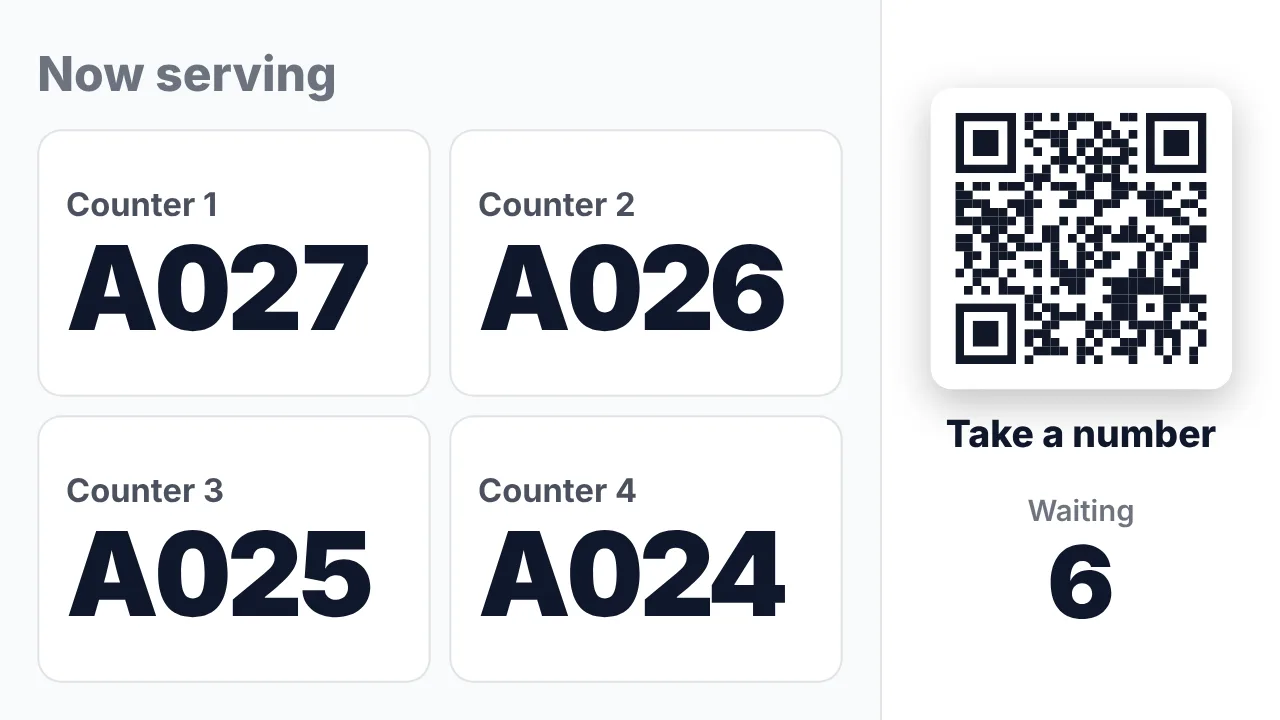
Queue numbers at the counter
For pharmacies, clinics and service desks: the number on every screen with a chime and an optional spoken call-out.
See how it works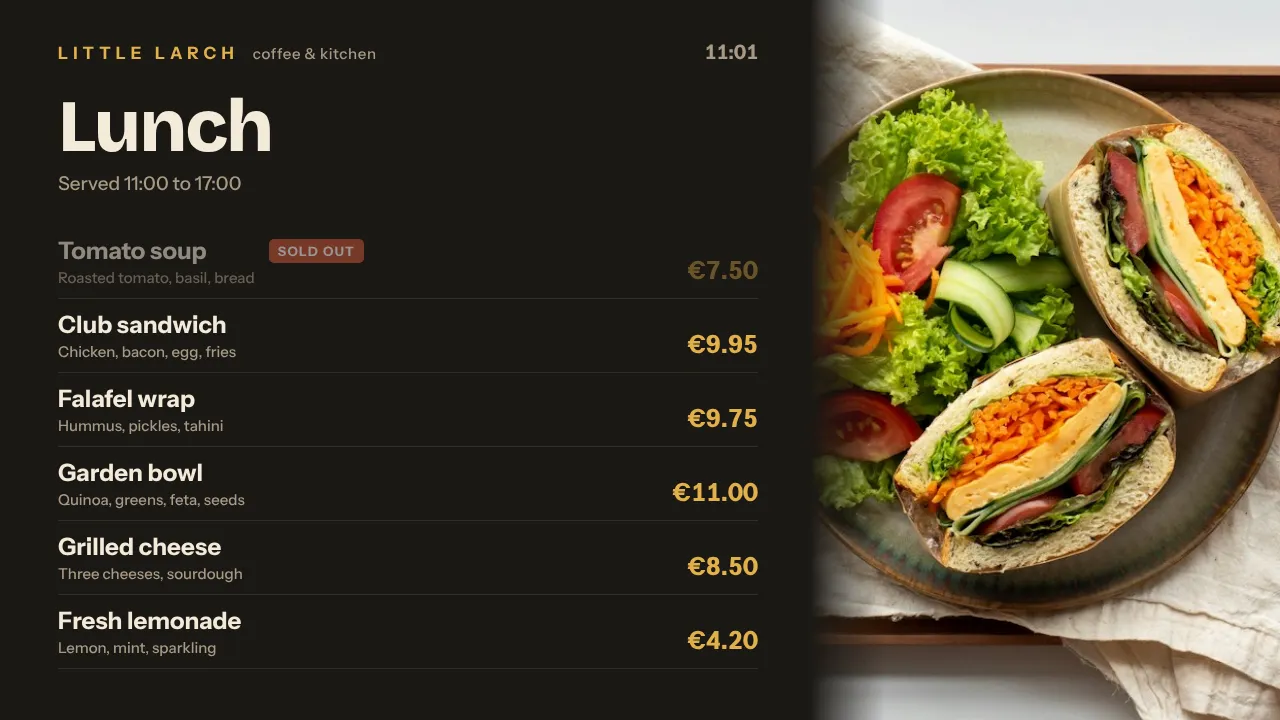
Menus that switch on time
Breakfast, lunch and dinner menus change by themselves, also when the screen was offline at that moment.
See how it works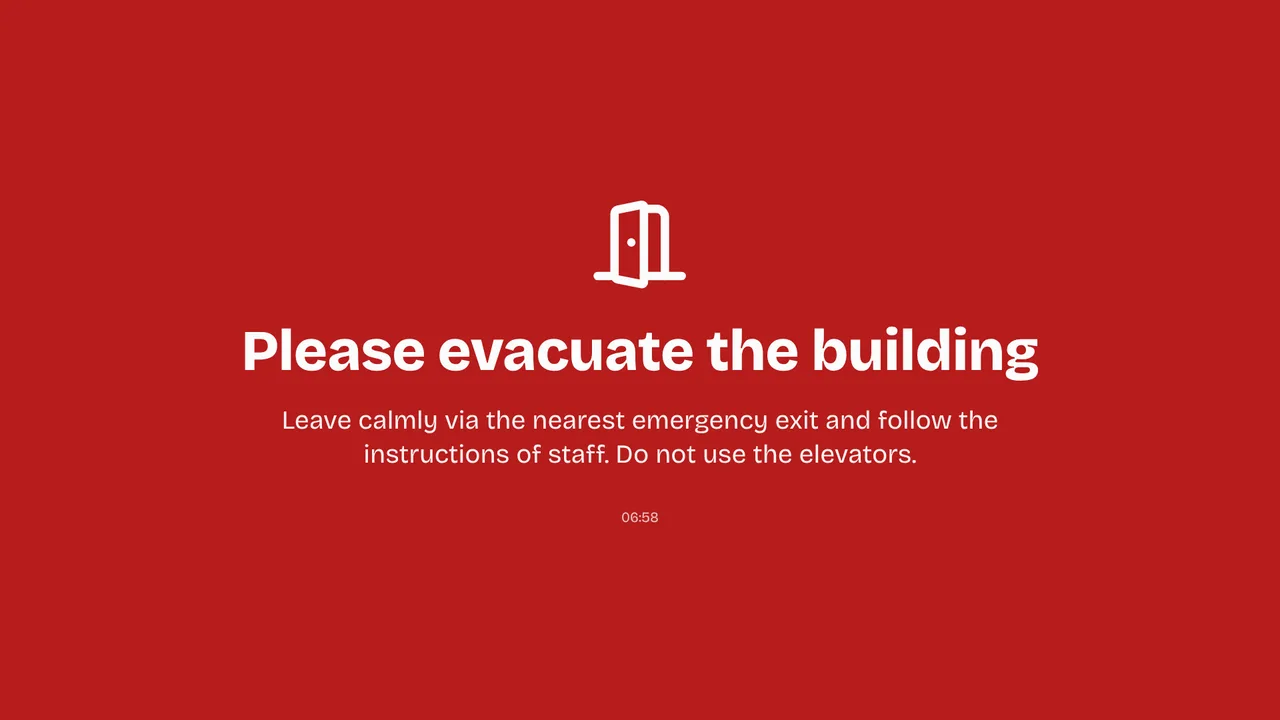
A notice on every screen
Emergency alert (Premium) puts Temporarily closed or Disruption full screen on chosen screens within seconds, and ends by itself.
See how it worksPlan once, and every screen follows the clock
Give slides weekdays, hours and an end date, or plan whole playlists in the calendar. The screens switch on time, even when the internet drops.
- 07:30
Doors open
The Pi switches the TV on through HDMI-CEC and the morning playlist starts.
- 10:00
Power cut
Screens go dark with the building. No one needs to touch them.
- 12:30
Power is back
The Pi boots, starts the player and the screen shows the lunch menu, not the breakfast one it lost power on.
- 12:35
All clear in your inbox
The recovery email confirms every screen is back online.
- 18:00
Closing time
The TVs go to standby on schedule, and player updates wait for 03:00 South African time.
Everything you need, nothing you don't
Self-healing Raspberry Pi
Auto-start on boot, a watchdog that restarts the player within about 10 seconds and HDMI-CEC to switch the TV on. One install command.
Plays without internet
Downloaded content and the schedule stay on the player. A scheduled change happens at the exact moment, even offline.
Backup playlist per screen
If the assigned content is empty or unavailable, the screen plays your backup playlist instead of going black.
Offline and recovery alerts
Email alerts for screens that go down and come back, plus a signed webhook for Slack, Teams or Zapier.
Branches and franchises
Locations and tags per branch, and on Pro and Business branch managers see only their own screens.
Uptime you can see
The Health page shows uptime per screen and for the whole fleet, so you know where a UPS would pay off.
Live in fifteen minutes
- 1Create a free account
No credit card, no installation. The dashboard runs in your browser.
- 2Connect a screen
Any TV with HDMI and a small player, or a smart TV browser. Enter the code the screen shows.
- 3Choose what plays
Add a plugin, upload your own media or let AI Studio design a screen. Press Push to screen.
A pharmacy with a queue screen at the counter and two promotion screens
3 screens included, queue numbers and backup playlists included. Start free with 1 screen.
Compare all plansPrices excl. VAT, cancel monthly.
Frequently asked questions
What happens to my screens during load shedding?
They go dark with the power. When it returns, a Raspberry Pi boots, starts the TVpilot player by itself and plays what the schedule says for that moment. During opening hours it switches the TV back on through HDMI-CEC.
Do the screens need internet to keep playing?
No. Players keep the content and schedule they already downloaded and keep playing offline, including planned switches. New content and changes arrive once the connection is back.
Which player is best for South Africa?
A Raspberry Pi 4 or 5. It runs TVpilot in kiosk mode, recovers by itself after an outage and controls the TV through HDMI-CEC. An Android TV box with Fully Kiosk Browser or a smart TV browser also works. The Amazon Signage Stick also starts TVpilot on every boot after a power cut, and is sold on Amazon in the US, UK, Germany, France, Spain, Italy and Canada.
Will I know when a screen does not come back?
Yes. Turn on email alerts and you get a message when a screen goes offline and another when it recovers. The dashboard shows a screenshot of what each screen plays.
How does billing work from South Africa?
Plans are priced in euros and paid by card; your bank converts the amount. Prices exclude VAT. You pay per plan with screens included, never per user.
Where is my data stored?
TVpilot is built in the Netherlands and hosted in the European Union. The security page explains how we handle your data.
Also see: Raspberry Pi signage · Queue management · Emergency alert · Retail signage
TVpilot in other countries
Stop rebooting screens by hand
Create a free account, install the player on a Raspberry Pi with one command and pull the plug to see it come back.
Free plan, no credit card. Paid plans from €5 per month.