One dashboard for screens from coast to coast
Whether you run one coffee shop in Austin or stores in New York, Chicago and Los Angeles, TVpilot puts every screen in one web dashboard. Each screen follows its own local time, so a menu that switches at 11:00 does so at 11:00 in every time zone. Plug in an Amazon Signage Stick or a Raspberry Pi, or open the player in a smart TV browser.
Free plan, no credit card. Paid plans from €5 per month.
Your locations span time zones, so "9 AM" means four different moments.
Every screen keeps its own time zone. Schedule the breakfast menu until 11:00 once, and each restaurant switches at 11:00 local time, from Boston to Seattle.
Signage setups often mean special hardware and a price per device.
TVpilot runs on players you can order on Amazon in the US, such as the Amazon Signage Stick. You pay per plan with screens included, never per user or per device license.
Head office has to call every store to get a price changed.
Change the price once in the dashboard and press Push to screen. On Pro and Business, store managers get access to their own location only.
Real screens, ready to use
Every screen below is a live plugin or a design you make in minutes. Mix them in one playlist, or give each screen its own.
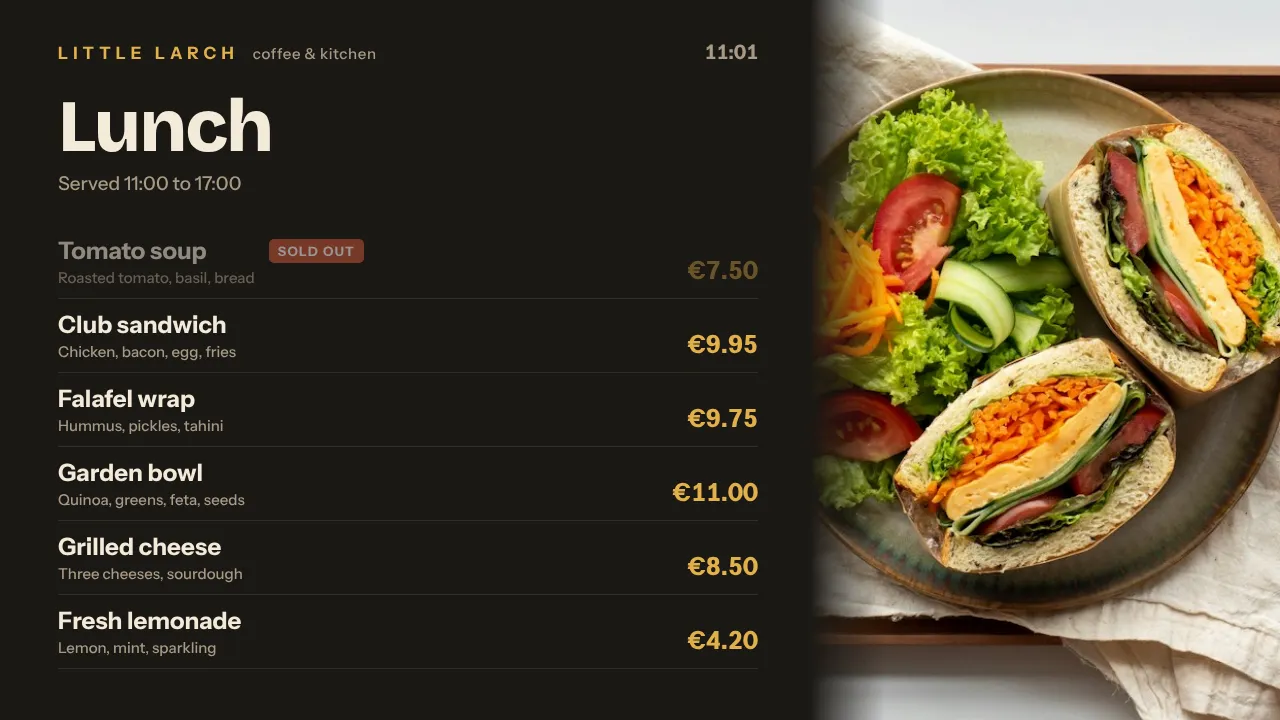
Menu boards by time of day
Breakfast, lunch and dinner menus that change on schedule in each restaurant's own time zone.
See how it works
Store promotions
A weekend sale that starts Friday morning and takes itself off screen on Sunday night, in every store at once.
See how it works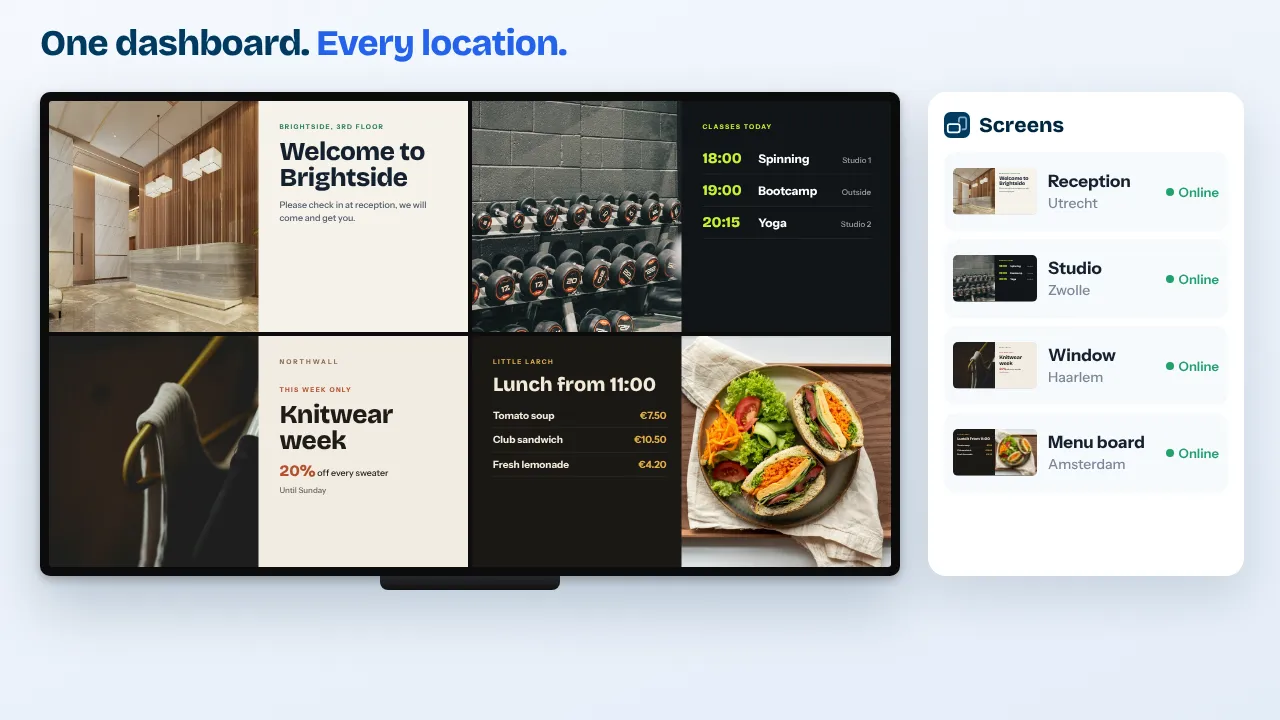
Every location in one view
See which screens are online in each store, with screenshots and a remote restart when a TV needs attention.
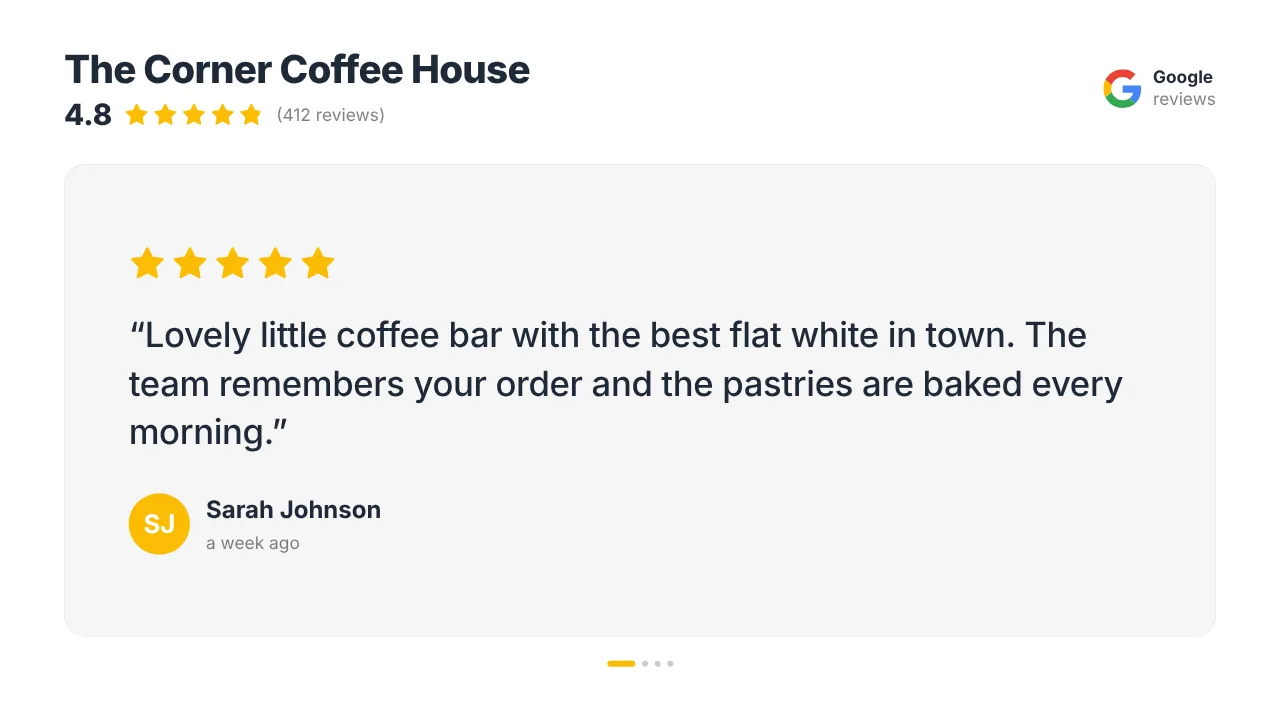
Your Google reviews
Your star rating and newest reviews rotate between the promotions. Yelp reviews are available as a Premium plugin.
See how it worksPlan once, and every screen follows the clock
Give slides weekdays, hours and an end date, or plan whole playlists in the calendar. The screens switch on time, even when the internet drops.
- 06:00
Breakfast on the East Coast
Restaurants in New York and Miami switch to the breakfast menu at 06:00 Eastern. Los Angeles follows three hours later, at its own 06:00.
- 09:00
One campaign, four starts
A national promotion starts at 09:00 in New York, Chicago, Denver and Los Angeles, each at its own local nine o'clock.
- 11:00
Lunch menu
A weekday lunch slot swaps the menu at 11:00 local time in every restaurant, set once in the calendar.
- 15:00
Flash sale in one store
A store manager with surplus stock uses Show now for 2 hours; the screen then returns to its plan by itself.
- 03:00
Updates while you sleep
Player updates run at 03:00 in each screen's own time zone, so no store sees an update during opening hours.
Everything you need, nothing you don't
A time zone per screen
Schedules, dayparting and the 03:00 player updates follow each screen's own local time, whether it hangs in Eastern, Central, Mountain or Pacific time.
Players you order on Amazon
The Amazon Signage Stick is sold on Amazon in the US, also through Amazon Business. TVpilot runs on it in collaboration with Amazon Signage.
Locations and roles
Group screens by store and give each manager access to their own location. Pro covers 3 locations, Business unlimited.
Campaigns that end on time
Give every slide weekdays, hours and an expiry date, or plan whole playlists in the calendar up to a year ahead.
Reviews and social proof
Google reviews and your Instagram feed on every plan; Yelp and Tripadvisor reviews as Premium plugins in Pro and Business.
Proof of play
Playback reports per screen, day and hour, with CSV and PDF export and proof-of-play certificates for supplier campaigns on paid plans.
Live in fifteen minutes
- 1Create a free account
No credit card, no installation. The dashboard runs in your browser.
- 2Connect a screen
Any TV with HDMI and a small player, or a smart TV browser. Enter the code the screen shows.
- 3Choose what plays
Add a plugin, upload your own media or let AI Studio design a screen. Press Push to screen.
A restaurant group with 8 screens in 3 states
10 screens included, every Premium plugin and 3 locations. Billed in euros on your card; your bank converts to dollars. Prices exclude VAT.
Compare all plansPrices excl. VAT, cancel monthly.
Frequently asked questions
Can I use TVpilot in the US?
Yes. TVpilot is made in the Netherlands and works worldwide. You manage your screens from a web dashboard, and every screen keeps its own US time zone.
Where can I buy a player in the US?
The Amazon Signage Stick is sold on Amazon in the US, also through Amazon Business. Plug it into the TV, set it up with the free Amazon Signage mobile app, choose TVpilot as the CMS and enter the claim code from your dashboard. A Raspberry Pi, a Fire TV Stick or a smart TV browser work too.
How do schedules work across time zones?
Each screen has its own time zone. A slot from 11:00 to 14:00 runs from 11:00 to 14:00 local time on every screen, so one schedule serves New York and Los Angeles alike.
How am I billed?
Plans are priced in euros and paid by card; your bank converts the amount to dollars. Free is 1 screen forever without a card, Starter is €5 per month for 3 screens, Pro €29 for 10 and Business €99 for 25. Prices exclude VAT.
Can my Spanish-speaking staff use the dashboard?
Yes. Every user picks their own dashboard language: English, Spanish, French, German or Dutch. Screens show whatever content you make, so a bilingual English and Spanish menu is up to you.
Where is my data stored?
Data is hosted in the EU. Our security page explains how accounts are protected, including two-factor authentication for every user on every plan.
Also see: Amazon Signage Stick · Digital menu boards · Retail digital signage · Pricing
TVpilot in other countries
Put your first US screen live today
Create a free account, plug in a player and set your schedule once. From then on every screen follows its own clock.
Free plan, no credit card. Paid plans from €5 per month.